People · Events · Communities

Choosing an association management system is one of the few decisions that touches every person in your organization. Staff will use it every day. Members will see it every time they renew, register, or update their details. And once your data is in, switching again is a project nobody wants.
That is why the AMS selection process matters as much as the system you pick. Organizations that skip steps tend to choose the vendor with the best demo or the longest feature list, then spend the next year working around a platform that does not fit. A clear process keeps the decision about your workflows, not the vendor’s pitch.
This guide walks through a 10-step AMS selection process, the criteria worth weighting, and five templates you can copy: a requirements checklist, an RFP outline, a demo script, a weighted scoring matrix, and reference check questions. If you are still deciding whether you need an AMS at all, start with what association management software is.
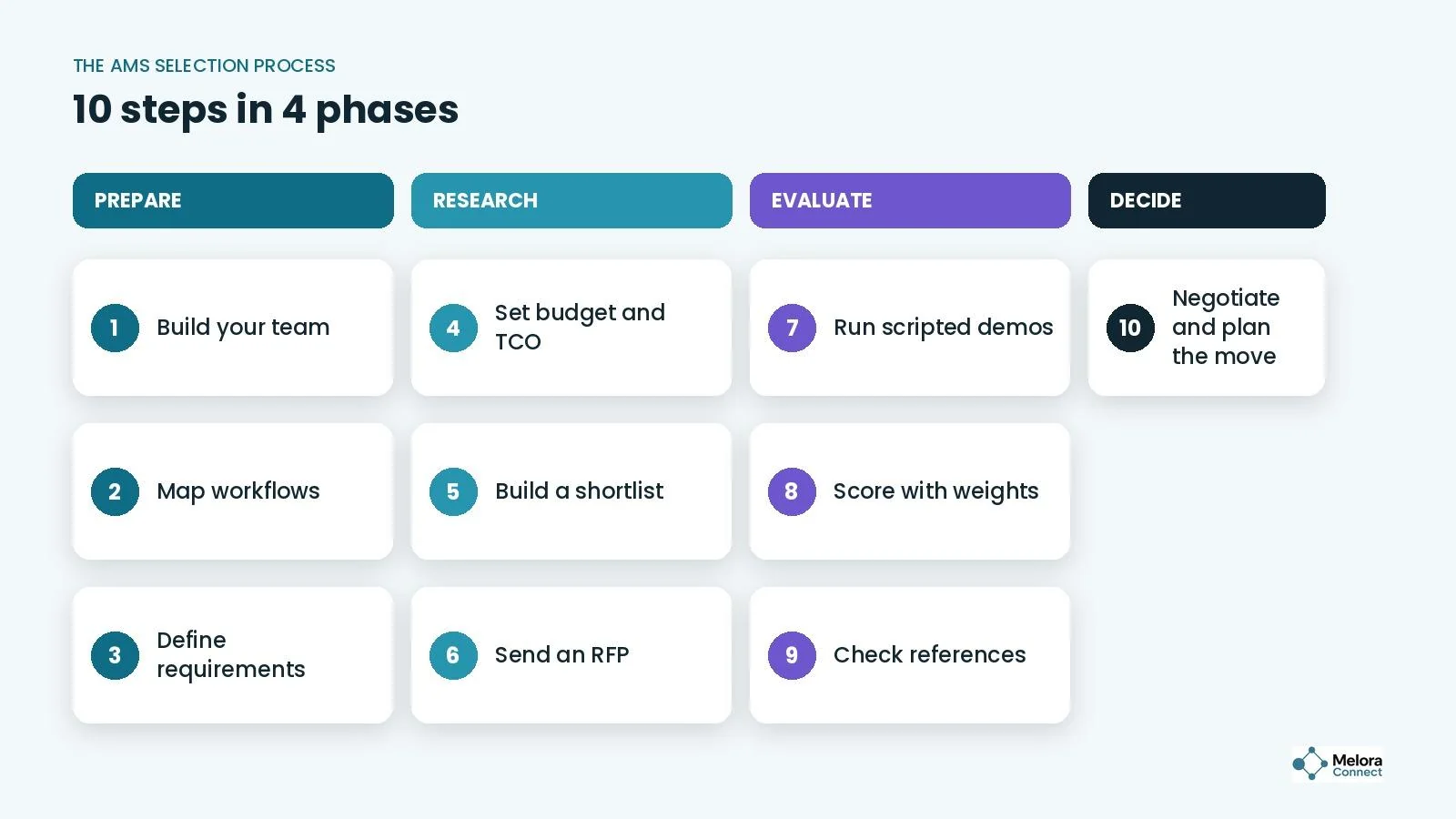
Quick answer: Build a small selection team, map your workflows, sort requirements into must-haves and nice-to-haves, budget for total cost, shortlist 3 to 5 vendors, send the same RFP to each, run scripted demos on your own scenarios, score with weighted criteria, check references and the migration plan, then negotiate and plan the move.
What is an AMS selection process?
An AMS selection process is the structured way an association, chamber, or membership organization defines its needs, compares association management system vendors, and chooses the platform that best fits how it works. It usually covers requirements, budget, a shortlist, demos, scoring, reference checks, and contract negotiation.
The goal is not to find the best AMS on the market. It is to find the best AMS for your organization, your team, and your members.
Why does the selection process matter so much?
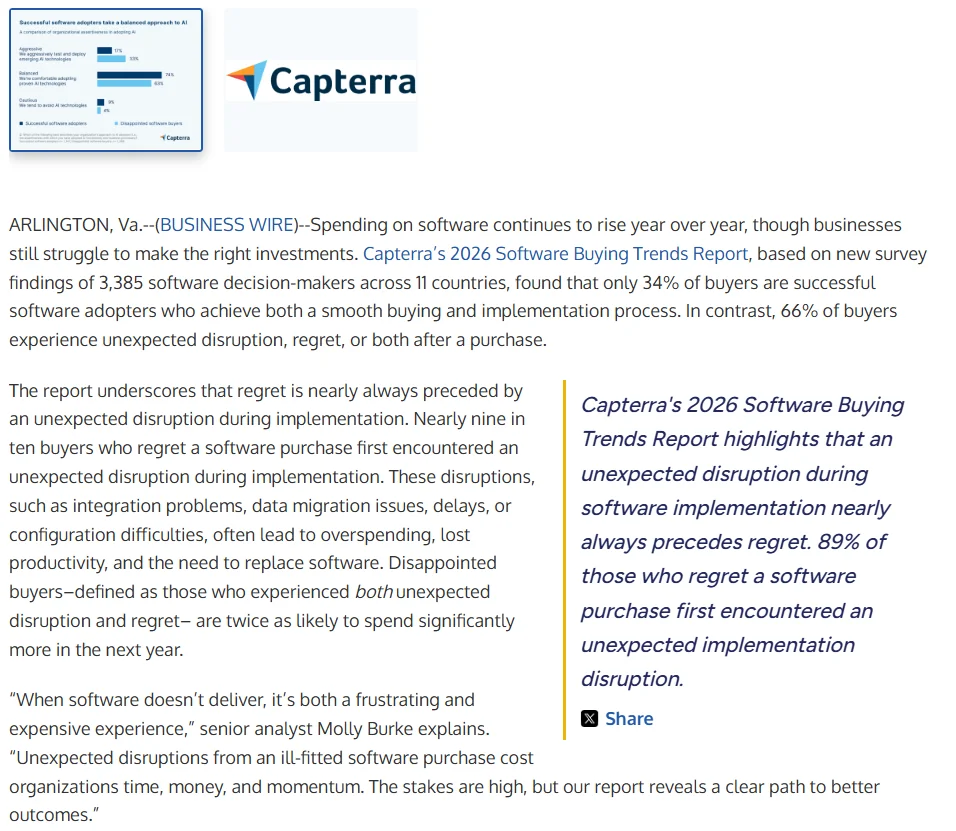
Because most software purchases do not go to plan. In Capterra’s 2026 Software Buying Trends Report, a survey of 3,385 software decision-makers in 11 countries, only 34% were successful adopters with both a smooth purchase and a smooth implementation. And 89% of buyers who regretted a purchase had first run into an unexpected disruption during implementation.
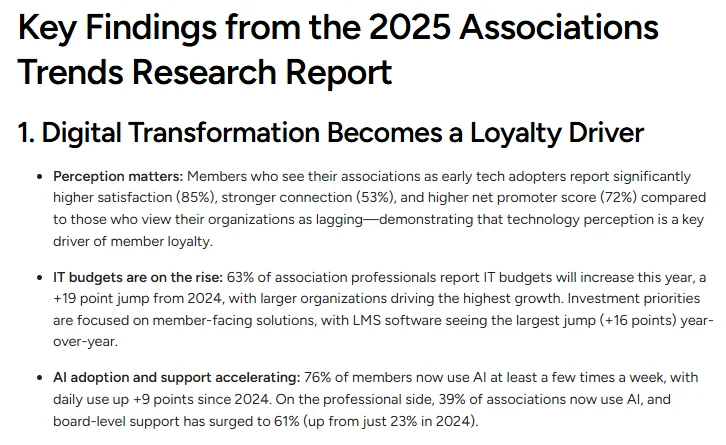
Associations are buying anyway. In Momentive Software’s 2025 Associations Trends Report, 63% of association professionals said their IT budgets would increase, and members who see their association as an early tech adopter reported 85% satisfaction. The money is there. The process decides whether it is well spent.
The 10-step AMS selection process
The steps fall into four phases: prepare, research, evaluate, decide. Most of the real work happens in the first phase, before you talk to a single vendor.
1. Build your selection team
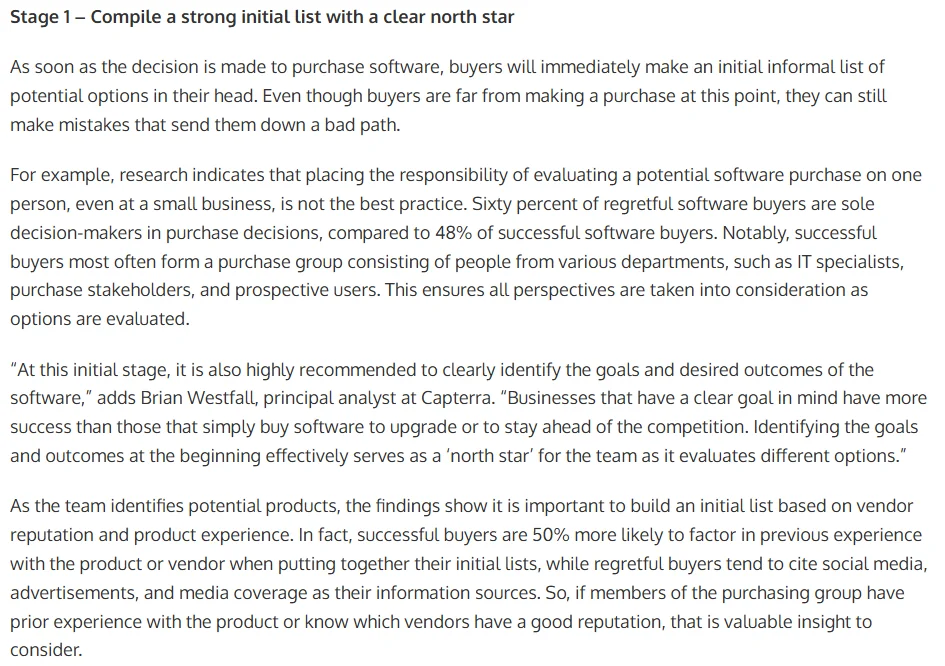
Bring together the people who will use the system most: membership, events, finance, communications, and whoever manages your website. Keep the group small, usually three to six people, and name one decision-maker up front. A committee where everyone has a veto rarely makes a decision, but a single person deciding alone is a risk too: in Capterra’s 2025 Tech Trends research, 60% of buyers who regretted a purchase were sole decision-makers, compared with 48% of successful buyers.
2. Map your current workflows
Write down how joining, renewals, payments, events, communications, and reporting work today, including every workaround and spreadsheet. Note where work gets stuck or repeated. This map becomes the backbone of your requirements and your demo script. Our guide to membership management walks through each stage of the member lifecycle if you need a framework.
3. Define your requirements
Turn your workflow map into a requirements list, and sort every item into one of three groups: must-have, nice-to-have, or not needed. Be strict about must-haves. If a requirement would not stop you from signing, it is not one. Use Template 1 below to get started.
4. Set a budget based on total cost
Subscription price is only part of the cost. Include setup and data migration, payment processing fees, training, any add-on modules, and the staff time the system will save or cost. Payment fees alone add up: on Stripe’s standard US pricing, a domestic card payment costs 2.9% plus 30¢, while ACH Direct Debit costs 0.8% capped at $5, so the payment mix your members use changes the total.
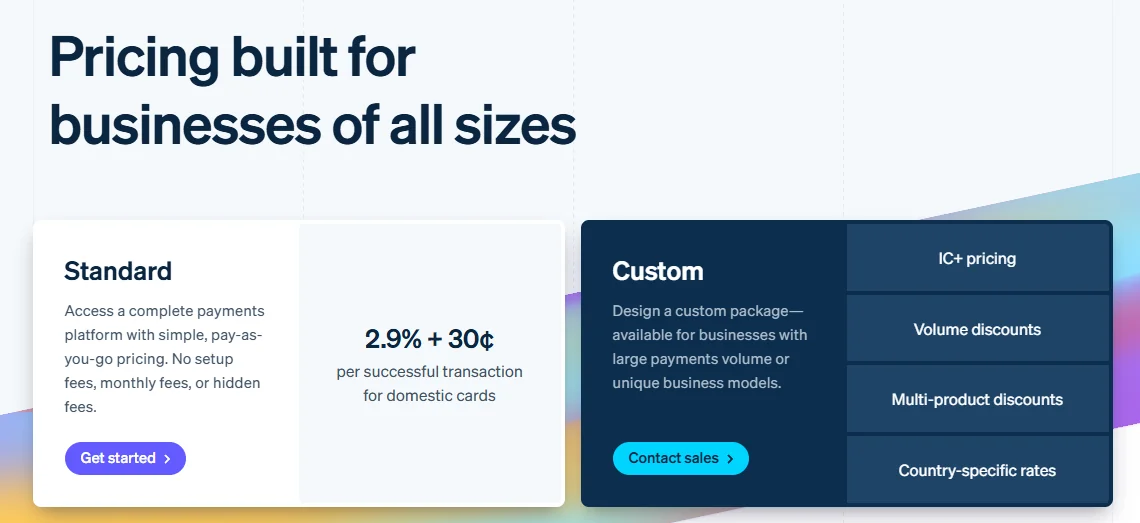
The tools an AMS replaces belong in the comparison too, because cancelling them offsets part of the price. A simple way to compare finalists: annual total cost = subscription + payment fees + add-ons + tools the AMS replaces + (staff hours × hourly cost). Our free Chamber Tech Stack Cost Calculator adds up what your current tools cost, and our membership software cost guide lists the hidden fees to ask about.
5. Build a shortlist of 3 to 5 vendors
Use your must-haves to narrow the field to three to five vendors that serve organizations like yours in size and type. Fewer than three gives you little to compare. More than five turns demos into a blur. If you are unsure which kind of platform fits, our post on AMS vs. membership management software explains the difference, and our roundup of the best association management software is a good place to find names.
Be careful with shortcuts. Capterra found that disappointed software buyers were more likely than successful adopters to lean on generative AI tools to build their vendor list. Use AI to organize research, not to replace it.
6. Send an RFP or requirements brief
Send each shortlisted vendor the same document: who you are, how you work, what you need, and how you will decide. A formal RFP is not required for every organization, but a short requirements brief makes every vendor answer the same questions. Template 2 gives you the outline, and our Membership Software RFP Template is a ready-to-send version.
7. Run scripted demos
Do not let vendors run their standard demo. Send them your scenarios ahead of time and ask them to walk through each one live, in the product. A polished slide deck tells you very little about how a Tuesday afternoon will feel for your staff. Template 3 lists scenarios to start with. If AI features are on your list, add the scenarios from our guide to AI association management software.
8. Score vendors with weighted criteria
Have every evaluator fill in the same scorecard straight after each demo, before discussing it as a group. Weight each criterion by how much it matters to you, then compare weighted totals rather than impressions. Template 4 shows how.
9. Check references and the migration plan
Talk to at least two current customers similar to you in size and type, and ask the vendor for a written data migration plan. Template 5 covers the questions that reveal the most. Ask, too, how you would export your data if you ever left. Our free Membership Data Migration Workbook helps you map every field before you compare migration plans.
10. Negotiate, decide, and plan the move
Before you sign, confirm what is included, what costs extra, how pricing changes as you grow, and what the onboarding timeline looks like. Since unexpected implementation disruption comes before most buyer regret, plan the rollout as carefully as the purchase. Then plan the switch: schedule the move for outside your busiest renewal or event season, and decide who owns training and data cleanup on your side. Our free AMS Migration Checklist covers every step.
AMS selection criteria: what should you evaluate?
These are the criteria most associations and chambers weigh. The weights are a starting point; adjust them to your priorities, but keep the total at 100%.
| Criterion | Example weight | What to look for | Red flag |
|---|---|---|---|
| Fit with your workflows | 25% | Handles your real scenarios without workarounds | “You could do that with a custom report” |
| Connected member data | 20% | Payments, events, and emails update one member record | Each module keeps its own data |
| Staff ease of use | 15% | Your least technical person can finish daily tasks | Training needed for basic tasks |
| Member experience | 15% | Easy joining, renewal, and self-service on a phone | Members need staff help to pay or update details |
| Data migration and export | 10% | A clear import plan and export anytime | Vague timeline, or export costs extra |
| Support and training | 10% | Named onboarding help and responsive support | Support only through a ticket queue |
| Total cost of ownership | 5% | Transparent pricing that scales predictably | Key features sold as add-ons |
Notice that price carries the smallest weight in this example. That is deliberate. A cheaper system that does not fit your workflows usually costs more in staff time than it saves on the invoice.
AMS selection templates
Copy these into your own documents. The free library tools linked in each template give you editable versions.
Template 1: requirements checklist
List every requirement, then mark its priority. Add rows for anything specific to your organization.
| Area | Requirement | Priority | Notes |
|---|---|---|---|
| Member records | One profile with status, payments, events, and emails | Must-have | |
| Membership types | Individual and business tiers with different pricing | Must-have | |
| Applications | Online joining with payment and staff approval | Must-have | |
| Payments | Card and ACH, saved-card autopay, automatic receipts | Must-have | |
| Renewals | Automated reminders and invoice runs | Must-have | |
| Segmented sends with merge fields from the member record | Nice-to-have | ||
| Events | In-person and online events with one registration flow | Must-have | |
| Online events | Video meetings created from the event, with attendance recorded on the member record | Nice-to-have | |
| Onsite | Mobile check-in and badge printing | Nice-to-have | |
| Chapters | Chapter membership and reporting on the same record | Nice-to-have | |
| CE credits | Continuing education credits tracked per member | Nice-to-have | |
| Community | Committees, groups, surveys, and discussions | Nice-to-have | |
| Member access | Self-service portal and member app | Must-have | |
| Website | Website and member directory synced with member data | Nice-to-have | |
| Reporting | Live dashboards for growth, renewals, and revenue | Must-have | |
| Data | Import from current tools and export anytime | Must-have |
Template 2: RFP outline
Keep it short enough that vendors answer it properly. Five to eight pages is plenty for most organizations. The Membership Software RFP Template follows this outline.
-
About us: organization type, member count, staff size, and annual event volume.
-
Current systems: the tools you use today and what you want to replace.
-
Goals: the three to five outcomes you want, such as fewer manual renewals or faster board reporting.
-
Requirements: your checklist from Template 1, with priorities marked.
-
Demo scenarios: the scenarios from Template 3 you want to see live.
-
Data migration: how much data you have, where it lives, and how clean it is.
-
Pricing request: a full breakdown, including setup, payment fees, and add-ons.
-
Timeline and decision criteria: key dates and how you will score responses.
Template 3: demo script
Send these scenarios to each vendor at least a week before the demo, and ask to see them done live in the product.
-
New member joins: a business applies online, picks a tier, pays, and staff approve the application.
-
Renewal: a member gets a reminder, renews from a phone with a saved card, and receives a receipt.
-
At-risk member: show who has not engaged in 90 days and has a renewal coming up.
-
Event day: a walk-in arrives at your annual dinner, pays onsite, gets a badge, and appears on the attendee list.
-
Online event: create a webinar, send the link, and show who actually joined on each member’s record.
-
Campaign: send a renewal email only to business members whose renewal is due next month.
-
Board report: pull membership growth, renewal rate, and event revenue for the last quarter.
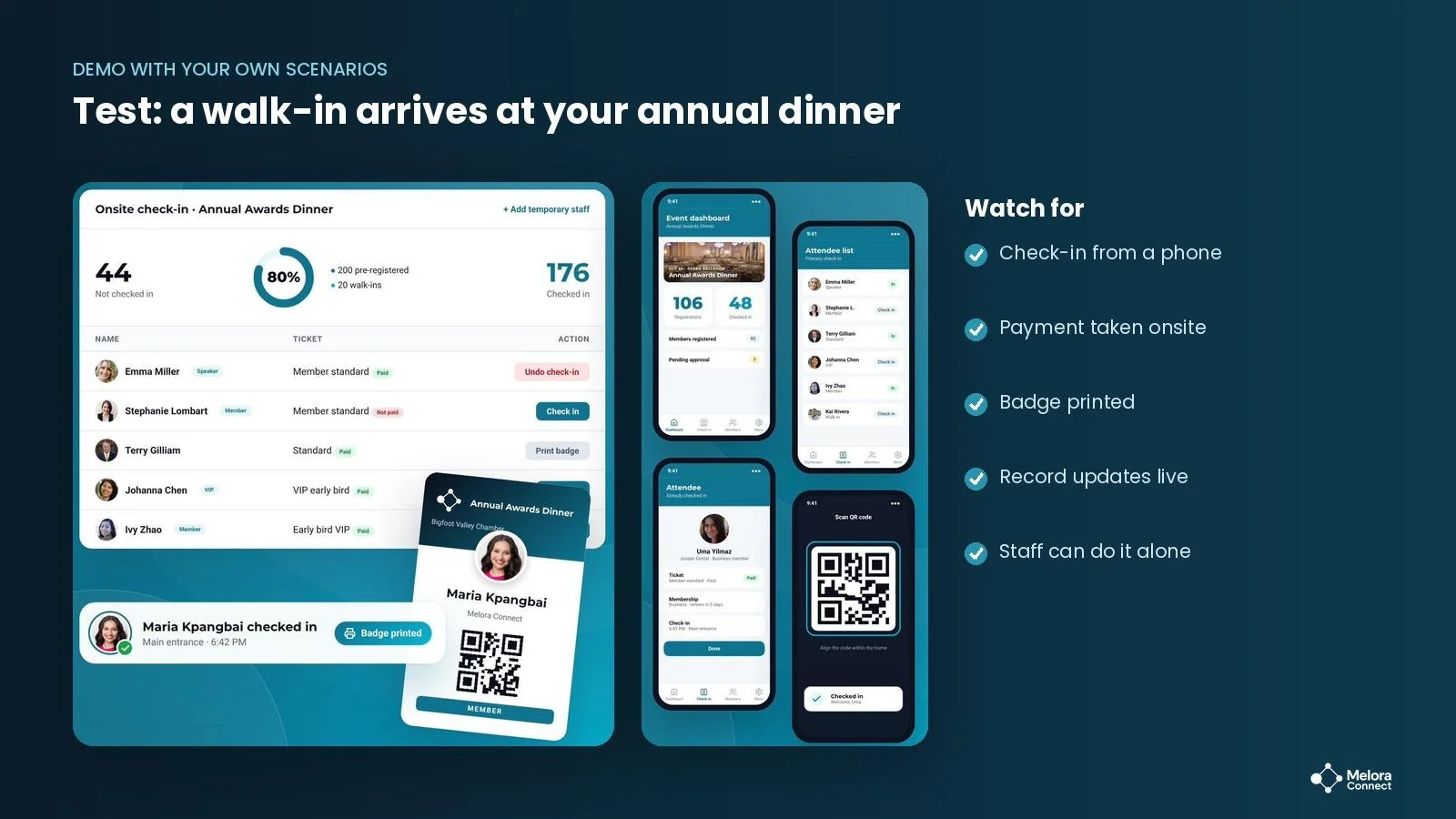
For event-heavy organizations, score the event scenarios separately with our free Event Software Scorecard.
Template 4: weighted scoring matrix
Each evaluator scores each criterion from 1 to 5. Multiply each score by the weight and add them up to get a weighted total out of 5.
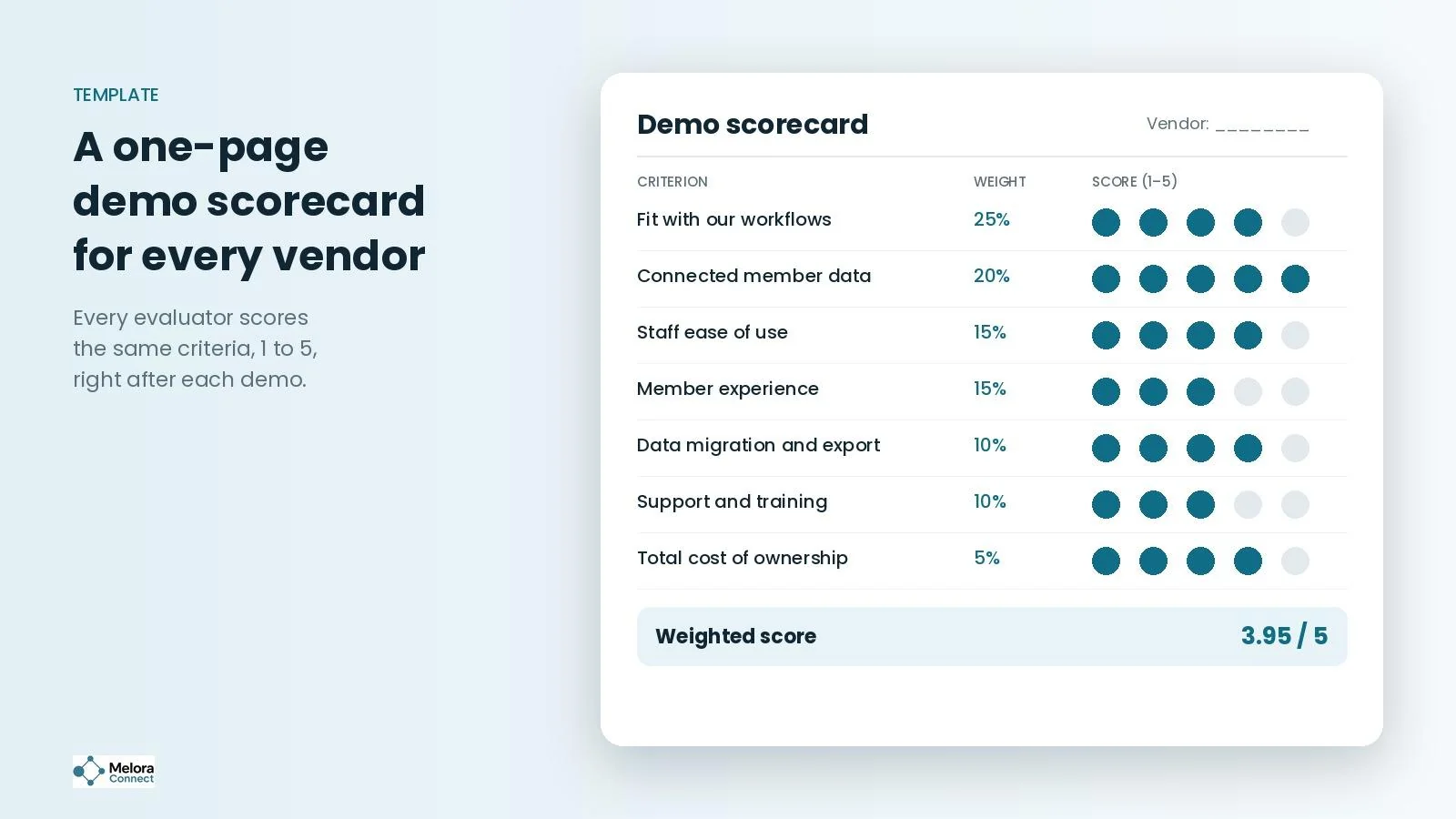
| Criterion | Weight | Platform A | Platform B | Platform C |
|---|---|---|---|---|
| Fit with your workflows | 25% | 3 | 5 | 4 |
| Connected member data | 20% | 3 | 4 | 4 |
| Staff ease of use | 15% | 3 | 4 | 3 |
| Member experience | 15% | 3 | 4 | 4 |
| Data migration and export | 10% | 4 | 4 | 3 |
| Support and training | 10% | 3 | 4 | 3 |
| Total cost of ownership | 5% | 3 | 5 | 3 |
| Weighted total (out of 5) | 100% | 3.10 | 4.30 | 3.60 |
How to calculate it: weighted total = (score × weight) for each criterion, added together. For Platform B: (5 × 0.25) + (4 × 0.20) + (4 × 0.15) + (4 × 0.15) + (4 × 0.10) + (4 × 0.10) + (5 × 0.05) = 4.30.
Template 5: reference check questions
-
How long did implementation actually take, compared with what you were told?
-
How did the data migration go, and what would you do differently?
-
What does your team use every day, and what have you stopped using?
-
How quickly does support respond when something breaks during renewal season?
-
What do your members say about joining, renewing, and paying?
-
If you were choosing again today, would you pick the same system?
Example: why the longest feature list lost
Illustrative example. Picture a professional society with 2,000 members and four staff. The selection team shortlisted three platforms. Platform A had the longest feature list by far, and it won the first round of demos on impressions alone.
Then the team scored each demo against their weighted criteria. Platform A’s features were there, but several lived in separate modules that did not share data, and the team needed extra steps to run their renewal scenario. Platform B had fewer features, but it handled every must-have scenario live, kept everything on one member record, and was the easiest for staff to use.
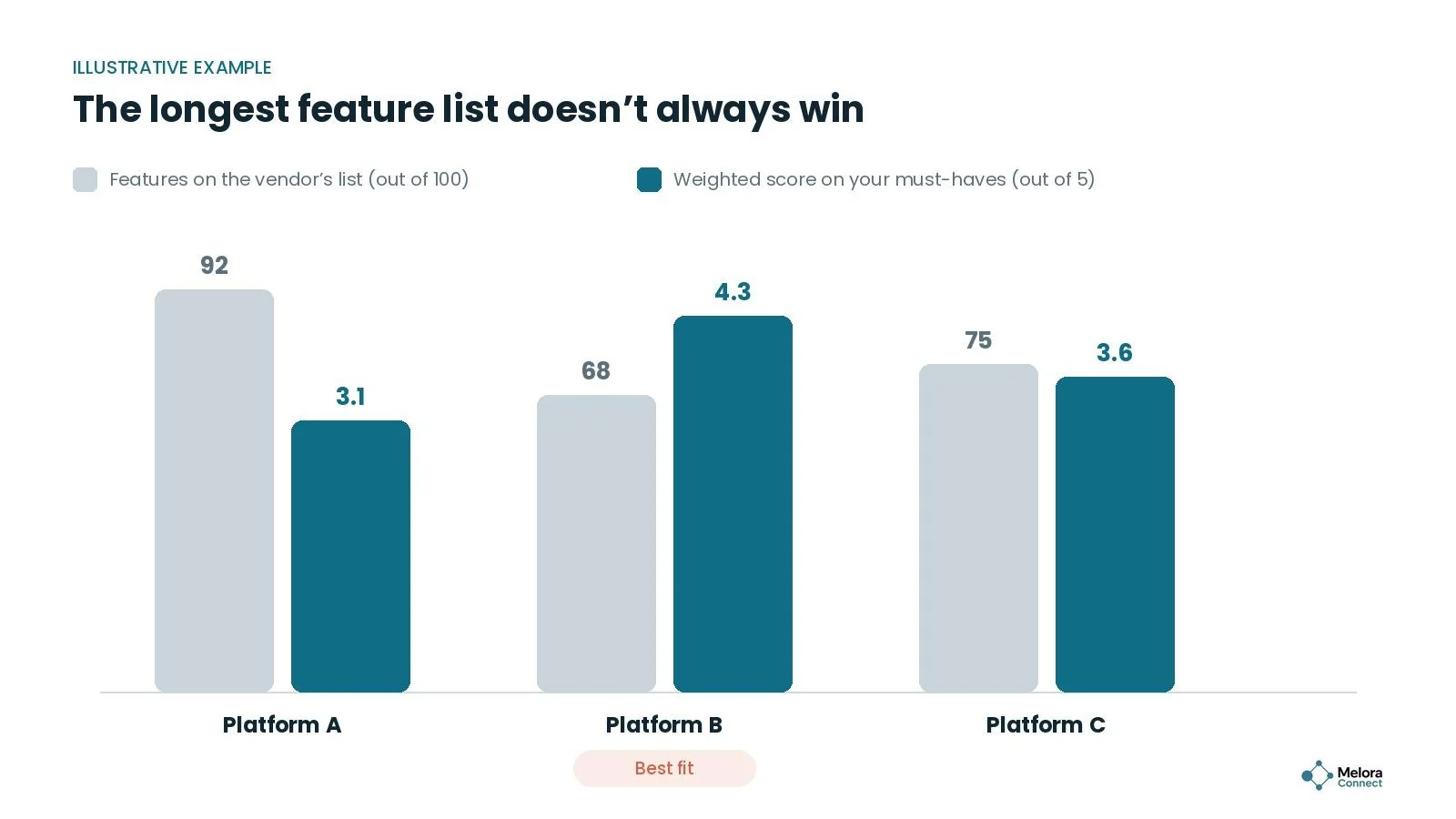
Platform B scored 4.30 out of 5. Platform A scored 3.10. Without the scoring matrix, the society would likely have picked the platform that looked best in a slide deck rather than the one that fit how they work.
5 common AMS selection mistakes
Starting with vendors instead of workflows. If demos come before requirements, the vendor sets the agenda. Map your own process first.
Treating every feature as a must-have. A list of 200 must-haves cannot separate one vendor from another. Keep must-haves to the things you truly cannot work without.
Letting the vendor run the demo. A scripted tour shows the product at its best. Your scenarios show it on a normal day.
Comparing price instead of total cost. Payment fees, add-ons, migration, and staff time often outweigh the subscription difference.
Leaving members out. Your members will renew, register, and pay through this system. Test the member experience on a phone, not just the staff screens.
Are you ready to start? a quick readiness check
Count how many of these are already true for your organization:
-
☐ You have named a small selection team and one final decision-maker.
-
☐ Your current workflows are written down, including the workarounds.
-
☐ Your requirements are sorted into must-have, nice-to-have, and not needed.
-
☐ You have a budget that covers total cost, not just the subscription.
-
☐ You know roughly how much member data you have and where it lives.
-
☐ You have picked a switch date outside your busiest renewal or event season.
5 to 6: you are ready to build a shortlist. 3 to 4: finish the prep work first, because it will make every demo more useful. 0 to 2: start with steps 1 and 2. They take a few weeks and save months later.
The one number to capture before you switch
Before you choose, write down how many staff hours one renewal cycle takes today, counting invoicing, reminders, and reconciliation. Estimates are fine. It is usually where a new AMS shows its first and clearest improvement, and it gives the board a real before and after six months from launch. For renewal rate and the other formulas, see our guide to member engagement metrics.
How Melora Connect approaches the AMS selection process
We would rather you choose the right system than choose us for the wrong reasons. So our demos start with your workflow, not our script. Send us your scenarios, and we will run them live in the product, from a new member joining to a walk-in at your annual dinner.
Melora Connect is built around one member record that membership, dues, email, events, committees, chapters, CE credits, and your public member directory all share. For online events, Melora creates the Zoom meeting and checks in the people who joined, so attendance lands on the member record. Payments by card and ACH run through MeloraPay and land in your own Stripe account. Your data can be imported and exported as CSV anytime, so you are never locked in.
For your total cost comparison, our starting prices are published on our pricing page, onboarding is a one-time fee from $999, and organizations go live from 5 weeks after signing (estimate yours with our migration timeline estimator). Member and staff apps are coming soon, so score them as roadmap items rather than current features. And because you get a team, not a login, our team does the configuration and data migration with you.
If we are not the right fit for your must-haves, we will tell you in the first conversation.
See your workflow in Melora Connect. Send us your demo script, and we will walk through each scenario live in Melora Connect. Book a Melora Connect demo
Frequently asked questions about the AMS selection process
How long does the AMS selection process take?
It depends on your size and how much prep you have done. Smaller organizations with clear requirements often finish in a few months, while larger ones with complex data and formal RFPs usually take longer. Implementation comes after that. Our guide to how long it takes to migrate membership software has the detail, and the free Migration Timeline Estimator helps you plan the full timeline around your renewal season.
Who should be on an AMS selection committee?
The people who will use the system most: membership, events, finance, and communications, plus one decision-maker. Three to six people is usually enough.
Do you need an RFP to choose an AMS?
Not always. Some organizations are required to run a formal RFP; others do just as well with a short requirements brief. What matters is that every vendor answers the same questions.
How many AMS vendors should you demo?
Three to five. Fewer gives you too little to compare, and more makes demos hard to tell apart.
What is the most important AMS selection criterion?
Fit with your real workflows. A platform that handles your everyday scenarios without workarounds, on one connected member record, will serve you better than one with more features you will not use.
Can AI build your AMS shortlist?
It can help you organize research, but it should not replace it. Capterra found that disappointed software buyers leaned on generative AI for vendor lists more than successful buyers did. Build your shortlist from your own must-haves, peer references, and verified reviews.
The bottom line
A good AMS selection process keeps the decision grounded in how your organization actually works. Map your workflows, be strict about must-haves, make vendors demo your scenarios, and let weighted scores, not impressions, settle the close calls.
Do the prep work, and the right platform usually becomes obvious. Skip it, and even a good system can turn into the wrong one.
Free template: Membership Software RFP Template. A ready-to-send RFP that makes every vendor answer the same questions, built on the outline in this guide. Open the Membership Software RFP Template
Sources
-
Capterra, 2026 Software Buying Trends Report (press release via Business Wire), October 7, 2025.
-
Capterra, 2025 Tech Trends Report (press release via Business Wire), December 10, 2024.
-
Capterra, Expert and Peer Input: 5 Habits of Successful Software Adopters, Habit 2, January 12, 2026.
-
Momentive Software, 10th Annual Associations Trends Research Report, October 16, 2025.
-
Stripe, Pricing, checked November 2026.