

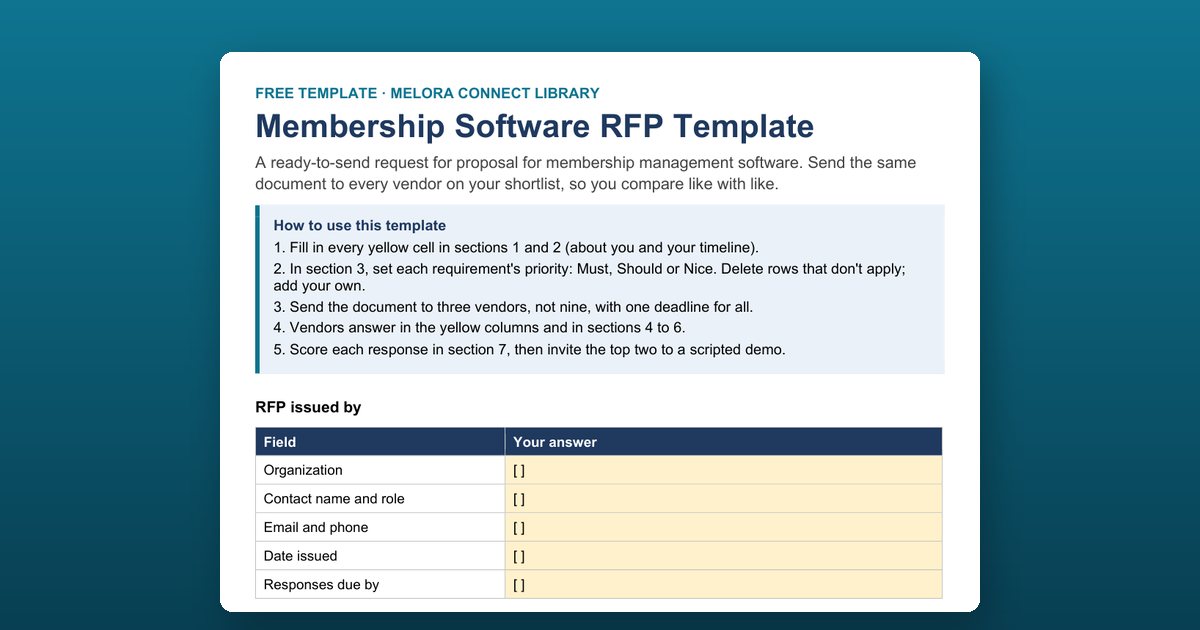
A membership software RFP template is a ready-made request for proposal that associations send to vendors when choosing new membership management software. This free Word template covers your organization profile, 26 prioritized requirements, eight onboarding questions, a full pricing table, references, and a weighted scoring sheet, so every vendor answers the same questions.
What’s inside the RFP template
1. About our organization
Eleven fields vendors use to tailor their answers and pricing: organization type, member count, membership types, staff users, current systems, events per year, payment volume, accounting system, target go-live, budget range, and why you’re looking now.
2. Timeline
Eight milestones from sending the RFP to contract signature, including vendor questions, scripted demos for the top two, and reference calls. One deadline for every vendor keeps the comparison fair.
3. Requirements
Twenty-six requirements in seven areas: members and dues, events, communications, payments and finance, website and directory, reporting and engagement, and data, security, and access. You set the priority; vendors answer with a fixed code:
| Vendor response | Meaning |
|---|---|
| Yes | Standard feature, available today |
| Partial | Possible with limits the vendor must explain |
| No | Not available |
| Roadmap | Planned, with a date |
| Third party | Needs another product, named by the vendor |
4. Onboarding and support
Eight open questions, because most implementations succeed or fail here: who onboards you, the week-by-week plan, data migration, training, support channels and response times, a named contact after go-live, help on your largest event day, and typical go-live time.
5. Pricing
Twelve lines that add up to the full first-year and ongoing cost, from subscription and processing fees to the cost of a full data export when you leave.
6. References
Three customers similar to you in size and type, each willing to take a short call.
7. Evaluation and scoring (internal)
A weighted scoring table for three vendors. Keep this section when you send the document, or remove it if you’d rather not share your weights.
Why a structured RFP gets better answers
Vendors answer open questions with marketing copy. A structured RFP with fixed response codes, one deadline, and a pricing table that asks for every fee makes answers comparable, and it shows quickly which vendors meet your Must requirements as a standard feature today.
Who this template is for
Executive directors, operations leads, and selection committees at professional and trade associations, chambers of commerce, professional societies, and nonprofits replacing an AMS, a CRM, or a set of spreadsheets.
How to use the membership software RFP template
Describe your organization and timeline
Fill in the yellow cells in sections 1 and 2: member count, membership types, current systems, payment volume, target go-live date, and one deadline for every vendor.
Set a priority for every requirement
In section 3, mark each of the 26 requirements Must, Should, or Nice. Delete rows that don't apply and add your own before you send anything.
Agree the scoring weights before sending
Adjust the weights in section 7 now, not after responses arrive, so the score reflects what matters to you rather than the most polished proposal.
Send it to three vendors
Send the same document to three vendors, not nine, with one deadline for all. Vendors answer in the yellow columns and in sections 4 to 6.
Score responses and run scripted demos
Score each response from 1 to 5 per criterion, then invite the top two to a scripted demo with your own data: a member who renews, pays, registers for an event, and lapses.
Frequently asked questions
What is an RFP for membership software?
A request for proposal (RFP) is a document you send to shortlisted vendors that describes your organization, lists your requirements, and asks each vendor to answer the same questions about features, onboarding, support, and full cost. It lets you compare association management software on equal terms instead of on demos alone.
What should a membership software RFP include?
Your organization profile, a timeline with one response deadline, prioritized requirements (members and dues, events, communications, payments, website, reporting, and data and security), questions about onboarding and support, a full pricing table, references, and the scoring criteria you'll use.
How many vendors should receive our RFP?
Three is usually enough. Sending to nine creates more reading than insight. Shortlist three vendors that fit your size and type, then invite the top two to a scripted demo.
What hidden costs should we ask vendors about?
Card and ACH processing fees, onboarding and data migration fees, paid add-on modules, training and support fees, price increases after year one, contract and cancellation terms, and the cost and format of a full data export if you leave. The template's pricing table asks for each one and states that unlisted fees will not be accepted later.
How do we score vendor responses?
Score each vendor from 1 to 5 on six criteria and multiply by the weight: requirements fit 30 percent, onboarding and support 20 percent, total three-year cost 20 percent, ease of use in the scripted demo 15 percent, references 10 percent, and vendor stability 5 percent.
Which onboarding questions matter most?
Who will onboard you and their background, the week-by-week plan to go-live, whether data migration is included and what you must do yourself, how staff and volunteers are trained, and whether you have a named contact after go-live.
Is the template specific to Melora Connect?
No. The template is vendor-neutral: use it with any membership or association management software provider.