

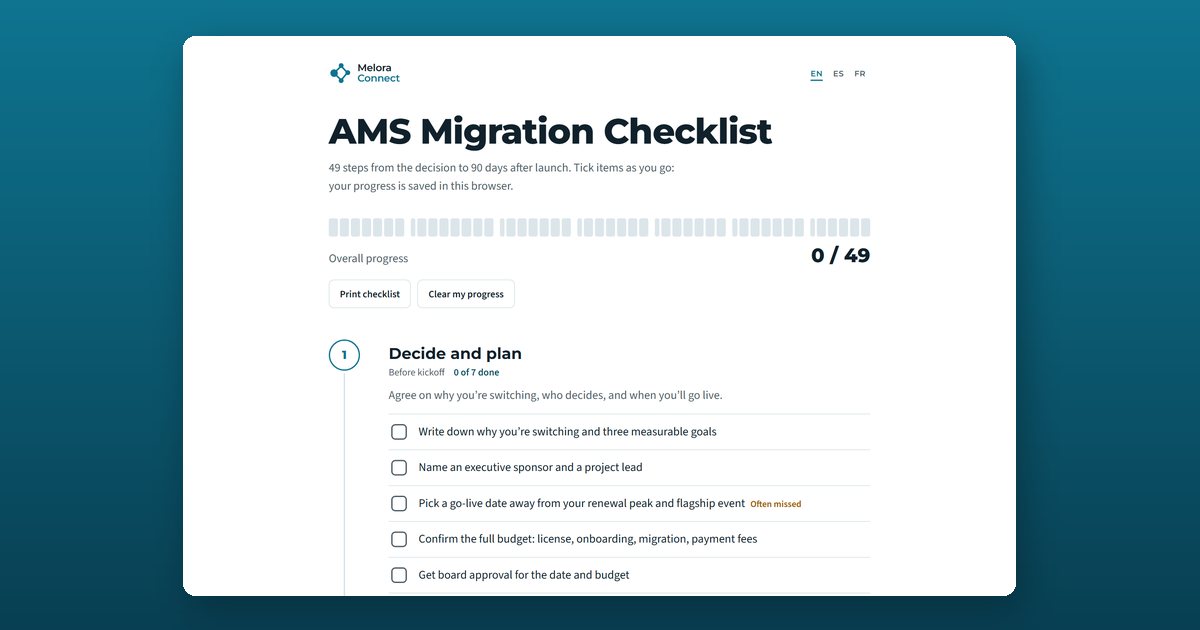
An AMS migration checklist is a step-by-step list of everything an association has to decide, clean, configure, test, and communicate when it moves member data to new membership software. This free, interactive checklist has 49 steps in seven phases, from the decision to 90 days after launch, and flags the seven steps teams most often miss.
What the AMS migration checklist covers
Each phase has a suggested timing, a one-line goal, and the steps to tick off. Timings assume a typical project of about 12 weeks; the migration timeline estimator gives you dates for your own.
1. Decide and plan (before kickoff)
Agree on why you’re switching, who decides, and when you’ll go live. Seven steps, from writing three measurable goals and naming a project lead to getting the vendor’s week-by-week onboarding plan in writing and board approval for the date and full budget.
2. Audit and clean your data (weeks 1 to 4)
Most data loss starts here, before anything is imported. Eight steps: list every system that holds member data, export a full backup from each, count records, merge duplicates, fix renewal dates, standardize membership types, confirm email consent, and decide what to archive instead of migrating.
3. Configure the new system (weeks 3 to 8)
Simplify first, then build, and don’t recreate old workarounds. Seven steps covering membership types and prices, renewal rules and reminders, invoicing and payments, event templates, email segments, the website and member portal, and accounting integrations.
4. Migrate and test (weeks 5 to 10)
Test with real records until the numbers match. Seven steps: approve the field map in writing, run a test import, spot-check 20 real member records by hand, reconcile counts and totals, re-run until everything matches, test a full member journey, and decide what happens to saved cards and autopay.
5. Train and communicate (weeks 6 to 12)
Bring staff and members along before launch day. Seven steps, from training super-users about a month ahead to announcing the switch to members six weeks before go-live and publishing a website FAQ.
6. Go live (launch week)
Switch carefully, with a person on the phone. Seven steps: pause changes in the old system, run the final import and reconcile again, update website and payment links, send the welcome email, staff a support line, set the old system to read-only, and hold a short daily check-in.
7. After go-live (days 1 to 90)
Measure, listen, and close the loop. Six steps, including tracking member portal activation, watching the first renewal run closely, and sending a 30-day “what we heard and changed” update.
The seven steps teams most often miss
These steps carry an Often missed flag in the tool, because skipping them causes most of the problems members notice:
- Picking a go-live date away from your renewal peak and flagship event.
- Merging duplicate members and contacts before import.
- Confirming email consent and opt-outs for every contact.
- Simplifying membership types and prices before you build them.
- Deciding the plan for saved cards and autopay.
- Training super-users about a month before go-live.
- Announcing the switch to members six weeks ahead.
Who this checklist is for
The checklist is written for the people who run the switch day to day: executive directors, membership and operations managers, and the staff or volunteers on the project team. It works for professional and trade associations, chambers of commerce, professional societies, and nonprofits, whether you’re leaving a legacy AMS or moving off spreadsheets and separate tools.
How to use the AMS migration checklist
Open the checklist in your language
Open the tool and choose English, Spanish, or French at the top. The checklist remembers your language and your ticks in this browser, so you can come back to it at every project meeting.
Give each phase an owner
Read the seven phases with your project lead before kickoff and put one name next to each. Data cleanup and member communication need a clear owner more than any other phase.
Plan the steps marked Often missed first
Seven steps carry an Often missed flag, such as picking a go-live date away from renewals and confirming email consent. Put them on the plan before anything else.
Tick steps as you finish them
The progress strip and each phase counter update as you go, so you can show your board exactly where the project stands.
Print it for project meetings
Use Print checklist to bring a clean paper copy to kickoff, data review, and go-live meetings. Clear my progress resets every tick when you start your next project.
Frequently asked questions
What is an AMS migration?
An AMS migration is the move from one association management system (AMS), or from spreadsheets and separate tools, to a new membership platform. It covers member records, membership types, renewal dates, payment history, event attendance, and email consent, plus the training and member communication that make the switch stick.
How long does an AMS migration take?
It depends on member count, how many systems hold member data, data quality, integrations, and how much time your team can give the project. A mid-sized association with reasonably clean data typically needs 11 to 15 weeks; a small, simple project can finish in 5 to 7. The free migration timeline estimator gives a range for your organization in about three minutes.
What are the most common AMS migration mistakes?
Going live during the renewal peak, importing duplicate members and wrong renewal dates, losing email consent and opt-outs, assuming saved cards will transfer, training staff too late, and telling members too late. The checklist flags each of these as Often missed.
When should we tell members about the new system?
Announce the change about six weeks before go-live, send a reminder two weeks before, and send the welcome and password email on launch day. The free AMS migration communication kit has ready-to-edit versions of each message.
Should we switch off the old system on launch day?
No. After the final import, set the old system to read-only and keep it for at least 12 months, so staff can check history and answer member questions while the new system settles in.
Is my checklist progress private?
Yes. Ticks are saved only in your browser on this device. Nothing is sent to Melora Connect. Clearing your browser data, or opening the checklist on another device, starts a fresh list.
Does the checklist only work for a move to Melora Connect?
No. The checklist is vendor-neutral and works for a move to any membership or association management platform.