

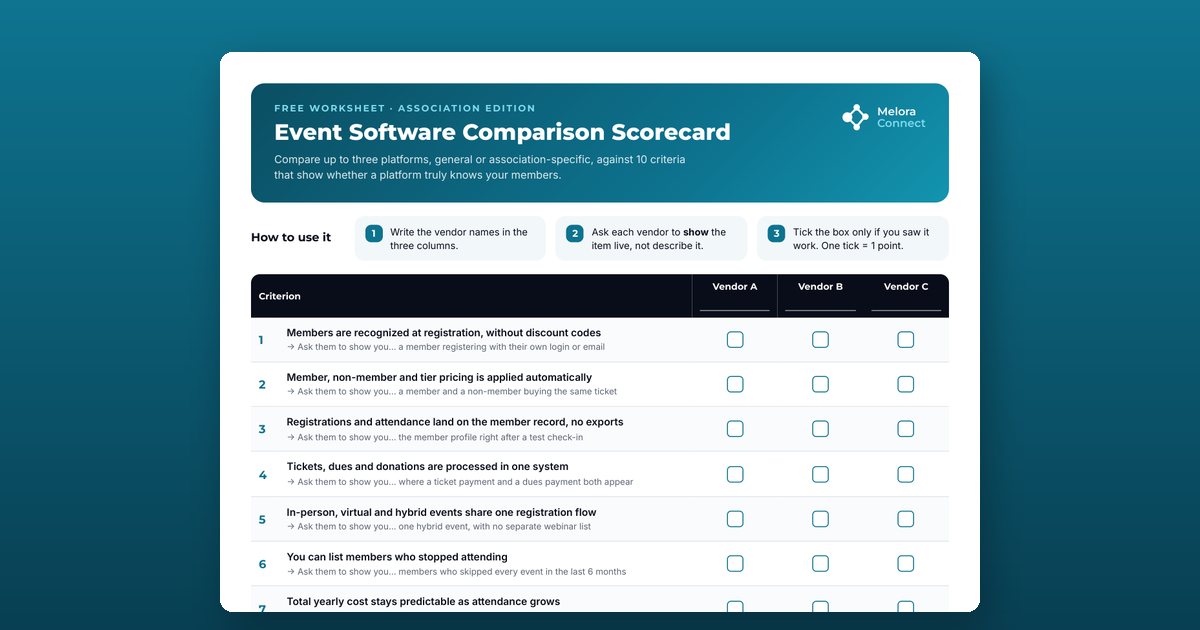
An event software comparison scorecard is a worksheet for comparing event platforms on the same criteria during vendor demos. This free, printable association edition scores up to three platforms on 10 criteria that show whether a platform truly knows your members, and adds a true-cost worksheet and space for demo notes.
The 10 criteria
| # | Criterion | Ask them to show you |
|---|---|---|
| 1 | Members are recognized at registration, without discount codes | A member registering with their own login or email |
| 2 | Member, non-member, and tier pricing is applied automatically | A member and a non-member buying the same ticket |
| 3 | Registrations and attendance land on the member record, no exports | The member profile right after a test check-in |
| 4 | Tickets, dues, and donations are processed in one system | Where a ticket payment and a dues payment both appear |
| 5 | In-person, virtual, and hybrid events share one registration flow | One hybrid event, with no separate webinar list |
| 6 | You can list members who stopped attending | Members who skipped every event in the last 6 months |
| 7 | Total yearly cost stays predictable as attendance grows | The price at today’s attendance and at double it |
| 8 | Past event history can be imported from your current platform | How they import your exported registrations |
| 9 | Support comes from a team that knows associations | Your named contact and the onboarding plan |
| 10 | Your team can run it without merging data after each event | The weekly admin time for an event like yours |
How to read the score
| Score | What it means |
|---|---|
| 8 to 10 | Strong fit |
| 5 to 7 | Workable: probe the gaps before you sign |
| Under 5 | Keep looking |
The true cost worksheet
The subscription is only part of what you’ll pay. Page 2 estimates the full yearly cost for each vendor:
- Per-ticket fees at your yearly attendance
- Annual subscription or license
- Separate tools still needed, such as webinars, email, or payments
- Payment processing fees per year
- Onboarding or migration fee
- Staff time merging data: hours per event × events per year × hourly cost
Demo notes and decision
For each vendor, write down the strongest point, the biggest gap or concern, and the open questions to follow up. Finish with the shortlisted vendor and the next step, with a date.
Who this scorecard is for
Event, membership, and operations staff at professional and trade associations, chambers of commerce, and professional societies who are comparing event management software, whether the shortlist holds general ticketing platforms, association-specific tools, or both.
How to use the event software scorecard
Write the vendor names
Print the two pages and write up to three vendors in the columns. Mix general event platforms and association-specific ones if you're comparing both.
Ask to see each item live
Each criterion has an Ask them to show you line, such as a member and a non-member buying the same ticket. Ask the vendor to show it working in the demo, not describe it.
Tick only what you saw working
One tick is one point. If the vendor says it's possible but doesn't show it, leave the box empty and note it as an open question.
Estimate the true yearly cost
On page 2, add per-ticket fees, the subscription, separate tools you'd still need, payment processing, onboarding, and staff time spent merging data after each event.
Total the scores and decide
Eight to 10 points is a strong fit, 5 to 7 is workable if you probe the gaps before you sign, and under 5 means keep looking. Record the shortlisted vendor and the next step.
Frequently asked questions
What is the difference between association event software and a general event platform?
General event platforms sell tickets to anyone. Association event software knows your members: it recognizes them at registration without discount codes, applies member and tier pricing automatically, writes registrations and attendance to the member record, and processes tickets and dues in one system.
What should associations look for in event management software?
Automatic member recognition and member pricing, attendance saved on the member record, tickets and dues in one payment system, one registration flow for in-person, virtual, and hybrid events, a list of members who stopped attending, predictable cost as attendance grows, import of past event history, support that knows associations, and no data merging after each event.
How do I run a fair event software demo?
Give every vendor the same scenario and ask them to show each item live with a test member. Tick a criterion only when you saw it work. A description, a slide, or a promise on the roadmap doesn't score.
How is the scorecard scored?
Each of the 10 criteria is worth one point. Eight to 10 points is a strong fit, 5 to 7 is workable if you probe the gaps before you sign, and under 5 means keep looking.
What hidden costs come with event software?
Per-ticket fees that grow with attendance, separate tools you still need for webinars, email, or payments, payment processing fees, onboarding or migration fees, and staff time merging registration data into your member database after every event. The true cost worksheet puts each one on paper.
Can I fill in the scorecard on screen?
It's designed to be printed and taken into demos. You can also add notes on screen with the comment or annotation tools in most PDF readers.
Is the scorecard specific to Melora Connect?
No. It's vendor-neutral and works for comparing any general or association-specific event platform.