People · Events · Communities

Quick answer: To build a membership management system, define your goals and member types, map the member journey, design the data you will keep, set tiers and policies, choose an approach (spreadsheets, a tool stack, an all-in-one platform, or a custom build), build the core workflows, migrate your data, and train your team before launch.
Key takeaways
-
A membership management system is structure, process, and tools. Decide them in that order.
-
Do the thinking in Steps 1 to 4 before you look at software. The tool decision gets much easier.
-
For most associations from about 150 members, an all-in-one platform is the best balance of cost and time saved.
-
Clean data and written workflows matter more than any single feature.
A membership management system works when it is designed on purpose: clear member types, a mapped journey, a short list of data fields, and workflows that run without anyone having to remember them. This guide shows how to build one in eight steps.
Most membership systems are not designed. They accumulate. A spreadsheet from the founding year, a payment link someone set up for dues, an email list, a form for event sign-ups. Each piece made sense when it was added. Together, they turn into a system nobody fully understands.
Whether you are starting a new organization or rebuilding one that has outgrown its spreadsheets, the steps below take you from a blank page to launch.
What is a membership management system?
A membership management system is the combination of data, processes, and tools an organization uses to recruit, onboard, engage, bill, and renew its members. Software is part of it, but the system also includes your membership structure, your policies, and the way your team works. New to the concept? Start with what membership management is.
What are the 3 parts of every membership system?
| Part | What it includes | If you get it wrong |
|---|---|---|
| Structure | Member types, tiers, pricing, policies, and the data you keep on each member | Every new situation becomes a one-off decision |
| Process | How people join, get onboarded, pay, stay engaged, and renew | Things depend on someone remembering |
| Tools | The software that stores the data and runs the processes | Staff spend their time moving data between systems |
Most organizations start with tools. It works better the other way around: structure first, then process, then the tools that fit both.
How to build a membership management system in 8 steps
-
Define your goals and member types in writing.
-
Map the member journey from discovery to renewal or lapse.
-
Design your member data before you collect anything.
-
Set up tiers, pricing, and policies, including renewal dates and grace periods.
-
Choose how you will run it: spreadsheets, a tool stack, an all-in-one platform, or a custom build.
-
Build the core workflows for joining, onboarding, payments, renewals, and reporting.
-
Move your data in with cleanup, mapping, and a test import.
-
Train, document, and launch, starting with a soft launch.
Step 1: Define your goals and member types
Before touching any software, answer three questions in writing:
-
Who are our members? Individuals, businesses, or both? Students, retirees, international members?
-
What do they get? The benefits that make membership worth paying for.
-
What should the system help us do? For example: “grow to 800 members,” “get first-year renewal above 80%,” or “cut renewal admin time in half.”
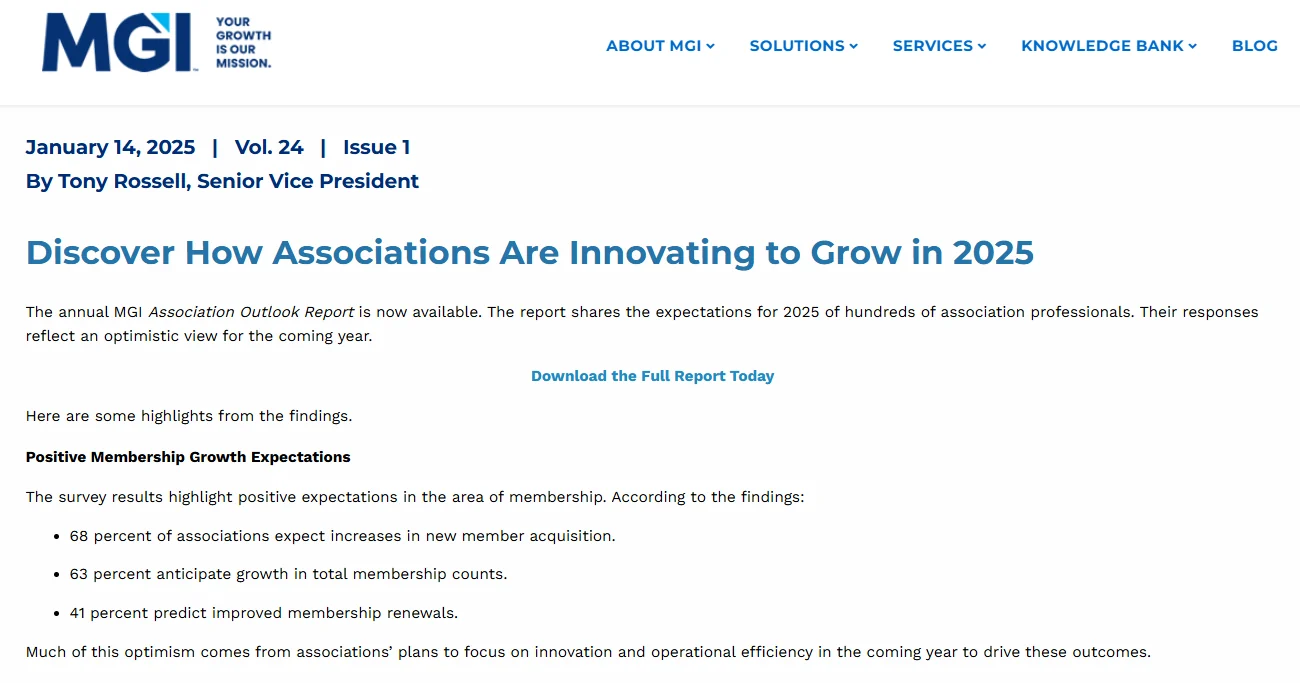
Most associations are planning for growth, so write goals you can measure. In Marketing General Inc.’s 2025 outlook, 68 percent of associations expected increases in new member acquisition, 63 percent anticipated growth in total membership counts, and 41 percent predicted improved membership renewals. Your system should make it easy to see whether you are hitting the goal you picked.
Your answers decide almost everything that follows: which tiers you need, which data you collect, and which tools fit.
Step 2: Map the member journey
Sketch every stage a member goes through, and note what should happen at each one and who does it:
| Stage | What should happen | Who or what does it |
|---|---|---|
| Discover | Prospect finds you through an event, referral, or search | Website, events, members |
| Join | Prospect chooses a tier and pays online | Join form and payments |
| Onboard | Welcome, profile, first event, first introduction | Automated emails plus a staff touch |
| Engage | Events, education, directory, committees | Events and communications |
| Renew | Value recap, then easy renewal | Automated sequence plus personal outreach |
| Lapse or win back | Grace period, then a win-back message and survey | Automated sequence |
Anything in the right-hand column that says “someone remembers” is a gap your system should close. For a more detailed version, see our guide on how to build a member journey map.
Step 3: Design your member data
Decide what you will store before you collect anything. Too few fields and you cannot segment or report. Too many and your join form scares people away. Here is a starter set most associations need:
| Category | Fields |
|---|---|
| Identity | Name, email, phone, organization or employer, job title |
| Membership | Member type and tier, status (active, grace, lapsed), join date, renewal date |
| Payments | Dues paid, payment method, invoices, outstanding balance |
| Engagement | Events attended, committees, volunteer roles, last activity date |
| Preferences | Interests, communication preferences, consent records |
| Relationships | Linked company or household, primary contact for organizational members |
Tip: collect only the identity and membership fields at joining. Gather interests and preferences later, during onboarding.
Step 4: Set up tiers, pricing, and policies
Keep membership tiers few and clearly named. Three to five usually covers individual, student or early-career, retired, and organizational members. For each tier, decide the price, the benefits, and whether renewals follow the member’s join date or the calendar year.
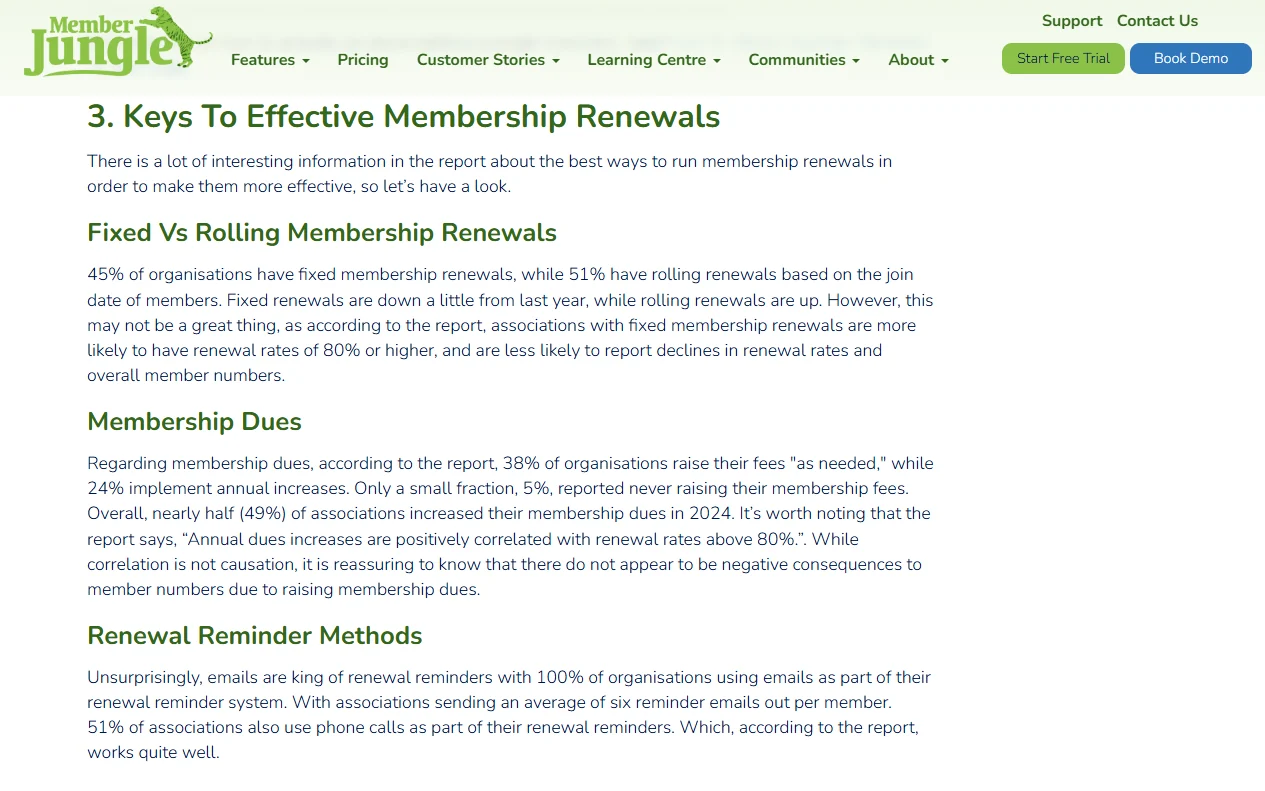
There is no single right answer on renewal dates. According to the MGI 2025 Membership Marketing Benchmarking Report, as summarized by MemberJungle, 45% of organizations have fixed membership renewals, while 51% have rolling renewals based on each member’s join date. Grace periods vary too: 43% offer two to three months, 23% offer just one month, and 19% offer none at all.
Then write down the policies your system will enforce: grace periods, refunds, late payments, and data privacy. Our guide on how to improve membership management lists the six policies every association should have.
Step 5: Choose how you will run it: 4 approaches
There are four common ways to run a membership system. Each fits a different stage. Costs below are typical ranges, not quotes.
| Approach | Best for | Typical cost (estimate) | Main risk |
|---|---|---|---|
| Spreadsheets and forms | Under ~100 members, volunteer-run, few payments | Free to low | Breaks down quickly as you grow |
| Stack of separate tools | Small groups with one tech-savvy volunteer | Several small subscriptions | Data scattered; depends on one person |
| All-in-one platform | Most associations and chambers from ~150 members | From about $50/month to several thousand a year | Choosing a platform that does not fit your structure |
| Custom-built system | Large organizations with truly unique needs | Often tens of thousands to build, plus ongoing upkeep | Cost, delays, security, and dependence on developers |
Spreadsheets and forms
A spreadsheet plus an online form and a payment link can work for a small group. Once you have regular payments, events, and renewals, it starts to depend on manual checks and one person’s memory. When you reach that point, here is how to replace membership spreadsheets in six steps.
A stack of separate tools
A form builder, an email tool, a payment processor, and an events app, connected with automations. It is flexible and cheap at first, but data ends up in several places, and the setup often lives in one volunteer’s head. To see what your current stack really costs per year, try the free Chamber Tech Stack Cost Calculator.
An all-in-one membership platform
A single platform with members, payments, renewals, events, and communications sharing one record. For most organizations this is the best balance of cost, reliability, and time saved. Our guide to membership management software features covers what to look for, and our cost guide covers pricing.
A custom-built system
Building your own software gives you full control, but you also own every bug, security update, and new feature, forever. Security alone is a serious commitment when you store members’ personal and payment details. IBM’s Cost of a Data Breach Report 2025 found that the global average cost of a data breach fell to $4.44 million, while the average U.S. cost reached a record $10.22 million.

A custom build rarely makes sense unless your needs genuinely cannot be met by existing platforms, and you have a budget for ongoing development and security.
Step 6: Build the core workflows
Whatever tools you choose, set up these five workflows before launch:
| Workflow | Minimum version |
|---|---|
| Joining | Online form, tier selection, payment, instant confirmation and receipt |
| Onboarding | A welcome sequence across the first 90 days |
| Payments | Automatic invoices and receipts; a process for failed payments |
| Renewals | Reminders starting about 90 days out, a grace period, and a win-back message |
| Reporting | A monthly view of new members, renewal rate, and churn |
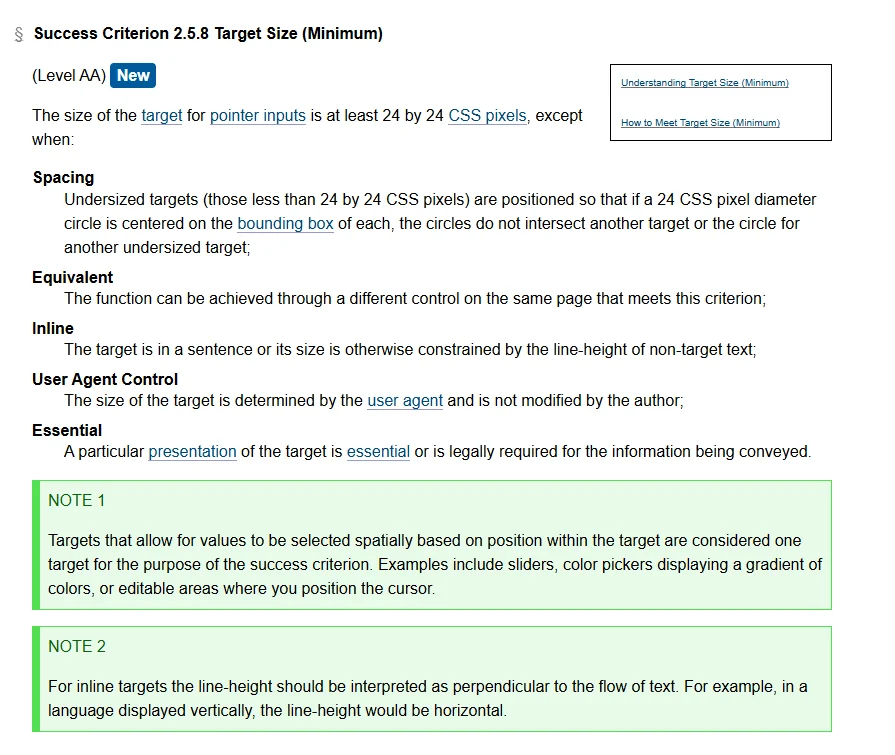
Make the join, renewal, and log-in forms usable for everyone. The current accessibility standard, W3C’s WCAG 2.2 (a W3C Recommendation since December 2024), adds a Level AA rule that the size of the target for pointer inputs is at least 24 by 24 CSS pixels, so buttons like “Renew now” are easy to tap. It also adds new criteria for Redundant Entry and Accessible Authentication, which matter for multi-step join forms and member log-ins.
For renewals in detail, including email templates, see how to automate membership renewals.
Step 7: Move your data in
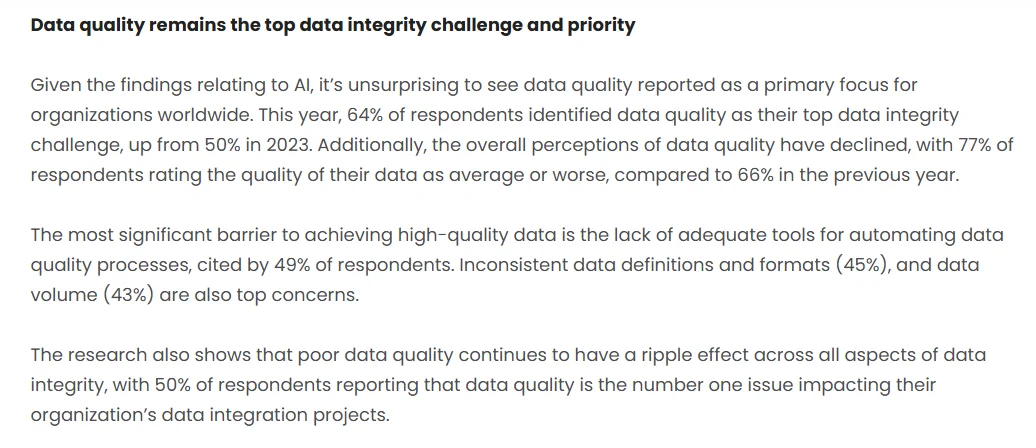
If you are replacing spreadsheets or an old system, data migration is where most projects slip, and the problem is rarely unique to you. In 2024 research by Precisely and Drexel University’s LeBow College of Business, 64% of organizations named data quality as their top data integrity challenge (up from 50% in 2023), and 77% rated their data quality average or worse (up from 66%).
At minimum, export everything from every current source, merge duplicates, map old columns to the fields from Step 3, and test a small batch before importing the rest. Our guide on how to switch membership software without losing data covers the cleanup and field mapping in detail, and the Membership Data Migration Workbook gives you the mapping sheet.
Step 8: Train, document, and launch
A system only works if people use it the same way. Before launch:
-
Train every staff member and key volunteer on the tasks they will actually do.
-
Write one-page guides for joining, renewals, refunds, and event setup.
-
Assign one owner for data quality.
-
Tell members what is changing: a new join page, a new portal, a new way to renew. The AMS Migration Communication Kit helps you plan what to tell members and when.
Launch with a soft start if you can: new joins first, then renewals once you are confident.
How long does it take to build a membership management system?
Typical for a small to mid-sized association moving to an all-in-one platform. Larger migrations take longer.
| Week | Focus |
|---|---|
| 1 | Goals, member types, and the member journey (Steps 1 and 2) |
| 2 | Data fields, tiers, pricing, and written policies (Steps 3 and 4) |
| 3 | Shortlist and demo platforms (Step 5) |
| 4 | Choose a platform; start configuration |
| 5 | Build joining, payments, and onboarding workflows (Step 6) |
| 6 | Clean, map, and test-import data (Step 7) |
| 7 | Full import, renewals and reporting setup, staff training (Steps 6 to 8) |
| 8 | Member announcement and soft launch |
Treat these eight weeks as a plan, not a promise. For small and mid-sized associations the typical range is 6 to 16 weeks, depending mostly on how much data needs cleaning; with a staffed setup, Melora typically goes live about 30 days from signed agreement. Our guide to how long it takes to migrate membership software explains what changes the timeline.
Plan your own timeline. Get a realistic estimate for your own build and data migration with our free Migration Timeline Estimator. Estimate your timeline
How Melora Connect helps you build it
Most of the hard work in building a membership system is not technical. It is deciding your structure, mapping your workflows, and moving your data cleanly. That is the part we do with you.
Melora Connect gives you the all-in-one platform: one member record shared by joining, dues, events, and communications, with smart segments (new, at-risk, lapsed), automated renewals and invoice runs, MeloraPay card and ACH payments into your own Stripe account, a member portal, segmented email, and QuickBooks Online and Desktop export. Chapters and continuing education (CE) credits are live too. Two-way QuickBooks sync is coming soon.
Our pricing is published: plans start at $3,000 a year, with one-time onboarding packages of Essentials ($999), Professional ($2,499), and Premier ($4,999). On every plan our team configures the platform and moves your data with you. You get a team, not a login.
Building or rebuilding your membership system? Bring your member types and current tools, and we will sketch your system with you. Book a demo
Frequently asked questions about membership management systems
What is a membership management system?
A membership management system is the combination of data, processes, and tools an organization uses to recruit, onboard, engage, bill, and renew members. Software is one part. The system also includes your member types, tiers, policies, and the way your staff and volunteers handle each stage of the member journey.
How do I create a membership management system?
Define your goals and member types, map the member journey, design the data you will keep, and set tiers and policies. Then choose an approach (spreadsheets, a tool stack, an all-in-one platform, or a custom build), build the core workflows, migrate your data, and train your team before launch.
What fields should a membership database have?
A membership database should cover identity (name, email, employer), membership (tier, status, join and renewal dates), payments (dues, invoices, balance), engagement (events, committees, last activity), preferences and consent, and relationships such as a linked company. Collect only identity and membership fields at joining, and add the rest later.
How long does it take to build a membership management system?
For a small to mid-sized association moving to an all-in-one platform, plan for about eight weeks, with a typical range of 6 to 16 weeks. Data cleanup is usually what decides the timeline. With a staffed setup, Melora Connect typically goes live about 30 days from signed agreement.
Can a small organization run membership on spreadsheets?
A small, volunteer-run group with under about 100 members and few payments can run membership on spreadsheets, a form, and a payment link. Once you have regular dues, events, and renewals, spreadsheets depend on manual checks and one person’s memory, and an all-in-one platform usually saves more time than it costs.
Should we build custom membership software?
Rarely. Custom membership software is expensive to build and maintain, and you take on every update, bug, and security fix yourself. It is worth considering only when existing platforms genuinely cannot meet your needs and you have a long-term budget for development and security.
Should membership renewals be fixed or rolling?
Both work. In MGI’s 2025 benchmarking report, 45% of organizations used fixed renewal dates and 51% used rolling renewals based on join date. Rolling renewals spread the workload across the year and suit automation, while a fixed date is simpler to explain but creates one busy renewal season.
The bottom line
A good membership management system is not the software you pick. It is a clear structure, a mapped member journey, clean data, and workflows that do not depend on anyone remembering, with the right tools underneath.
Do the thinking in Steps 1 to 4 first. The tool decision gets much easier once you know exactly what you need it to do.
Ready to build your membership system on one record? See how joining, dues, renewals, and events fit together in Melora Connect. Book a Melora Connect demo