People · Events · Communities

Quick answer: To switch membership management software without losing data, run the move in six phases: audit every data source, clean before you move, map every field, run a test import, reconcile counts and totals, then cut over and keep the old system read-only. Most data loss happens before or after the import, not during it.
Key takeaways
-
Most data loss happens before the import (no audit, cleanup or field map) or after it (no reconciliation), not during it.
-
Dates, money and consent break first: renewal dates, open balances, saved cards and email opt-outs.
-
Approve a written field map and test with 20 real records before the final import.
-
Go live at least six weeks before your renewal peak and keep the old system read-only for at least 12 months.
The hardest part when you switch membership management software is not choosing the new platform. It is moving years of member history without breaking anything: renewal dates, payment records, email consent, event attendance, and the notes your team wrote about who is on which committee.
Most data loss does not happen during the import. It happens before it, when nobody audits, cleans, or maps the data, and after it, when nobody checks that the numbers match. This guide covers the data side of a switch: a six-phase plan for mapping, cleanup and testing, two worked tables, a data checklist, and a free Membership Data Migration Workbook to run it. It is one part of our AMS migration checklist, which covers the whole project from decision to 90 days after launch. If you are still comparing platforms, start with the AMS selection process or our list of the best association management software.
What happens to your data when you switch membership management software?
Membership data migration is the process of moving member records, payment history, engagement data, and documents from your old system to a new one, so that every member looks the same, and is billed the same, after the switch as before it. A good migration is more than an export and an import: it includes an audit, cleanup, a field map, at least one test, and a reconciliation of counts and totals.
The data you move is rarely as clean as you think. In the Precisely and Drexel University LeBow College of Business 2025 Outlook: Data Integrity Trends and Insights, 64% of organizations named data quality their top data integrity challenge, and 67% said they do not completely trust the data they use for decisions. That survey covered data and analytics professionals across industries, not associations, but any membership director who has found three records for the same member will recognize it. A switch is the one moment when you have to look at all of it.
Which member data cannot you afford to lose?
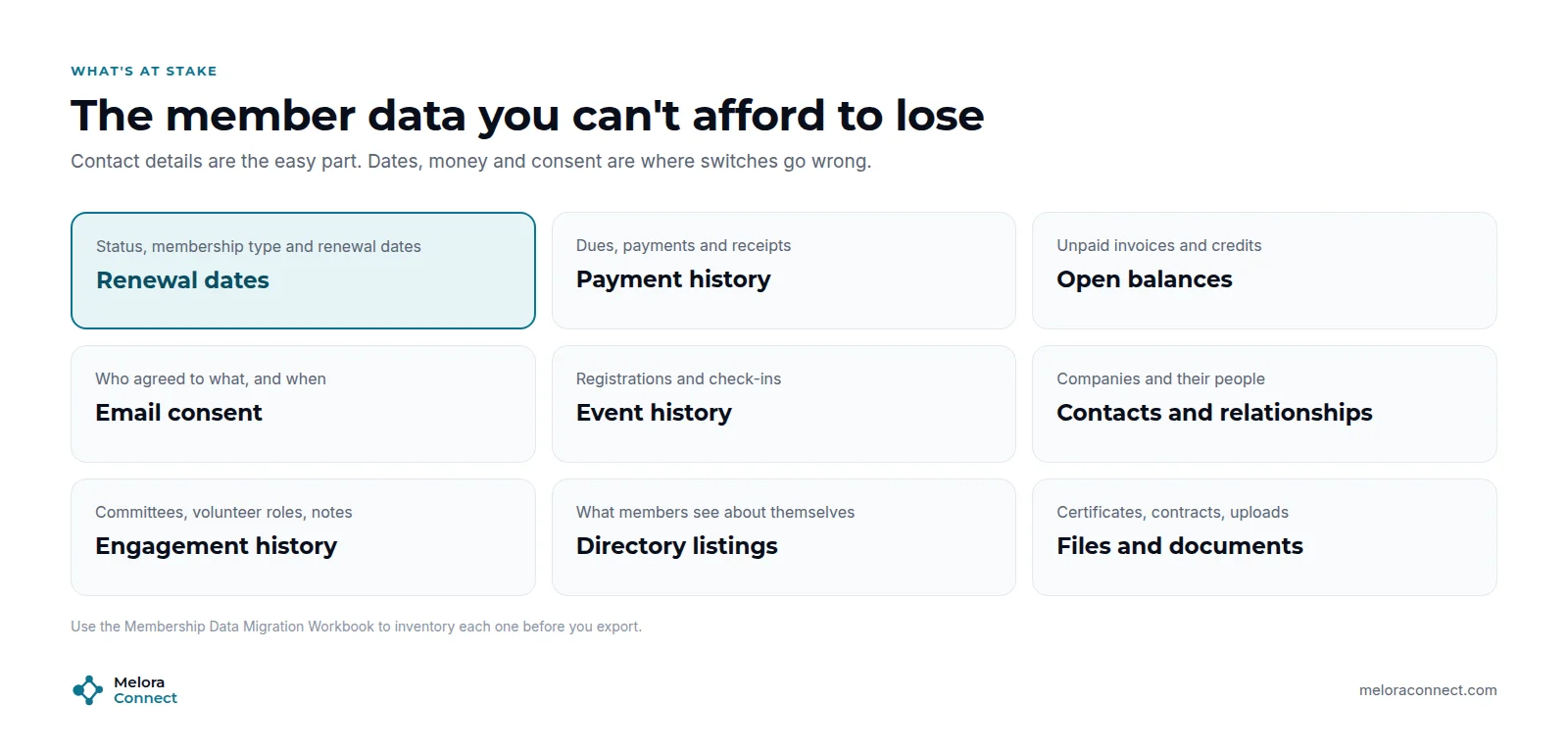
Names and emails are the easy part. Switches go wrong on dates, money, and consent:
-
Renewal dates and membership status. Shift them and you bill members early, late, or twice.
-
Payment history and open balances. Members expect their receipts, and your finance team needs unpaid invoices and credits to carry over.
-
Saved payment methods. Card details cannot always move between payment processors, which affects autopay.
-
Email consent. Lose an opt-out and you email someone who asked you not to.
-
Event history and engagement. Attendance, committees, and notes are what tell you who is engaged and who is drifting. (Here is why that matters for renewals.)
-
Companies and linked contacts, directory listings, files. Easy to forget, painful to rebuild.
How do you switch membership software in 6 phases?
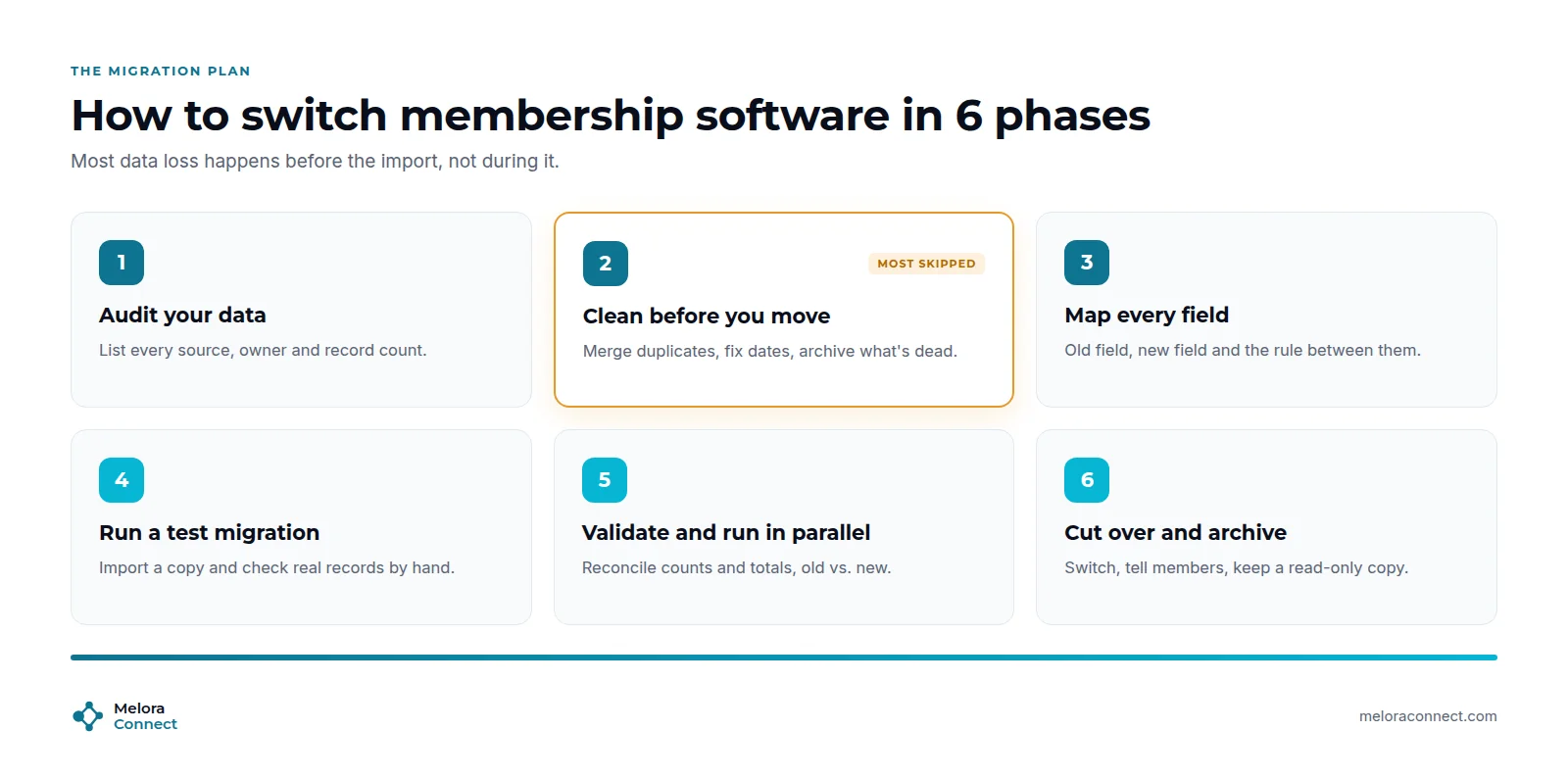
The six phases are audit, clean, map, test, validate, and cut over. Each one has a clear output you can check before you move on, and the workbook has a tab for each.
1. Audit your data
List every place member data lives today: the old AMS, spreadsheets, the payment processor, the event app, the email platform, the website. For each one, note the owner, the number of records, and whether you will move it, clean it first, or only archive it. If side spreadsheets keep turning up, that is a sign the new system should replace membership spreadsheets rather than sit next to them. Then export a full backup of every system before you touch anything. The inventory tab of the workbook is built for this.
Treat those backups as sensitive files. They hold names, addresses, payment history, and often notes. IBM’s 2025 Cost of a Data Breach Report puts the global average cost of a breach at USD 4.44 million. That average comes mostly from large companies across industries, not associations, but the lesson scales down: store exports in one access-controlled folder, never in email attachments, and delete working copies once the migration is signed off.
2. Clean before you move
This is the phase most teams skip, and the one that prevents most problems. Merge duplicate members and contacts, fix missing or wrong renewal dates, standardize membership types, and confirm email consent. Decide what to archive instead of migrating, such as members who lapsed many years ago. Moving dirty data into a new system just makes it dirty somewhere else.
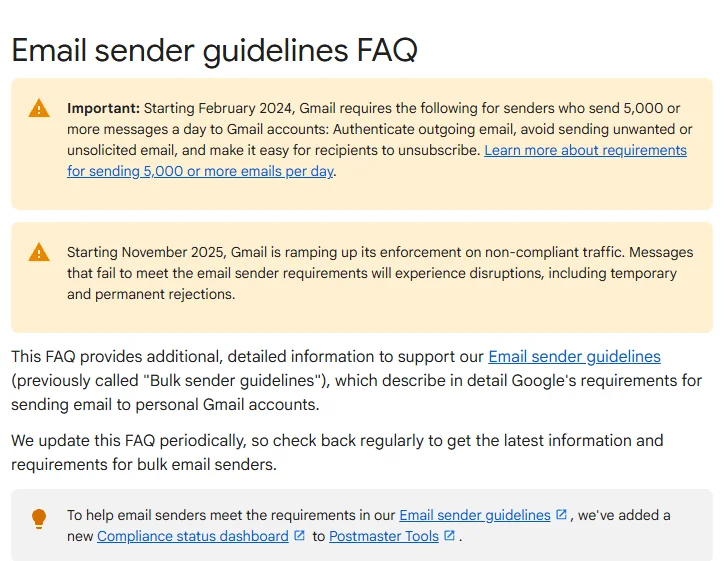
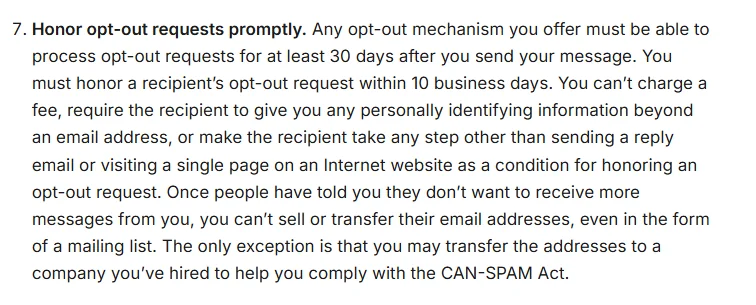
Consent deserves its own check, because the rules are strict. Google’s Gmail email sender guidelines FAQ recommends fulfilling unsubscribe requests within 48 hours for bulk senders and says Gmail is ramping up enforcement on non-compliant traffic starting November 2025. In the US, the FTC’s CAN-SPAM Act compliance guide says you must honor a recipient’s opt-out request within 10 business days. An opt-out that gets lost in the move can put your first email from the new system on the wrong side of both.
3. Map every field
Write down, for each field in the old system, the field it becomes in the new one and the rule that converts it. Ask the new vendor to review the map, then sign it off in writing before any import. A field map nobody approved is a guess. Here is what a few rows look like (illustrative):
| Old field | Example old value | New field | Conversion rule |
|---|---|---|---|
| Membership status | Grace | Status | Becomes “Active”; the grace end date stays in the renewal date |
| Join date | 03/04/2019 (text) | Member since | Convert to a date; confirm day and month order first |
| Membership type | Corp Gold, Corporate - Gold | Membership type | Merge into one type, “Corporate Gold” |
| Email opt-out | Y or blank | Email consent | Y = unsubscribed; blank = check the email tool before import |
| Company | Free text | Organization (linked record) | Match each contact to one organization record |
The rows that hurt are always the ones that look obvious. “03/04/2019” is March 4 in one system and April 3 in another, and a blank opt-out can mean “subscribed” or “we never asked.”
4. Run a test migration
Import a copy of your data into the new system and check real records by hand. Pick 20 members you know well: a long-time member, a lapsed one, a company with several contacts, someone with an unpaid invoice, someone on autopay, someone who unsubscribed from email. If any of them look wrong, fix the map and run the test again. Two or three test rounds are normal.
5. Validate and run in parallel
Compare counts and totals between the old and new systems. Every difference needs an explanation. The workbook’s validation tab flags any difference automatically. A reconciliation for a 1,240-member organization might look like this (illustrative numbers):
| Check | Old system | New system | Result |
|---|---|---|---|
| Total members | 1,240 | 1,240 | Match |
| Active members | 812 | 812 | Match |
| Renewals due in the next 90 days | 214 | 209 | 5 off: date format; fix the map and re-import |
| Dues collected, last 12 months | $186,400 | $186,400 | Match |
| Open balances | $9,850 | $9,850 | Match |
| Email opt-outs | 97 | 97 | Match |
| Event registrations, last 12 months | 1,903 | 1,903 | Match |
Where you can, process one renewal cycle or one event in both systems before you rely on the new one alone.
6. Cut over, communicate and archive
Tell members what is changing and when, including new login steps and whether they need to re-enter a saved card. The AMS Migration Communication Kit has templates for each of these messages. Run the final import, go live, and set the old system to read-only rather than deleting it. Keep that archive for at least 12 months, or longer if your finance team or local rules require it.
Run your migration from one workbook. The free Membership Data Migration Workbook covers the inventory, field map, validation checks and cutover plan, in Excel. Download the workbook
When should you time the data cutover?
-
Cut over well before renewals. The first renewal run is where data errors show up, especially with automated renewals, so leave at least six weeks between go-live and your renewal peak to fix them. Our guide on how long a migration takes covers choosing the date itself, and the Migration Timeline Estimator works backward from your renewal peak.
-
Freeze the old system during the final import. Pause edits and payments while the last export runs, so no renewal or registration lands in a system you are leaving.
-
Start the saved card request first. It is often the longest wait in the whole switch.
-
Budget for a parallel period. A few weeks of running both systems costs far less than a month of fixing billing errors.
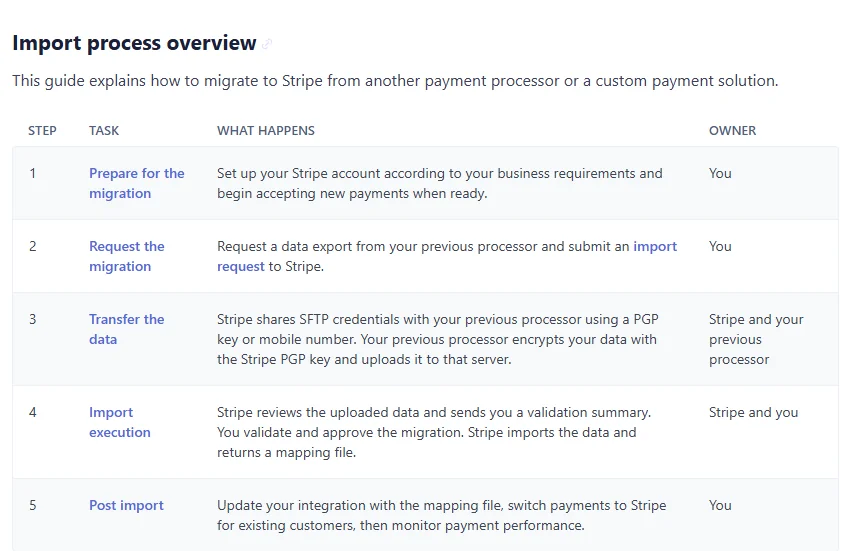
Saved cards deserve the earliest start because they depend on your old processor. Stripe’s documentation on importing payment data says processors “can take anywhere from a few days to several months to produce a final export,” and that imports typically complete within 10 business days once Stripe receives valid data. It also notes that card security codes, subscriptions and invoices are not part of that import, so billing schedules still have to be rebuilt in the new system. If your old processor will not release the data in time, give members a clear, early request to update their payment method.
What separates a risky migration from a safe one?
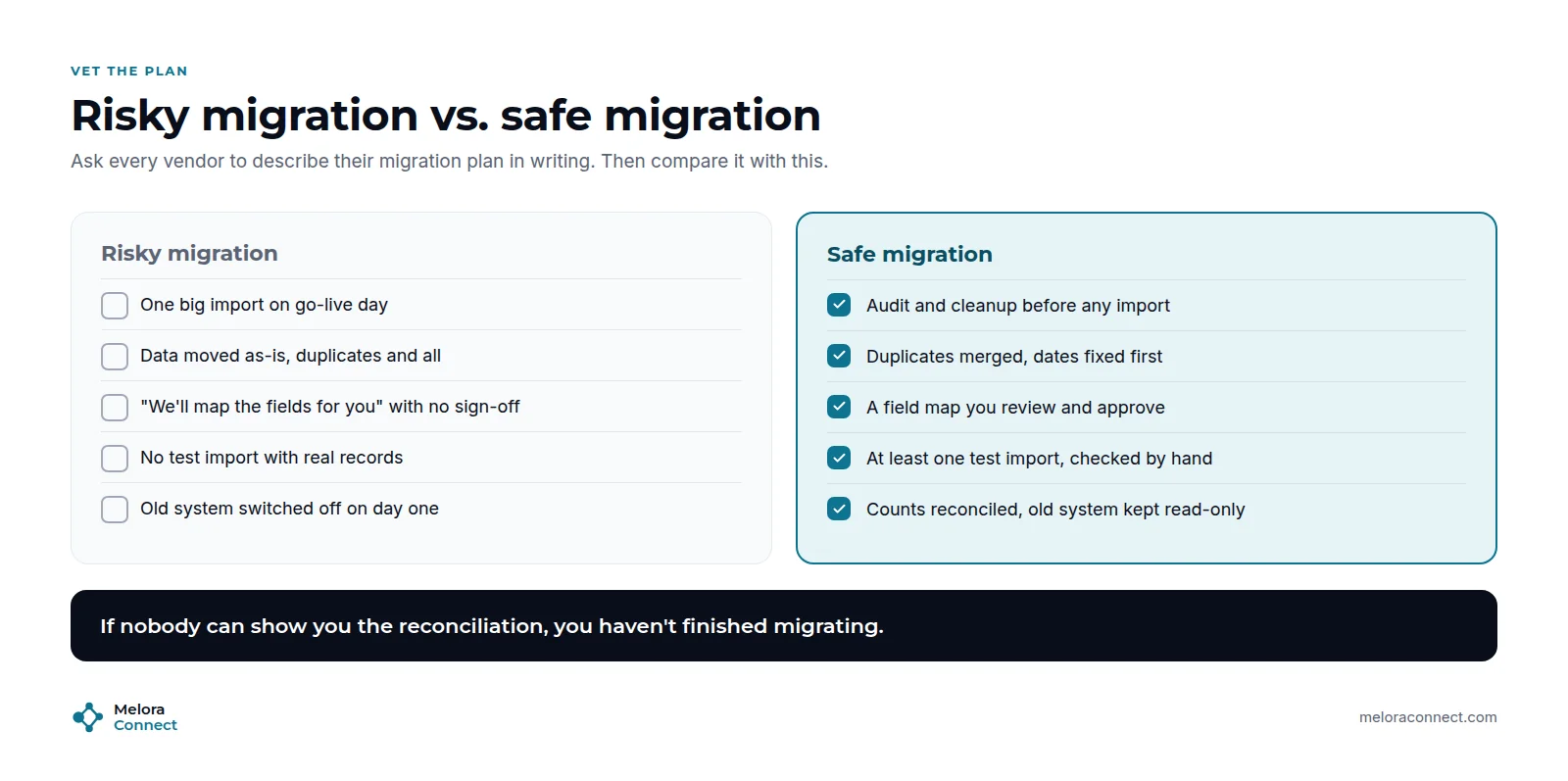
Ask every vendor for their data migration plan in writing (make it a required answer in your membership software RFP), then compare it with these signals:
| Area | Risky migration | Safe migration |
|---|---|---|
| Timing of the import | One big import on go-live day | Audit and cleanup before any import |
| Data quality | Data moved as-is, duplicates and all | Duplicates merged and dates fixed first |
| Field mapping | “We will map the fields for you,” with no sign-off | A field map you review and approve in writing |
| Testing | No test with real records | At least one test import, checked by hand |
| Saved cards | Discovered on go-live day | Export requested early, with a fallback message to members |
| Old system | Switched off on day one | Counts reconciled and the old system kept read-only |
If nobody can show you the reconciliation, you have not finished migrating.
Example: one association, two ways to switch
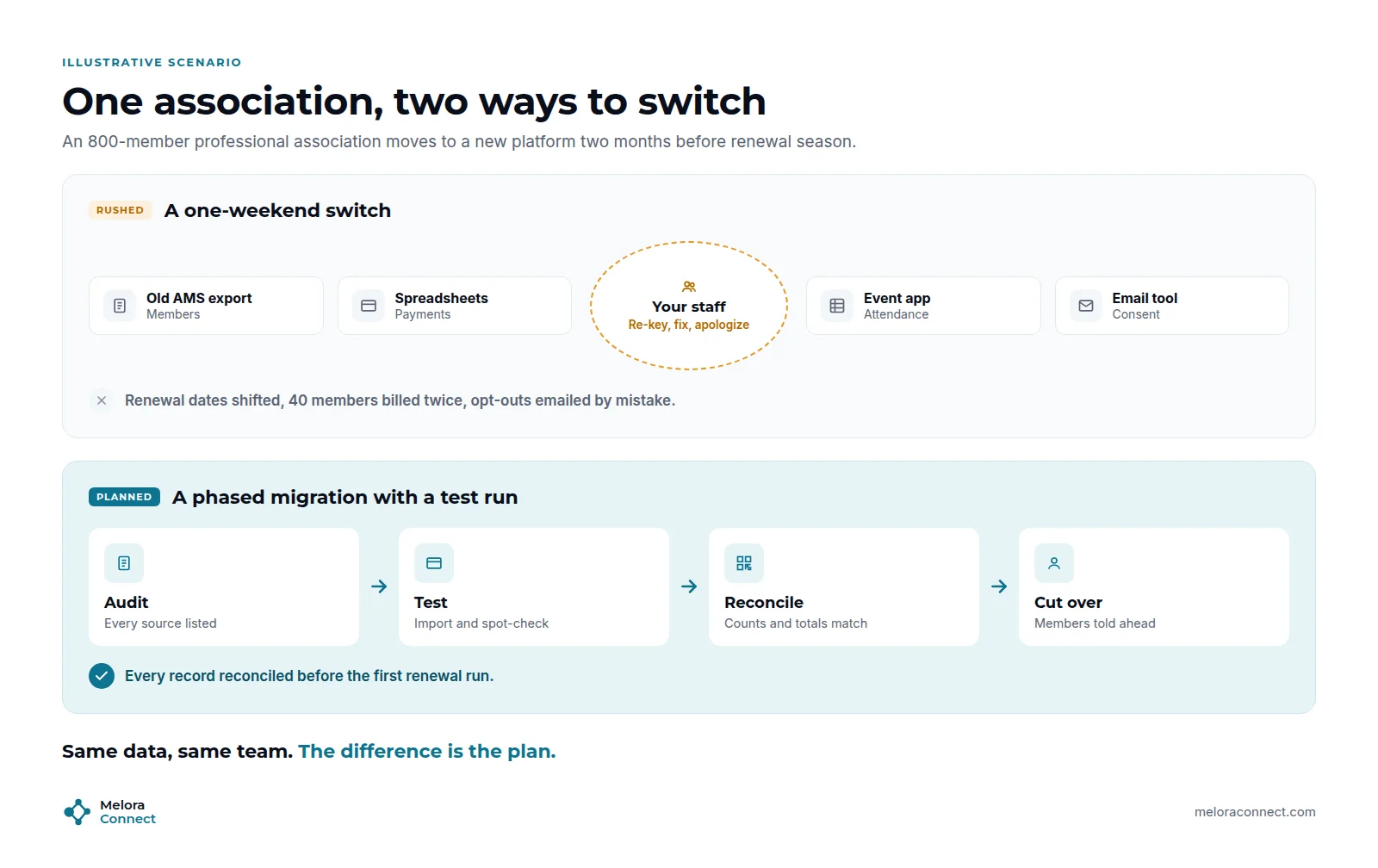
This example is illustrative. Picture an 800-member professional association moving to a new platform two months before renewal season. Member records sit in the old AMS, some payments in spreadsheets, attendance in an event app, and consent in the email tool.
In the one-weekend switch, staff export everything on Friday and import it on Saturday. On Monday, renewal dates have shifted for members with an old date format, 40 members on autopay are billed twice, and a newsletter goes to people who had unsubscribed. The team spends the renewal season re-keying records and apologizing.
In the planned migration, the team lists every source, merges duplicates, and approves a field map. A test import shows the date problem early, and it is fixed in the map. Counts and totals are reconciled before go-live, members are told six weeks ahead, and the old system stays read-only. The first renewal run goes out on time, to the right people, for the right amounts.
Same data, same team. The difference is the plan.
Membership data migration checklist
These ten checks cover the data only. The interactive AMS Migration Checklist at the end of this guide covers the whole project in 49 steps.
- Every data source listed, with an owner and a record count.
- A full backup exported from every system and stored in one access-controlled place.
- Duplicates merged and renewal dates checked.
- Email consent confirmed for every contact, and every opt-out carried over.
- Field map written, reviewed by the vendor and approved in writing.
- At least one test import, with 20 real records checked by hand.
- Counts and totals reconciled between old and new systems.
- A plan for saved cards and autopay, started early.
- Members told what changes and when.
- Old system set to read-only and archived for at least 12 months.
How Melora Connect handles migration
At Melora Connect, you do not migrate alone. Staffed onboarding and data migration come with every plan: our team works through the audit, cleanup, field map and test imports with you, and walks through the reconciliation with your data owner before anything goes live. Most associations go from signed agreement to live in about 30 days. That is what “you get a team, not a login” means in practice.
Once your data is in, each member has one record in the Member CRM, with renewals, payments, events and engagement on it. Import and CSV export mean the data stays yours if you ever leave. Each organization’s data is isolated, with daily encrypted backups and audit logs. Payments run through MeloraPay, by card or ACH into your own Stripe account, which gives the saved card step a clear destination.
Planning a switch? Bring a list of where your member data lives today. We will show you what moves as it is, what to clean first and what to archive. Book a demo
Frequently asked questions about how to switch membership management software
How do I switch membership management software without losing data?
Run the switch in six phases: audit every data source, clean duplicates and dates, map every field and approve the map in writing, test with real records, reconcile counts and totals, then cut over. Back up every system first, go live well before renewals, and keep the old system read-only for at least 12 months.
Can I move saved credit cards to a new membership platform?
Sometimes. It depends on whether your old processor will export saved payment data to the new one. Stripe, for example, documents an import from other processors, but the export can take days to months, and subscriptions are rebuilt separately. Start the request early, and plan a clear message asking members to re-enter cards if needed.
Should I migrate all my historical data?
Move what you use: active and recently lapsed members, payment history for the period your finance team needs, open balances, email opt-outs, and recent engagement. Archive older records in a read-only copy of the old system instead of cluttering the new one, and keep that archive for at least 12 months or longer if rules require.
Who should sign off the data?
One data owner on your team, usually the membership director or operations lead. They approve the cleanup, the field map and the final reconciliation, working with a named contact on the vendor’s side. The rest of the team and its roles are covered in our AMS migration project plan.
How do I know the migration worked?
The migration worked when every reconciliation check matches between the old and new systems: total and active members, members by type, future renewal dates, dues collected, open balances, email opt-outs and event registrations. Spot-check 20 real records by hand too, and watch the first renewal run closely before you switch the old system off.
How do I keep email opt-outs when I switch platforms?
Export opt-outs and unsubscribes from your email tool as well as your old AMS, merge them, and import them before any email goes out from the new system. Treat a blank consent field as unknown, not subscribed. Gmail recommends honoring unsubscribes within 48 hours, and CAN-SPAM requires opt-outs within 10 business days.
The bottom line
You can switch membership management software without losing member data. It takes a plan, not luck: audit, clean, map, test, reconcile, and only then cut over. Give yourself time before your renewal peak, start the saved card request early, keep the old system read-only, and choose a vendor who will do the work with you.
Switch without losing a single record. See how the Melora team moves your members, payments and history, and reconciles every count before go-live. Book a demo
Free tool: Interactive AMS Migration Checklist. Your data is one phase of seven. Tick off all 49 steps of the switch, track progress by phase and print it for your team, in English, French and Spanish. Open the checklist
Sources
- Precisely, 2025 Planning Insights: Data Quality Remains the Top Data Integrity Challenge and Priority (findings of the 2025 Outlook: Data Integrity Trends and Insights, with Drexel University’s LeBow College of Business), Nov 5, 2024.
- IBM, 2025 Cost of a Data Breach Report: Navigating the AI rush without sidelining security, Jul 30, 2025.
- Google, Email sender guidelines FAQ, Gmail Help, No page date; requirements from Feb 2024, enforcement ramp-up from Nov 2025; accessed Oct 28, 2026.
- Federal Trade Commission, CAN-SPAM Act: A Compliance Guide for Business, Last edited Jan 2024.
- Stripe, Import payment data to Stripe, Stripe Docs, No page date; accessed Oct 28, 2026.