People · Events · Communities

Almost every association starts with a spreadsheet. It is free, familiar, and perfectly fine for the first hundred members. Then a second tab appears for payments, a third for events, and a copy gets saved as “FINAL_v3.”
At some point, the spreadsheet stops being a tool and becomes a job. This guide shows how to tell when you have reached that point and how to replace membership spreadsheets with the right software in six practical steps, without losing data or disrupting renewals. For background on the full member lifecycle, see our guide to membership management.
Quick answer: To replace membership spreadsheets: list every file that holds member data, merge them into one clean list, choose software with one record per member, import and spot-check a sample, move renewals and payments first, then run both for one renewal cycle and archive the spreadsheet as read-only.
When do membership spreadsheets stop working?
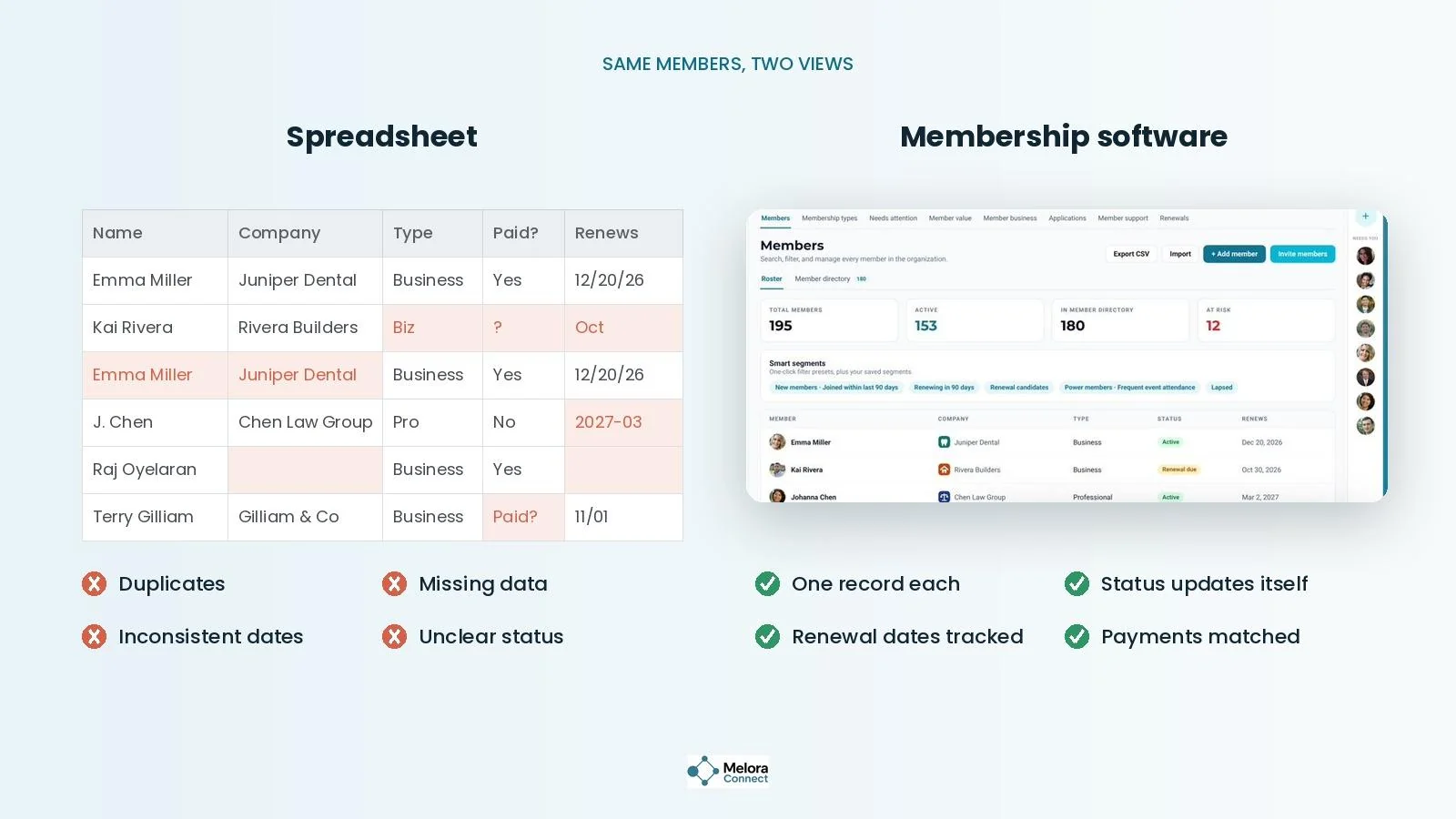
Spreadsheets do not fail all at once. They fail in small ways that add up: a duplicate row here, a missing renewal date there, a payment nobody matched to a member.
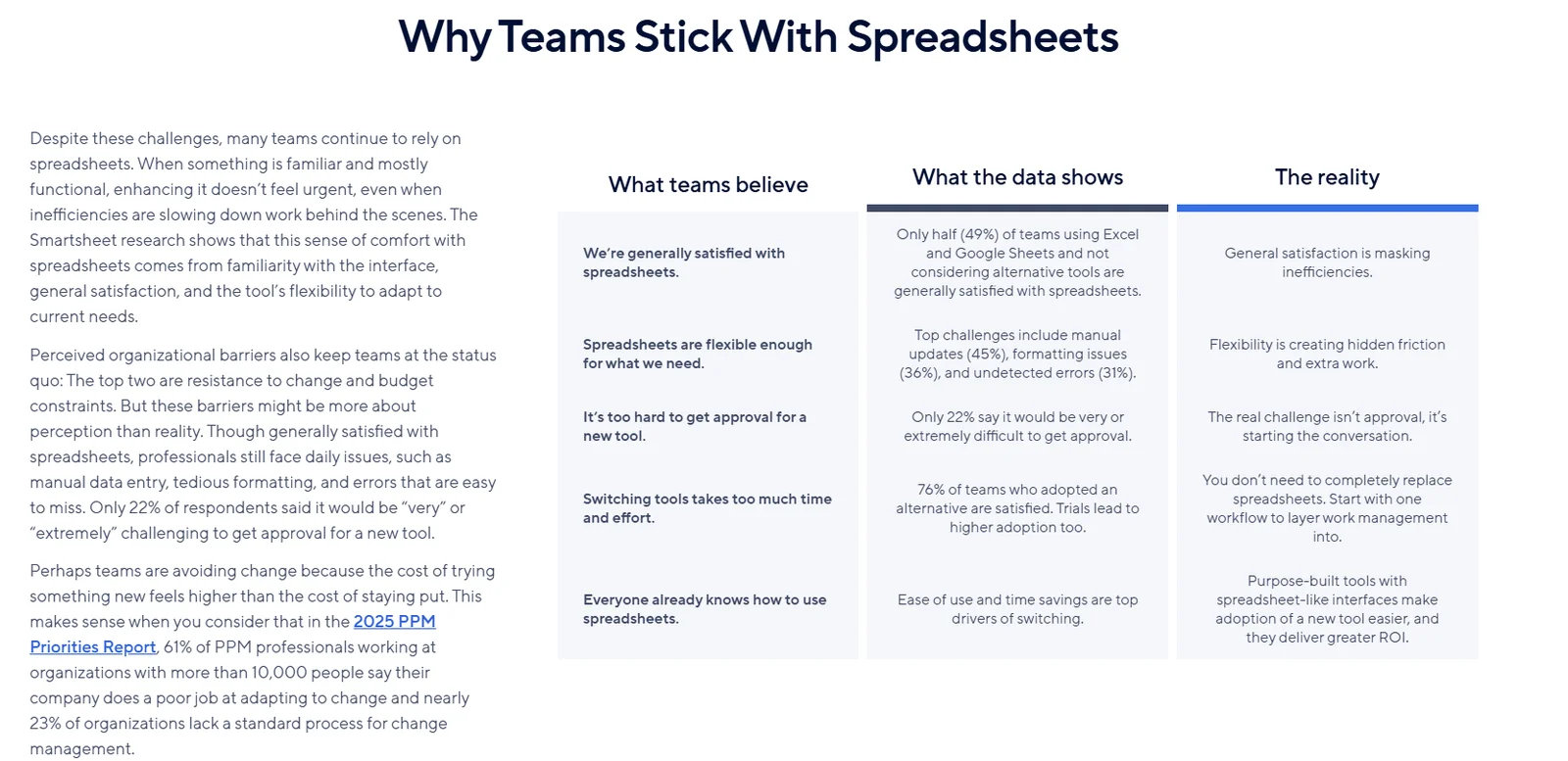
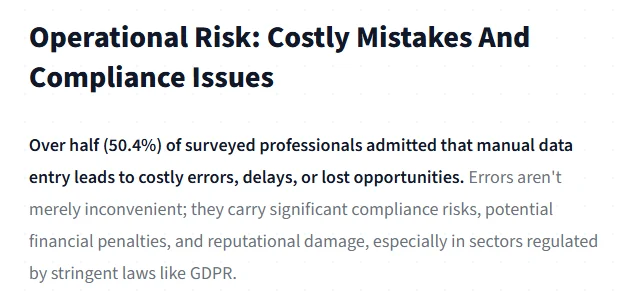
The research backs this up. In Smartsheet’s October 2025 survey of more than 650 professionals, the top spreadsheet frustrations were manual updates (45%), formatting issues (36%), and errors that go undetected (31%). And in a 2025 survey by Parseur and QuestionPro, 50.4% of professionals said manual data entry leads to costly errors, delays, or lost opportunities.
If two or more of these sound familiar, it is time to switch:
-
More than one person edits the file, and nobody’s sure which version is current.
-
Renewal reminders depend on someone remembering to send them.
-
Payments are matched to members by hand.
-
Event attendance lives in a separate list from member records.
-
Board reports take hours of copying and cleaning.
What does membership management software replace?
Membership management software replaces the copying, matching, and remembering with one record per member and automation that runs on schedule. Here is what changes, task by task.
| Task | With spreadsheets | With membership management software |
|---|---|---|
| Member records | Rows across several files and tabs | One profile per member |
| Renewals | Someone checks dates and sends emails | Automatic reminders on schedule |
| Payments | Matched to members by hand | Recorded on the member record automatically |
| Events | Attendance kept in a separate list | Check-ins added to each member’s history |
| Email lists | Exported and pasted into an email tool | Segments built from live member data |
| Reports | Rebuilt every month | Live dashboards |
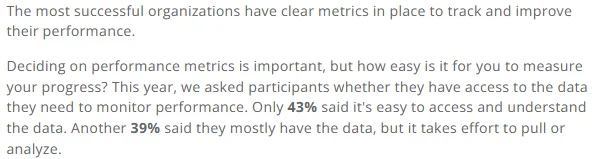
That last row matters more than it looks. In the iMIS 2026 Membership Performance Benchmark Report, only 43% of membership professionals said their data is easy to access and understand. A spreadsheet that has to be rebuilt every month is one reason why.
How to replace spreadsheets in 6 steps
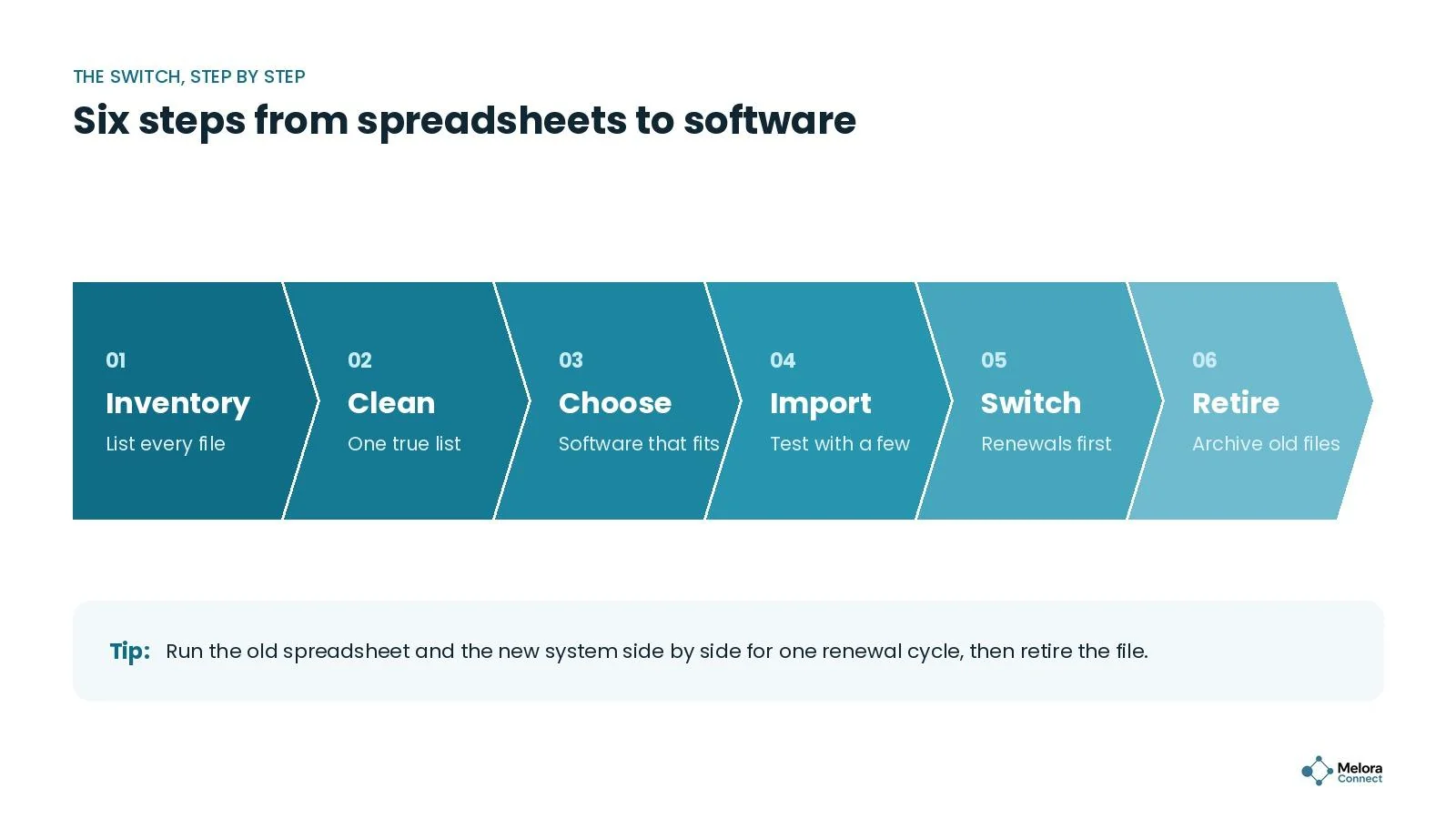
1. Inventory every spreadsheet
List every file that holds member information: the main roster, payment logs, event sign-ups, committee lists, and the email list. Note who owns each one and how often it is updated. Most associations find more files than they expected.
2. Clean up one true list
Before importing anything, merge your files into one clean list. Remove duplicates, standardize dates and membership types, and fill in missing renewal dates. This is the most important step, because clean data in means clean data out. For bigger moves, our guide on how to switch membership software without losing data covers field mapping in depth, and the free Membership Data Migration Workbook helps you track every column.
3. Choose software that fits
Look for one member record that payments, events, and email all update, plus automated renewals and easy import and export. Our guide to membership management software features shows what good looks like for each. Ask each vendor to demo your real tasks with your own sample data, not a standard script: Smartsheet found that 68% of teams that adopted a new tool tried it hands-on first. Our AMS selection process guide walks through the evaluation in detail.
4. Import and test with a few members
Import your clean list, then spot-check 20 or 30 records against the original. Confirm that membership types, renewal dates, and payment history came through correctly before you rely on the new system. Our free AMS Migration Checklist lists every check to run before go-live.
5. Switch renewals and payments first
Move the work that costs the most time first: renewal reminders, invoices, and payments. Once those run automatically, add events, email campaigns, and reporting. Moving in stages also limits surprises: in Capterra’s 2026 Software Buying Trends Report, 89% of buyers who regretted a software purchase had first hit an unexpected disruption during implementation. Our guide on how to automate membership renewals covers the reminder sequence.
6. Retire the old files
Run the old spreadsheet and the new system side by side for one renewal cycle. When the numbers match, archive the spreadsheet as read-only so nobody keeps updating it by habit. Then tell members what changes for them, such as a new renewal link or member portal; the free AMS Migration Communication Kit has ready-to-edit messages.
Ready to retire your spreadsheet? Book a demo and see how your member list would look in Melora Connect. Book a Melora Connect demo
Example: a trade association’s first renewal cycle without spreadsheets
Illustrative example. Picture a regional trade association with 280 member companies and two staff. Their roster lived in one spreadsheet, payments in another, and event sign-ups in a third. Every renewal season, the membership manager spent the better part of two weeks matching payments and chasing members by email.
They merged and cleaned the files over a few afternoons, imported one list, and switched on automatic renewal reminders and online payments first. When renewal season came, reminders went out on schedule, payments landed on each member’s record, and the manager could see who had not paid at a glance. The two weeks of reconciliation turned into a quick daily check, and she spent the time she saved calling the members who needed a personal nudge.
How Melora Connect makes the switch easier
Melora Connect is built around one record per member, and everything else pulls from it. You can import your existing member data and export it as CSV anytime, so you are never locked in. Once your list is in, automatic reminders, invoice runs, and card or ACH payments through MeloraPay take over the renewal work your spreadsheet used to depend on, with every payment landing in your own Stripe account.
Smart segments sort new, at-risk, and lapsed members on their own, built-in email sends to those segments with merge fields from the live record, and event check-ins update each member’s history automatically. For online events, Melora creates the Zoom meeting and checks in the people who joined, so you do not need an attendance spreadsheet either. Our team does the import with you, and associations go live from 5 weeks after signing (estimate yours with our migration timeline estimator); our guide to how long it takes to migrate membership software compares that with the industry typical. You get a team, not a login.
See your member list in Melora Connect. Bring your spreadsheet to a demo and we will show where each column would live in Melora Connect. Book a Melora Connect demo
Frequently asked questions
When should an association stop using spreadsheets for members?
When more than one person edits the file, renewal reminders depend on memory, payments are matched by hand, or board reports take hours to rebuild. Two or more of these signs usually means the spreadsheet costs more time than software would.
Will we lose data when we switch?
Not if you clean your list first and spot-check records after import. Keep the original spreadsheet as a read-only archive until you have completed a full renewal cycle in the new system.
How long does it take to replace membership spreadsheets?
Small associations with one clean list can move in a few weeks; larger ones with several files and payment history take longer. The free Migration Timeline Estimator gives you a realistic plan for your size, and with Melora Connect, organizations go live from 5 weeks after signing.
Can we keep using spreadsheets for some things?
Yes. Exporting data to a spreadsheet for one-off analysis is fine. The goal is that the software is the single source of truth, so nobody edits member records in two places.
The bottom line
Spreadsheets are a great way to start and a hard way to grow. Membership management software replaces the copying, matching, and remembering with one record per member and automation that runs on schedule.
Start by cleaning one true list, switch renewals and payments first, and run both systems for one cycle. Then retire the spreadsheet and give your team its time back.
Sources
-
Smartsheet, The Hidden Cost of Spreadsheets, October 2025.
-
Parseur with QuestionPro, Manual Data Entry Report, 2025.
-
iMIS (ASI), Sneak Peek: 2026 Membership Performance Benchmark Report, January 2, 2026.
-
Capterra, 2026 Software Buying Trends Report (press release via Business Wire), October 7, 2025.