People · Events · Communities

Quick answer: The 10 features every association needs in membership management software are a central member database, online joining, flexible tiers and pricing, dues and recurring billing, automated renewals, a member portal, connected events, email and segmentation, reporting, and integrations with full data export. The deciding factor is whether all ten update one member record.
Key takeaways
-
Judge every feature by one test: does it update the member record automatically?
-
Features 1 to 5 (database, joining, tiers, dues, renewals) are needed from day one. The rest grow in importance as you grow.
-
In every demo, ask the vendor to show the feature live with your own scenario, not describe it.
-
Security, onboarding, and data export rarely appear in demos, but they decide how the system works a year later.
Every membership management software vendor will show you a long feature list, and most of the lists look the same. The differences show up in how well each feature works, and whether the features share data or just sit side by side.
This guide covers the ten membership management software features every association needs, with three things for each: what good looks like, exactly what to ask for in a demo, and the red flag that should make you pause. At the end you will find a quick guide to which features to weight for your situation. If you are still mapping the basics, start with what membership management covers.
What features should membership management software have?
Here are the ten features at a glance. Use the table as a shortlist, then read the sections below for the demo request and red flag behind each one.
| # | Feature | What good looks like | Red flag |
|---|---|---|---|
| 1 | Central member database | One profile with status, payments, events, and emails | History split across screens or tools |
| 2 | Online joining | Mobile-friendly form with payment in the same flow | Staff re-enter applications |
| 3 | Tiers and pricing | Unlimited tiers, prorating, organizational memberships | “Approximate it with a custom field” |
| 4 | Dues and recurring billing | Card and ACH, receipts, automatic retries | Hidden platform fees |
| 5 | Automated renewals | Segmented reminder sequences, one-click renewal | One template for every member |
| 6 | Member portal | Self-service profile, payments, and registration | Staff change basic details |
| 7 | Connected events | Member pricing and attendance on the profile | Attendance exported after each event |
| 8 | Email and segmentation | Live segments built from member data | Lists exported to another tool |
| 9 | Reporting and dashboards | Live renewal, revenue, and engagement numbers | Every report starts in Excel |
| 10 | Integrations and data ownership | Accounting, payments, video; full export anytime | Exports cost extra |
Why do features matter less than how they connect?
A feature checklist can tell you a platform “has events” and “has email.” It cannot tell you whether an event registration shows up on the member’s record, or whether you can email only the members who have not attended anything this year.
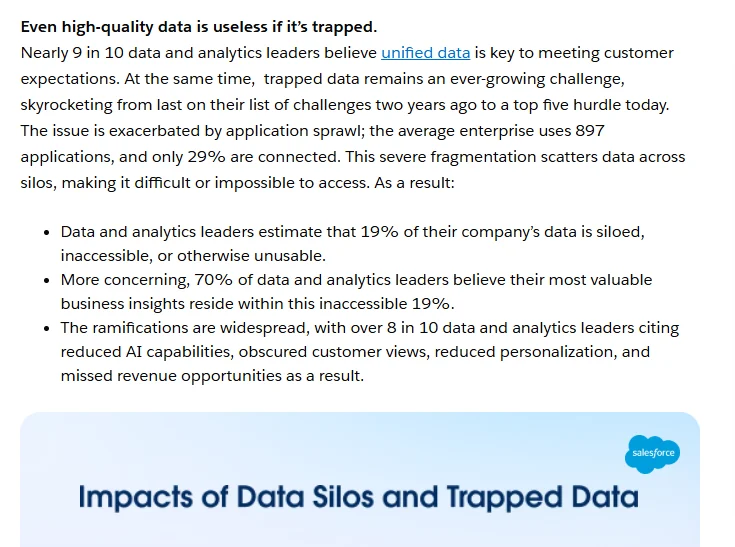
Disconnected data is not a small problem. In Salesforce’s 2025 data and analytics research, leaders estimated that 19% of their organization’s data is siloed or unusable and 26% is untrustworthy. For an association, that is the event list that never made it back to the member record, or the payment that sits in a separate processor.
Keep one question in mind for every feature below: does it update the member record automatically? If the answer is no, you will be connecting the dots by hand.
The 10 essential membership management software features
1. A central member database
Every other feature reads from and writes to the member record. If this is weak, everything built on top of it is too. Our guide to building a membership management system covers which fields to keep.
What good looks like:
-
One profile per member with status, tier, join date, payments, events, emails, and notes
-
Company or household records that link several people to one membership
-
Fields your team can extend as your programs change, without a long support queue
Ask in the demo: “Show me one member’s full history on a single screen.”
Red flag: Payment or event history lives on a different screen or in another tool.
2. Online joining and applications
Joining is the first impression. A slow or confusing form loses members before they start, and most people will open it on a phone.
What good looks like:
-
Branded, mobile-friendly join forms
-
Approval workflows for organizations that review applications
-
Payment collected in the same flow
Ask in the demo: “Join as a new member on your phone while I time it.”
Red flag: Staff re-enter applications by hand, or payment is a separate step.
3. Flexible membership tiers and pricing
Associations rarely have one price. Individual, student, retired, corporate, and multi-year memberships all need to work without workarounds.
What good looks like:
-
Unlimited tiers with their own price, benefits, and renewal cycle
-
Organizational memberships with several named contacts
-
Prorating, discounts, and calendar-year or anniversary renewals
Ask in the demo: “Set up our three most complicated membership types in front of me.”
Red flag: “You can approximate that with a custom field.”
4. Dues, payments, and recurring billing
Collecting dues is where staff time disappears fastest when it is not automated.
What good looks like:
-
Card and ACH payments, invoices, and automatic receipts
-
Recurring billing and automatic retries for failed cards
-
Clear reporting on who has paid, who owes, and how much
Ask in the demo: “What does a failed card payment trigger, automatically?”
Red flag: Platform fees on top of processing fees that were not in the quote.
5. Automated renewals
Renewals are your most important revenue moment. They should not depend on someone remembering to send an email. Our guide on how to automate membership renewals covers the full workflow, from the first reminder to win-back.
What good looks like:
-
Reminder sequences that start well before expiry
-
Different messages for different member segments, such as first-year members
-
One-click renewal from an email or the member portal
Ask in the demo: “Show me a 90-day renewal sequence and how I would change it.”
Red flag: One fixed reminder template for every member.
6. Member portal and mobile access
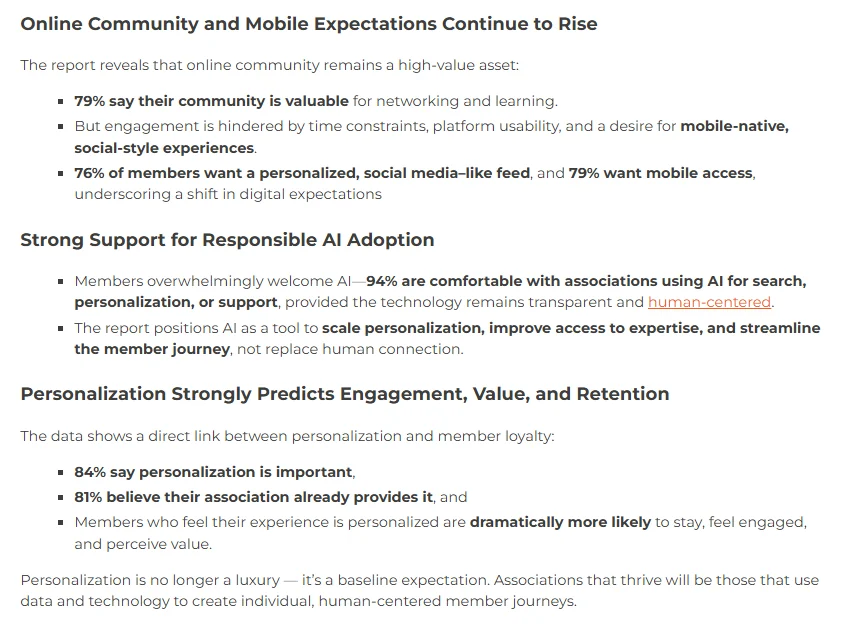
Members expect to update their details, pay, and register without emailing staff. Higher Logic’s 2025 Association Member Experience Report found that 79% of members want mobile access to their association and 84% say personalization is important.
What good looks like:
-
Self-service profile updates, payments, and event registration
-
A member directory members can actually search
-
A portal that works well on a phone, and a clear plan for a native app if you need one
Ask in the demo: “Log in as a member on a phone and update a billing address.”
Red flag: Members still need staff to change basic information.
7. Event management connected to membership
Events are often the most visible member benefit, and attendance is one of your strongest engagement signals. For the event side in depth, see our checklist of event planning software features.
What good looks like:
-
Member pricing applied automatically, without discount codes
-
Registrations and check-ins recorded on the member profile
-
Check-in handled quickly at the door, including walk-ins
Ask in the demo: “Register as a member for an event, then show me where it appears on my profile.”
Red flag: Attendance has to be exported and imported after each event.
8. Email and segmentation
Sending everything to everyone trains members to ignore you. Strategy 5 in our guide on how to improve membership management shows a simple four-segment start.
What good looks like:
-
Built-in email with segments based on tier, interests, engagement, and renewal status
-
Segments that update as member data changes
-
Automated sequences for onboarding and renewals
Ask in the demo: “Build a list of first-year members who have not attended an event.”
Red flag: Lists must be exported to a separate email tool.
9. Reporting and dashboards
If your board report takes a day to build, you will build it less often and trust it less.
What good looks like:
-
Live dashboards for membership count, renewal rate, revenue, and engagement
-
First-year renewal rate shown separately
-
At-risk lists you can act on before renewal season, not after
Ask in the demo: “What was our renewal rate last quarter, and how long did that take to find?”
Red flag: Every useful report starts with an export to Excel.
To see which signals belong in an at-risk list, try our free Member Risk Scoring Sheet.
10. Integrations and data ownership
Your membership system has to work with your accounting, payments, video, and website, and your data has to stay yours.
What good looks like:
-
Integrations with accounting (such as QuickBooks), payments, and video (such as Zoom)
-
A documented way to connect tools that are not covered natively
-
Full data export at any time, at no extra cost
Ask in the demo: “If we left next year, how would we get all of our data out?”
Red flag: Exports cost extra or only include part of your data.
What do buyers forget to check?
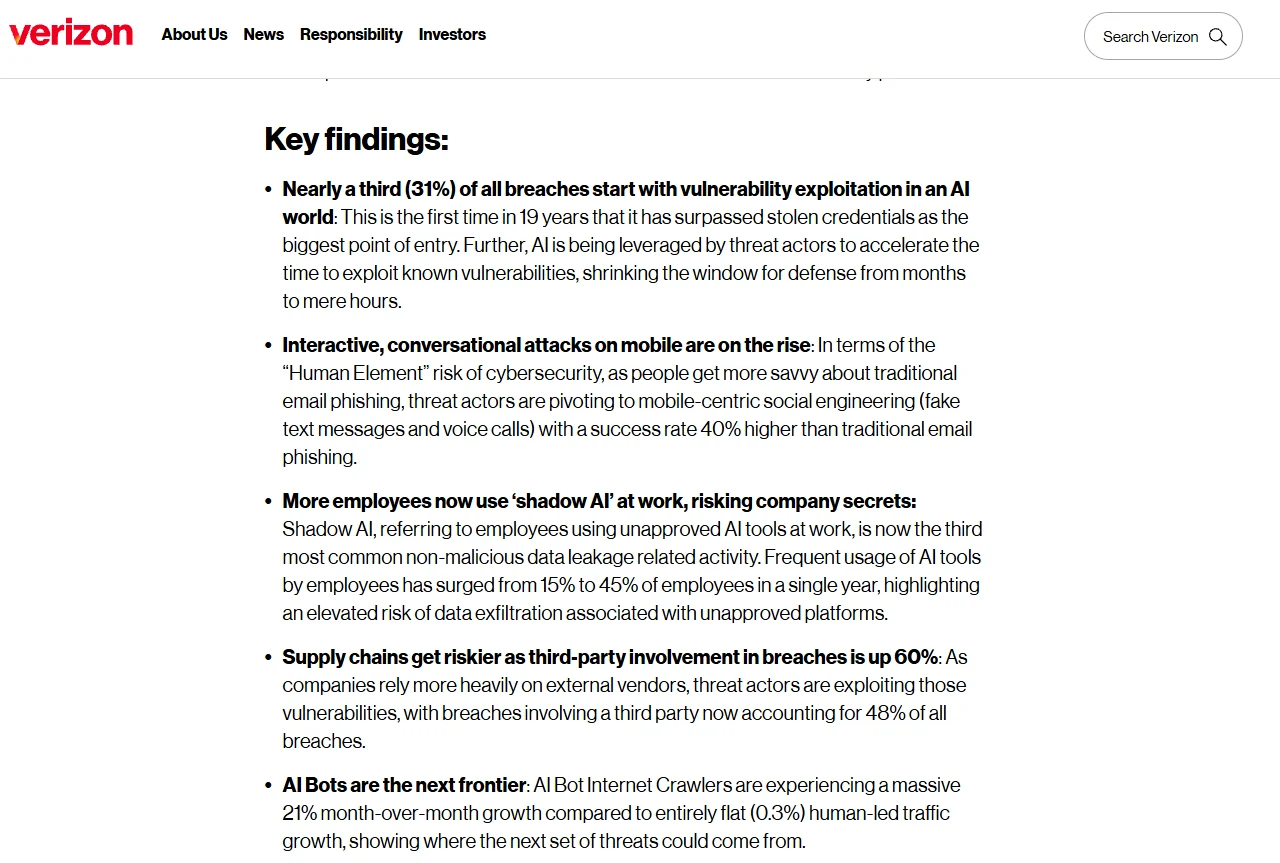
Security and access control. Your system holds members’ personal and payment information, and many breaches start outside your own walls. Verizon’s 2026 Data Breach Investigations Report found that a third party was involved in 48% of breaches. Ask how staff permissions work (can a volunteer see payment details?), whether two-factor sign-in is available, how backups work, and whether vendor staff can access your data without approval. Ask for the vendor’s security documentation now, before your board or members ask you.
Onboarding and support. The best features are useless if nobody sets them up properly. Ask who configures your tiers, migrates your data, and builds your first renewal sequence, and what support costs after launch. Our guide to how long it takes to migrate membership software shows what a realistic setup timeline looks like.
Which features sound great but rarely matter?
These appear in many demos. They are not bad, but they should not drive your decision unless you have a specific need:
-
Gamification such as points and badges for members
-
Built-in social networks or discussion forums that compete with tools members already use
-
Dozens of report templates you will never open (three good dashboards beat fifty templates)
-
AI features without a clear job. Ask what the AI actually does for your staff each week.
Which features should you weight most?
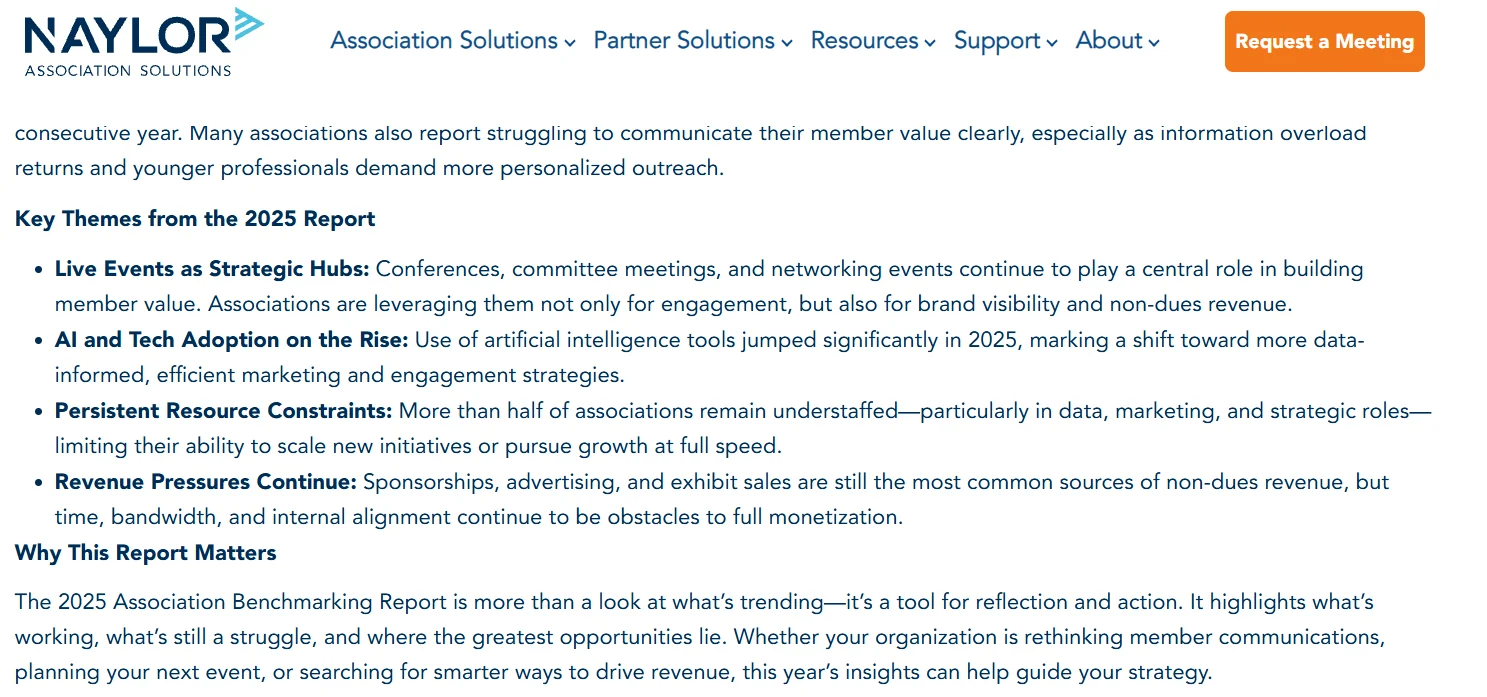
Not every feature matters equally to every organization, and staff time is usually the constraint. Naylor’s 2025 Association Benchmarking Report found that more than half of associations remain understaffed, especially in data and marketing roles. So give extra weight to the features that remove manual work for your team.
Start with the situation that sounds most like yours:
| Your biggest problem | Weight these features |
|---|---|
| Renewals are your biggest headache | 4, 5, and 9 |
| Events drive most of your engagement | 7, 8, and 1 |
| Many company or organizational members | 1 and 3 |
| A small staff fielding lots of member requests | 2 and 6 |
| A board asking for numbers you cannot produce yet | 9 and 10 |
A platform that is excellent on your top five beats one that is average on everything. To turn this into a weighted scoring matrix and a scripted demo, use the templates in our guide to the AMS selection process.
Want it in writing? Turn the ten features into requirements every vendor answers in the same format with our Membership Software RFP Template. Download the template
How Melora Connect covers these features
Melora Connect is built around one member record, so joining, dues, events, and communications all update the same profile. Here is how it maps to the list:
| Feature | In Melora Connect today |
|---|---|
| Member database | One record per member across dues, events, and communications, with smart segments (new, at-risk, lapsed), import, and CSV export |
| Joining, tiers, dues | Online joining, automated renewals and invoice runs, saved card autopay, and MeloraPay card and ACH into your own Stripe account |
| Member portal | Members renew, pay, register for events, join committees, and update their profiles. The Melora Connect Go member app and HQ staff app are coming soon |
| Events | Event pages, ticket tiers, discount and access codes, group and table orders, members-only events, check-in at the door, and online events with their own join link (Zoom integration coming soon) |
| Website and directory | Public member directory today; hosted websites are coming soon |
| Integrations | QuickBooks Online and Desktop export, Stripe, HubSpot, and Slack and Microsoft Teams alerts. Zoom, two-way QuickBooks sync, Xero, and Zapier are coming soon |
| Chapters and CE credits | Chapters for local groups and continuing education (CE) credit tracking, both live |
| Onboarding and support | Staffed onboarding on every plan, typically about 30 days from signed agreement to live, with support after go-live included |
Associations with local chapters or continuing education requirements can run both on the same member record, since chapters and CE credits are live. Our pricing is published, so you can compare total cost before the first call. And as with everything we do, you get a team, not a login.
See all ten features on one member record. We will walk one of your members through a full year in Melora Connect, live. Book a demo
Frequently asked questions about membership software features
What features should membership management software have?
The essentials are a central member database, online joining, flexible tiers and pricing, dues and recurring billing, automated renewals, a member portal, connected events, email and segmentation, reporting, and integrations with full data export. All ten should update the same member record.
What is the most important feature of membership management software?
The central member database. Every other feature depends on it, and a platform where data from events, payments, and email all lands on one profile is worth more than one with a longer feature list.
Do small associations need all 10 features?
Most need the first five from day one: the database, joining, tiers, dues, and renewals. A portal, connected events, segmentation, and deeper reporting become important as you grow, so choose a platform that can add them without a migration.
What should I ask in a membership software demo?
Ask the vendor to show, not tell. For example: show one member’s full history on one screen, join as a new member on a phone, set up your three hardest membership types, and build a list of first-year members who have not attended an event.
Which membership software features are often overlooked?
Data export, staff permissions and security, and onboarding support. They rarely appear in demos but matter a lot once you are using the system every day. Ask for security documentation and a written onboarding plan before you sign.
Which features are overrated?
Gamification, built-in social networks, large libraries of report templates, and AI features without a clear weekly job. They can be useful, but they should not outweigh renewals, payments, and a reliable member record.
How do I compare features across vendors fairly?
Send every vendor the same written requirements, ask for the same live demo tasks, and score the answers with the same weights. A free RFP template makes the answers comparable side by side.
The bottom line
You do not need the platform with the most features. You need the one where these ten work well together, where every action lands on one member record, and where someone helps you set it up right.
Take the ten demo requests above into every vendor conversation, and judge platforms on what they show you live, not what is on the feature page.
Ready to see the ten features in action? Bring your three hardest membership types and we will set them up live. Book a Melora Connect demo