People · Events · Communities

Open any event planning software website and you will find a feature list longer than your event checklist: floor plan designers, AI agenda builders, gamification, lead retrieval, matchmaking, 3D venue tours.
Most event teams use a fraction of it. The rest adds cost, complexity, and training time. This guide sorts event planning software features into what you genuinely need, what is worth having, and what you can safely skip, so you can walk into vendor demos knowing exactly what to ask for.
What is event planning software?
Event planning software helps teams organize everything that has to happen before an event: timelines and tasks, budgets, vendors, venues, agendas, speakers, and team collaboration. Many platforms also handle the attendee side, such as registration, payments, and check-in.
Event planning vs. event management software
In practice, the two terms are used interchangeably. Strictly speaking, planning software organizes the work behind the scenes, while event management software runs the event with attendees: registration, payments, communication, check-in, and follow-up. Most modern platforms cover parts of both, which is why the feature list matters more than the label.
Our comparison of event management vs. event planning software explains the difference in full; this guide stays on the features themselves.
Why most teams pay for features they never use
Feature lists are built to win comparisons, not to match your calendar. A platform designed for 5,000-person trade shows will include exhibitor floor plans and lead scanning that a team running monthly breakfasts and one annual conference will never open.
The cost is not just the subscription. Every unused feature makes the system harder to learn, so your team ends up using the tool less, and falls back on spreadsheets. The goal is the smallest set of features that covers your real events well.
The 4 tiers of event planning software features
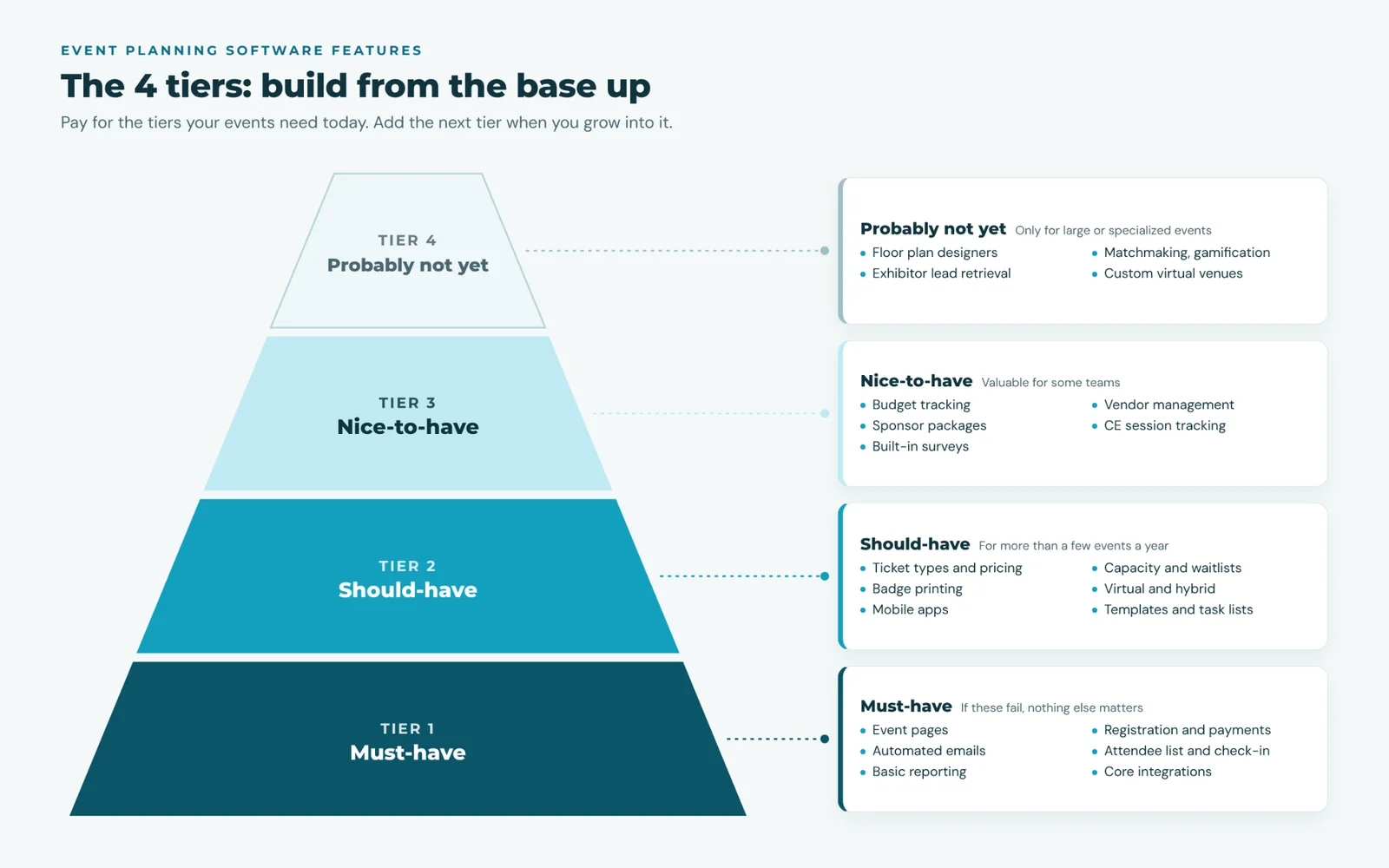
Tier 1: must-have features
If a platform does not do these well, nothing else matters.
| Feature | Why it matters | Test in the demo |
|---|---|---|
| Event pages | Attendees judge your event by its page | Build a page in under 10 minutes, without help |
| Online registration and payments | The single biggest time saver | Register and pay on a phone in under 2 minutes |
| Automated emails | Confirmations, receipts, and reminders without manual sends | Change a reminder schedule yourself |
| Attendee list and check-in | One live list, used at the door | Check in an attendee with a phone |
| Basic reporting | Registrations, revenue, and attendance at a glance | Find last event’s no-show rate in one click |
| Integrations with your core systems | Payments, accounting, and your contact or member database | Show where a registration appears after it is made |
That last row is the one most often underestimated. A tool that does not share data with the rest of your systems creates manual work after every event. We explain why in what an event management platform is.
Tier 2: should-have features
Most organizations running more than a few events a year will use these:
-
Multiple ticket types and pricing rules (early bird, member and non-member, group rates)
-
Capacity limits and waitlists
-
Onsite badge printing, especially for walk-ups
-
Virtual and hybrid support, usually through a video integration such as Zoom
-
Mobile apps for staff running the event and for attendees
-
Event templates, so a monthly event does not need rebuilding from scratch
-
Task lists and timelines shared with your team
Tier 3: nice-to-have features
Valuable for some teams, unnecessary for others:
-
Budget tracking inside the platform (many teams manage this fine in their accounting tool)
-
Vendor and contract management
-
Sponsor and exhibitor packages
-
Session-level tracking for CE credits
-
Post-event surveys built in rather than linked
Tier 4: features you probably do not need (yet)
These look impressive in demos but mainly serve large or specialized events:
-
Interactive floor plan and seating designers
-
Attendee matchmaking and gamification
-
Exhibitor lead retrieval apps
-
Fully custom virtual venues
If your largest event has a few hundred attendees, do not let these drive your decision or your budget.
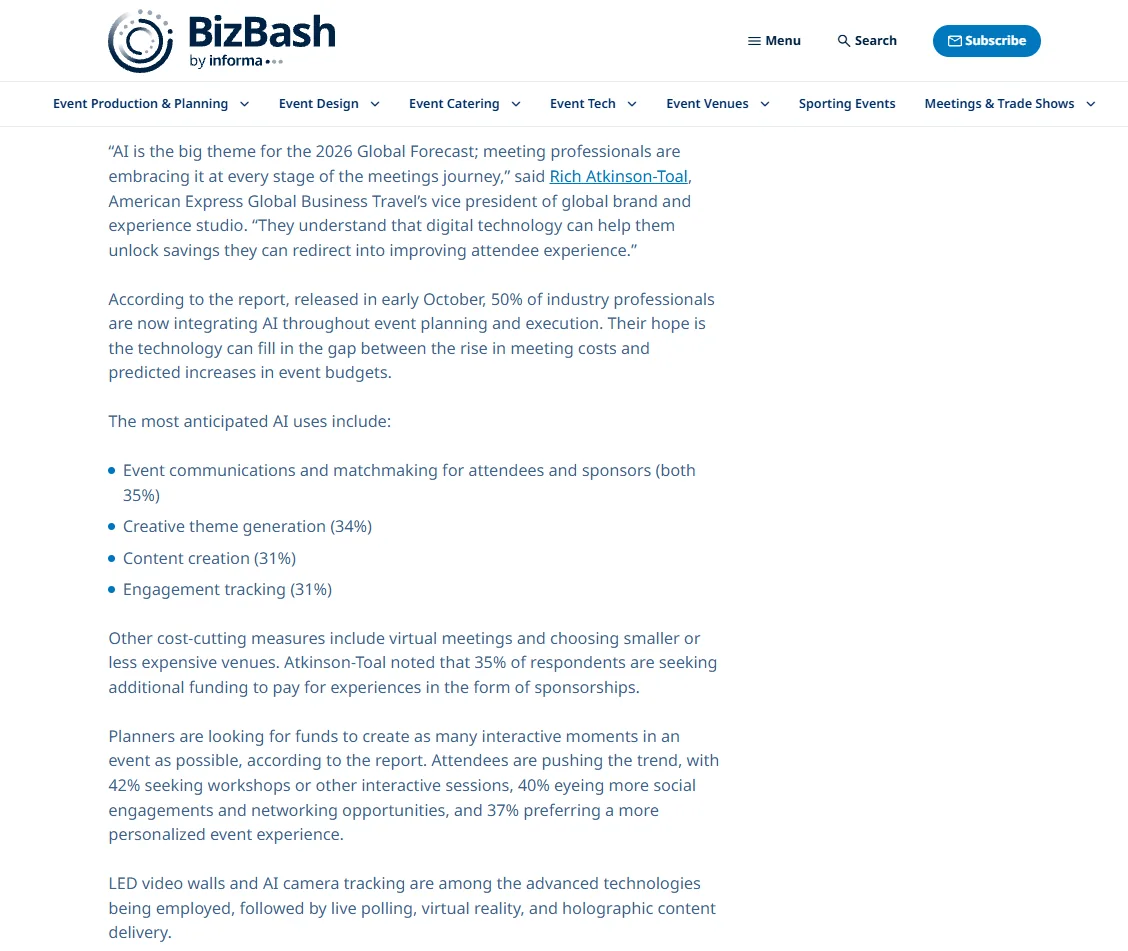
A note on AI features. Expect them in every demo: in the 2026 Meetings & Events Forecast from American Express Global Business Travel, 50% of event professionals said they are already building AI into event planning and execution. Judge each AI feature by one test: does it save your team time on Tier 1 work, such as writing reminders or answering attendee questions?
Which features do you need? Match them to your events
What attendees want should shape the list too. In the same Amex GBT forecast, a survey of 601 event professionals reported by BizBash, 42% said attendees want workshops or interactive sessions, 40% want social time and networking, and 37% want a personalized experience. That points to session sign-up, good attendee emails, and segments before 3D venues or gamification.
Start from the events on your calendar, not from the vendor’s feature list:
| Your typical event | Features to prioritize | Can skip |
|---|---|---|
| Monthly networking or breakfast (30 to 100 people) | Fast registration, templates, mobile check-in, badges | Floor plans, matchmaking, sessions |
| Webinar or online training | Video integration, automatic join links, reminders, recordings, attendance tracking | Badges, venue tools |
| Annual conference (200 to 1,000 people) | Ticket types, sessions, sponsors, badges, attendee app, reporting | Gamification, 3D venues |
| Gala or awards dinner | Table and group registration, sponsorships, guest lists | Session tracking |
| Large trade show (1,000+ with exhibitors) | Exhibitor management, floor plans, lead retrieval, sessions | Very little; this is where Tier 4 earns its cost |
Score your needs: a 2-minute feature check
Check each statement that is true for your organization:
- We run more than six events a year.
- At least some events have different prices for different groups (members, students, groups).
- We regularly have walk-ups or need printed badges.
- We run online or hybrid sessions.
- Sponsors expect attendance numbers after our events.
- Attendees need to earn credits or certificates for sessions.
- More than three people on our team work on each event.
- We run at least one event a year with more than 500 attendees.
0 to 2: Tier 1 features are enough; choose for simplicity and price. 3 to 5: prioritize Tier 1 and Tier 2, and pick the Tier 3 items your checks point to. 6 to 8: you need a full platform; look closely at integrations and reporting, since that is where large calendars break down.
Want this as a worksheet? Use our free event software comparison scorecard: weight each criterion by the tier your feature check points to and score three vendors side by side. Get the scorecard
5 feature traps to avoid in demos
1. The “available as an add-on” feature. Ask which features in the demo are included in the price you are being quoted, and which cost extra.
2. The integration that is really an export. “Integrates with your CRM” sometimes means a CSV download. Ask to see data move between systems live.
3. The demo built for someone else. A polished conference demo tells you little if you mostly run breakfasts. Ask them to build one of your real events.
4. Per-ticket fees hidden in the pricing. Some platforms charge a fee on every registration. Across a full calendar, that can cost more than the subscription.
See how fast that adds up in the per-ticket fee example in our event software comparison, then add those fees to your current tools in our free chamber tech stack cost calculator to see the real yearly cost.
5. Setup you will have to do alone. Ask who builds your first events and templates, and what support looks like after launch.
For the rest of the buying process, from mapping your workflows to comparing total cost, see our guide on how to choose event management software.
What a planning timeline looks like with the right features
Here is how a typical half-day education event runs when Tier 1 and Tier 2 features are in place:
| When | What happens | Feature doing the work |
|---|---|---|
| 8 weeks out | Event created from last year’s template; page published | Templates, event pages |
| 6 weeks out | Registration opens with member and early-bird pricing | Ticket types, pricing rules |
| 4 weeks out | Promotion sent to relevant segments only | Automated emails, segments |
| 1 week and 1 day out | Reminders and join links go out automatically | Automated emails, video integration |
| Event day | Phone check-in, badges for walk-ups, live attendance count | Mobile check-in, badge printing |
| Next day | Survey, recording, and attendance report | Reporting, follow-up emails |
Notice what is missing: nobody exported a list, matched payments by hand, or typed up a sign-in sheet. If registration is where your hours go, our event registration software guide shows how to design a flow members finish.
How Melora Connect fits into event planning
Melora Connect focuses on the features that matter most for membership organizations: the Tier 1 and Tier 2 essentials, connected to the member record.
In tier terms, here is what is live today. Tier 1: event pages, online registration with payments by card or ACH through MeloraPay into your own Stripe account, member pricing applied automatically, segmented email to attendees, and check-in at the door, with every registration landing on the member record. Tier 2: ticket tiers, discount and access codes, group and table orders, members-only events, and online events with their own join link (Zoom, Teams, or Google Meet), sent with each confirmation. Finance teams can export to QuickBooks Online or QuickBooks Desktop. Mobile apps for staff (Melora Connect HQ) and members (Melora Connect Go), with QR check-in, are coming soon. See the full module on our Melora Connect events page.
To be straightforward about scope: if you track detailed event budgets or vendor contracts today, keep using the tool that works for that. Melora Connect is built to remove the attendee-side busywork, which is where most event hours go.
And you get a team, not a login. We build your first events with you, so the features you need are set up before registration opens.
See your next event in Melora Connect. Bring one real event to a demo and we will build it with you. Book a demo
Frequently asked questions
What is event planning software?
Event planning software helps teams organize events before they happen: timelines, tasks, budgets, vendors, agendas, and collaboration. Many platforms also handle registration, payments, and check-in.
What features should event planning software have?
At minimum: event pages, online registration and payments, automated emails, an attendee list with check-in, basic reporting, and integrations with your core systems. Add ticket types, badges, virtual support, and mobile apps as your events grow.
Do small organizations need event planning software?
If you run more than a few events a year or take payments online, yes. Choose a simple platform covering the Tier 1 features rather than an enterprise system.
The bottom line
The best event planning software is not the one with the most features. It is the one whose features match the events you actually run, and that your team will use every time.
List your events, score your needs, and take that list into every demo. Pay for the tiers you need today, and make sure the platform can grow into the next tier when you do.