People · Events · Communities

Quick answer: How to choose event management software for an association comes down to six steps: map your event workflows, be honest about staff capacity, define must-have features, test that registrations update the member record, compare total yearly cost, and get a written implementation plan. The deciding factor is usually who will run the platform every week, not the feature list.
Key takeaways
-
Map your events and your team’s real weekly hours before you book a single demo.
-
Ask every vendor to show a member registering and the attendance landing on that member’s record. If it needs a CSV export, it is another silo.
-
Compare total yearly cost: subscription, processing fees, add-ons, onboarding, and staff time.
-
Get the go-live plan in writing, week by week, with a named contact for event day.
Knowing how to choose event management software matters more for an association than any single feature you will see in a demo. Your events are not side projects. The annual conference, the monthly networking breakfast, the awards gala, the webinar series: together they are often a major revenue line, and the moment most members actually experience their membership.
Yet many associations still run them with a registration form in one tool, payments in another, a spreadsheet for name badges, and an email platform that does not know who attended. The event happens, but the data about it disappears.
This guide shows how to choose event management software for your association in six practical steps: how to map your events, how to size up staff capacity, what to test in a demo, how to compare pricing honestly, what implementation should look like, and a 10-point checklist you can take into every demo. It is written for associations, chambers of commerce, professional societies, and membership nonprofits with small teams. If you want the basics of the category first, start with our complete guide to event management software.
Why is choosing event software different for associations?
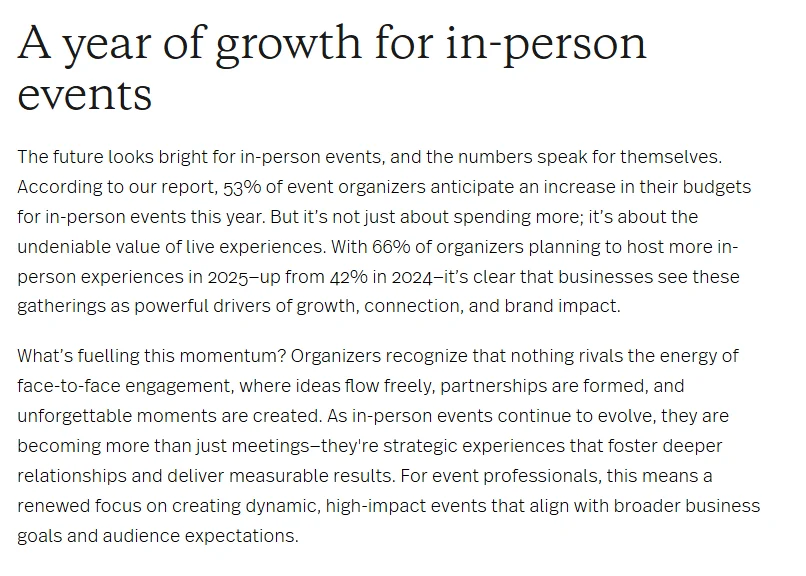
A conference company sells tickets to strangers. An association runs events for people it already knows, and that changes what “good software” means. The stakes are also rising. In Bizzabo’s 2025 State of Events report, 66% of organizers said they plan to host more in-person experiences in 2025, up from 42% in 2024, and 80% said in-person events are critical to their organization’s success.
For an association, more events means more of these four differences:
-
Events are engagement data. Who attends, and who stops attending, is one of the earliest signals of renewal risk.
-
Pricing depends on membership. Member and non-member rates, included tickets, and comped guests should be applied automatically, not checked by hand.
-
Teams are small. Many associations and chambers run dozens of events a year with a handful of staff, plus volunteers on event day.
-
Revenue is mixed. Tickets, sponsorships, dues, and donations often flow through the same events. If donations are central to your events, our guide to event management software for nonprofits covers that side.
The right platform removes work around each of these. The wrong one adds another tool your team has to feed.
How to choose event management software in 6 steps
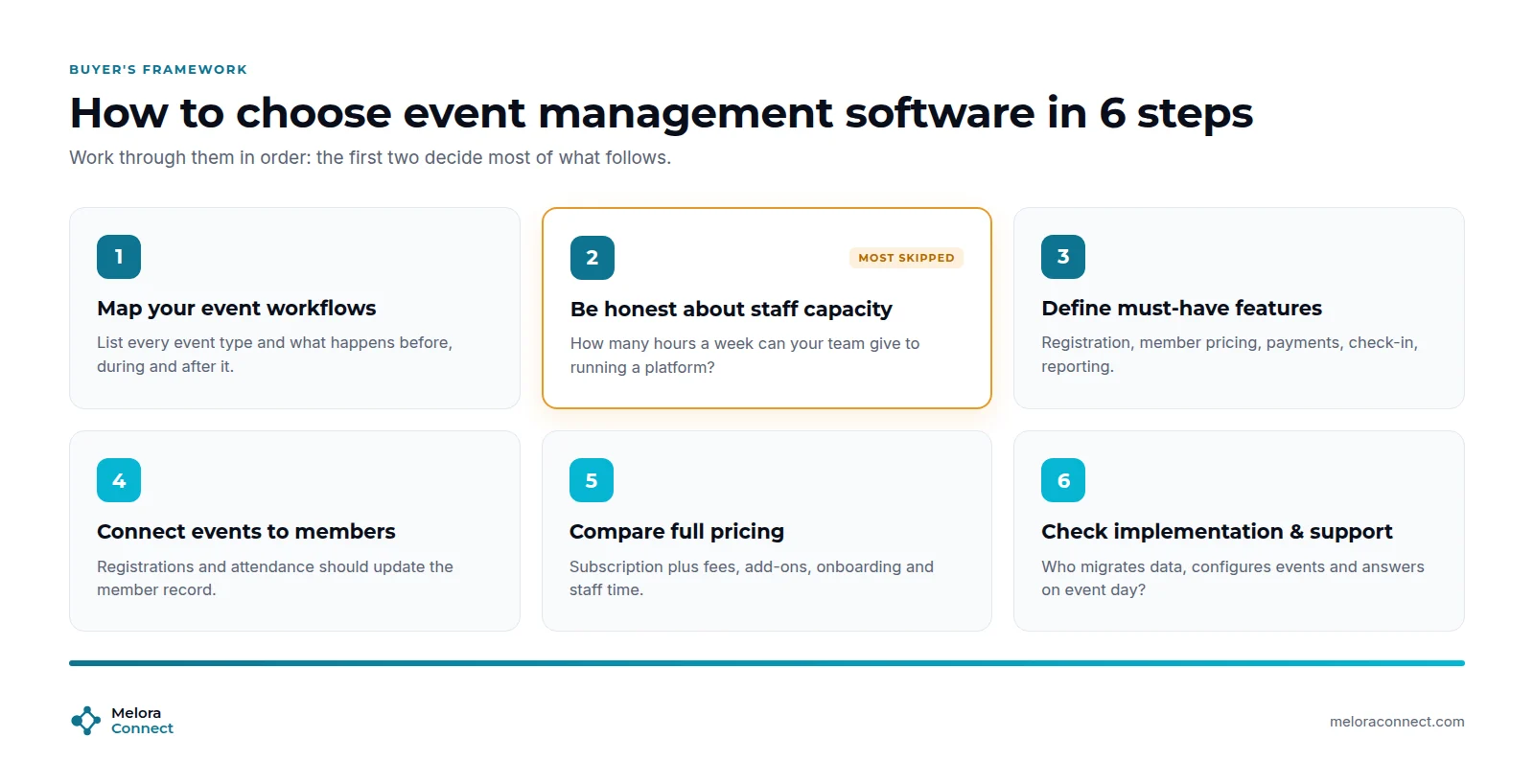
Here are the six steps at a glance. Each one is explained below.
| Step | What to do | What you walk away with |
|---|---|---|
| 1. Map workflows | List every event type and what happens before, during, and after | Your requirements list |
| 2. Size up staff capacity | Agree how many hours a week your team can give the platform | A self-serve or managed decision |
| 3. Define must-haves | Separate must-haves from nice-to-haves | A short feature list for demos |
| 4. Test the member record | Watch a member register and check where the data lands | Proof there is no new silo |
| 5. Compare total cost | Add up subscription, fees, add-ons, onboarding, and staff time | A true yearly cost per vendor |
| 6. Check implementation and support | Get the go-live plan and event-day contact in writing | A realistic launch date |
1. Map your event workflows before you book demos
List every event type you run in a year (conferences, networking events, webinars, committee meetings, galas) and write down what happens before, during, and after each one. Who builds the registration page? Who approves invoices? Who prints badges? Who sends the follow-up? This map becomes your requirements list, and it stops vendors from steering the demo toward features you will never use.
2. Be honest about staff capacity
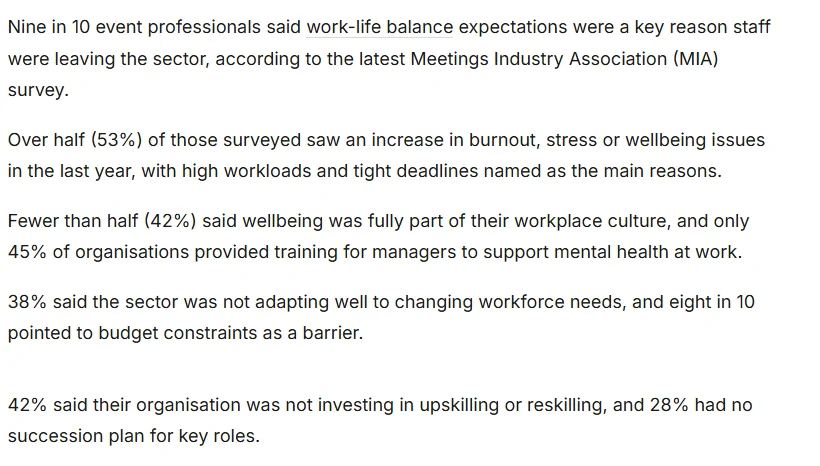
This is the step most buyers skip. Powerful software still has to be configured, maintained, and run by someone, and event teams are already stretched. In the UK, a 2025 Meetings Industry Association survey reported by Workplace Journal found that 53% of event professionals reported rising burnout, stress or wellbeing issues over the past year, mainly from high workloads and tight deadlines. Nine in 10 said work-life balance expectations were a key reason staff were leaving the sector.
Ask how many hours a week your team can realistically give to administering a platform. If the honest answer is “very few,” staff capacity is a selection criterion, not an afterthought, and the vendor’s service scope matters as much as its features.
3. Define your must-have features
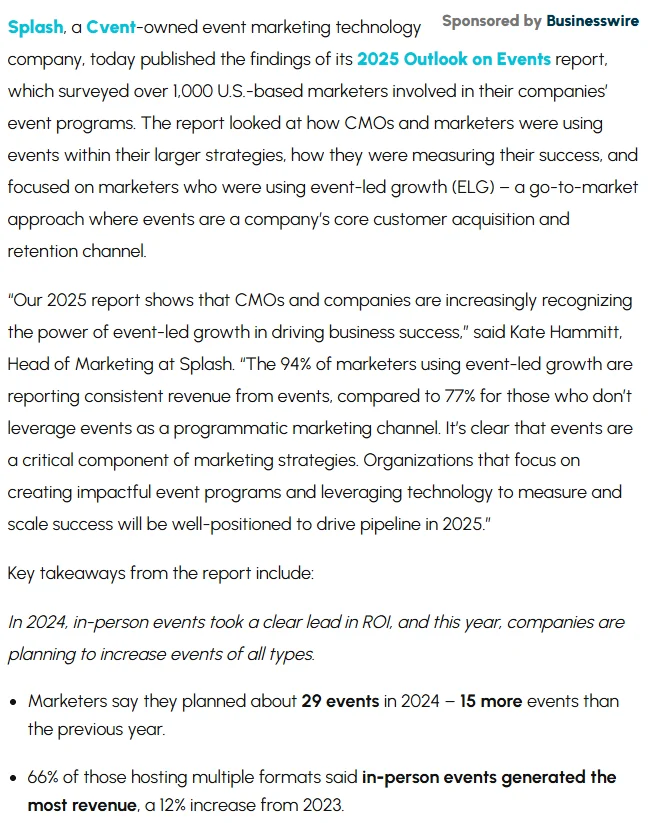
Use your workflow map to separate must-haves from nice-to-haves. For most associations, the must-haves are online registration with member pricing, integrated payments, automated confirmations and reminders, fast check-in, and reporting. Ease of running events matters as much as the feature itself: in Splash’s 2025 Outlook on Events, a survey of 1,058 US marketers, 77% said they would host more events with technology that eases execution and replication, and 41% struggled to measure ROI in 2024.
Our guide to event planning software features sorts everything else into tiers. If most of your list is timelines, budgets, and vendor tasks rather than registrations and check-in, read event management vs. event planning software before you book demos.
4. Check that events connect to the member record
Ask every vendor to show, not tell, what happens when a member registers. Does the registration update their profile? Does attendance appear next to their dues and email history? Can you pull a list of members who have not attended anything in six months? If attendance is exported to a CSV after each event, you are buying another silo. Our comparison of association event software and general event platforms shows this difference side by side, and What Is Membership Management? explains why it matters for retention.
5. Compare pricing and what it actually includes
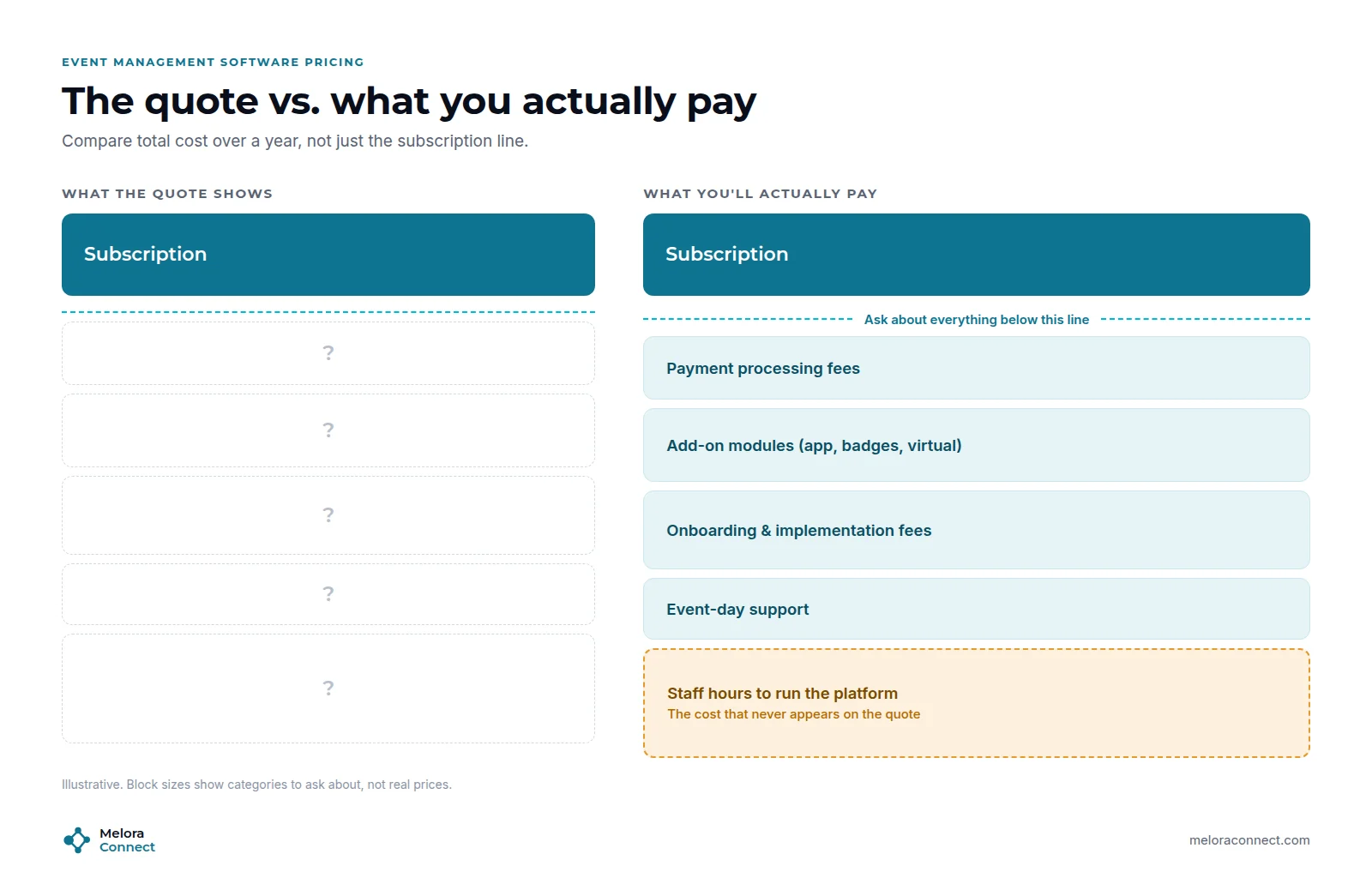
Event management software pricing varies widely: per-registrant fees, per-event fees, annual subscriptions, and paid add-on modules. Compare the total cost over a year, including payment processing, onboarding, support, and the staff hours your team will spend running the platform. The questions to ask are below.
6. Ask how implementation and support work
Before you sign, get a written answer to three questions: who migrates our data, who configures our first events, and who do we call on event day? A vendor with a clear onboarding plan and a named contact will save you more time than a longer feature list.
Self-serve tool or managed platform: who runs the software?
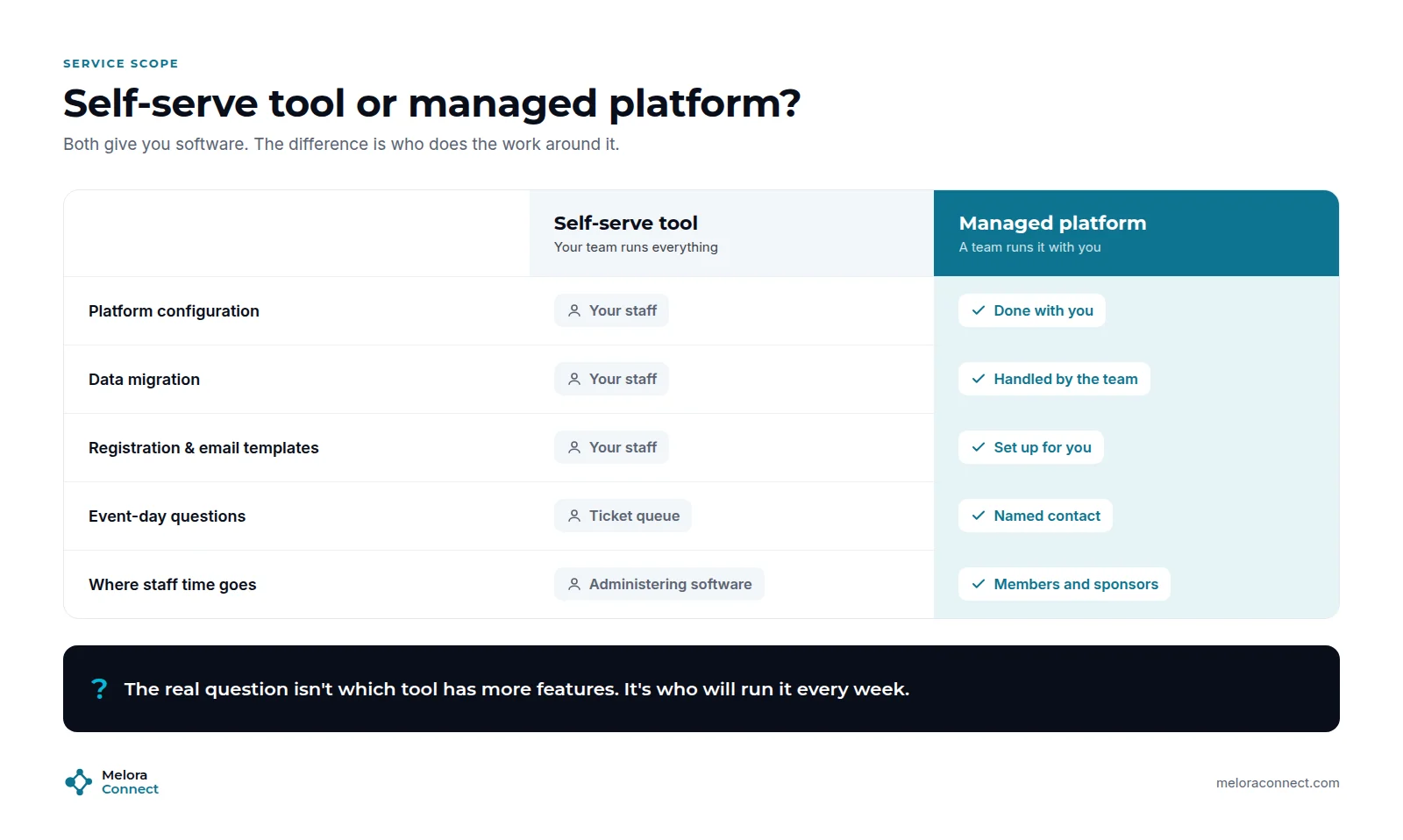
Most event management software is self-serve: you buy a license, and your team configures it, builds every event, and troubleshoots problems. That works well for organizations with a dedicated operations person.
A managed event management platform pairs the software with a team that configures and runs it with you: setting up registration and email templates, migrating data, and supporting your staff through the first events. For a small chamber or association team, that difference is often the deciding factor.
| Question | Self-serve tool | Managed platform |
|---|---|---|
| Who configures it? | Your team | The vendor’s team, with you |
| Who migrates data? | Usually your team | The vendor’s team |
| Best fit | A dedicated operations person | Small teams with little admin time |
| Main risk | The platform is only as good as the hours you give it | Less hands-on control at the start |
The real question is not “which tool has more features?” It is “who is going to run this every week?”
How much does event management software cost? 4 questions to ask
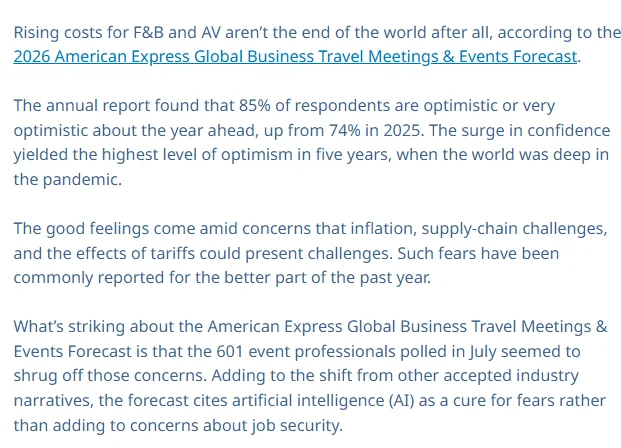
Event costs are up, but event teams are still investing. BizBash’s coverage of the Amex GBT 2026 Meetings & Events Forecast (601 event professionals, 2025) is headlined “Costs Are Up, But So Is Confidence”: 85% said they were optimistic or very optimistic, up from 74%, while 35% were seeking more funding through sponsorships and 50% were integrating AI into planning.
When costs rise, the subscription is only part of what you will pay. Ask every vendor:
-
What is the pricing model? Per registrant, per event, or a flat annual subscription, and what happens to the price as you grow.
-
What are the payment processing fees, and do funds land in your own account?
-
Which features are add-ons? Mobile apps, badge printing, virtual events, and integrations are common extras.
-
What does support look like on event day? A ticket queue is not much help at 6:15 p.m. with a line at the door.
A cheaper platform that needs ten extra staff hours a week is rarely the cheaper option. To see what your current mix of tools already costs, try our free Chamber Tech Stack Cost Calculator.
These four are the questions that matter most for events. For the full vendor question list, a scripted demo, and an RFP template, see our guide to the AMS selection process.
What does a 30-day event software implementation look like?
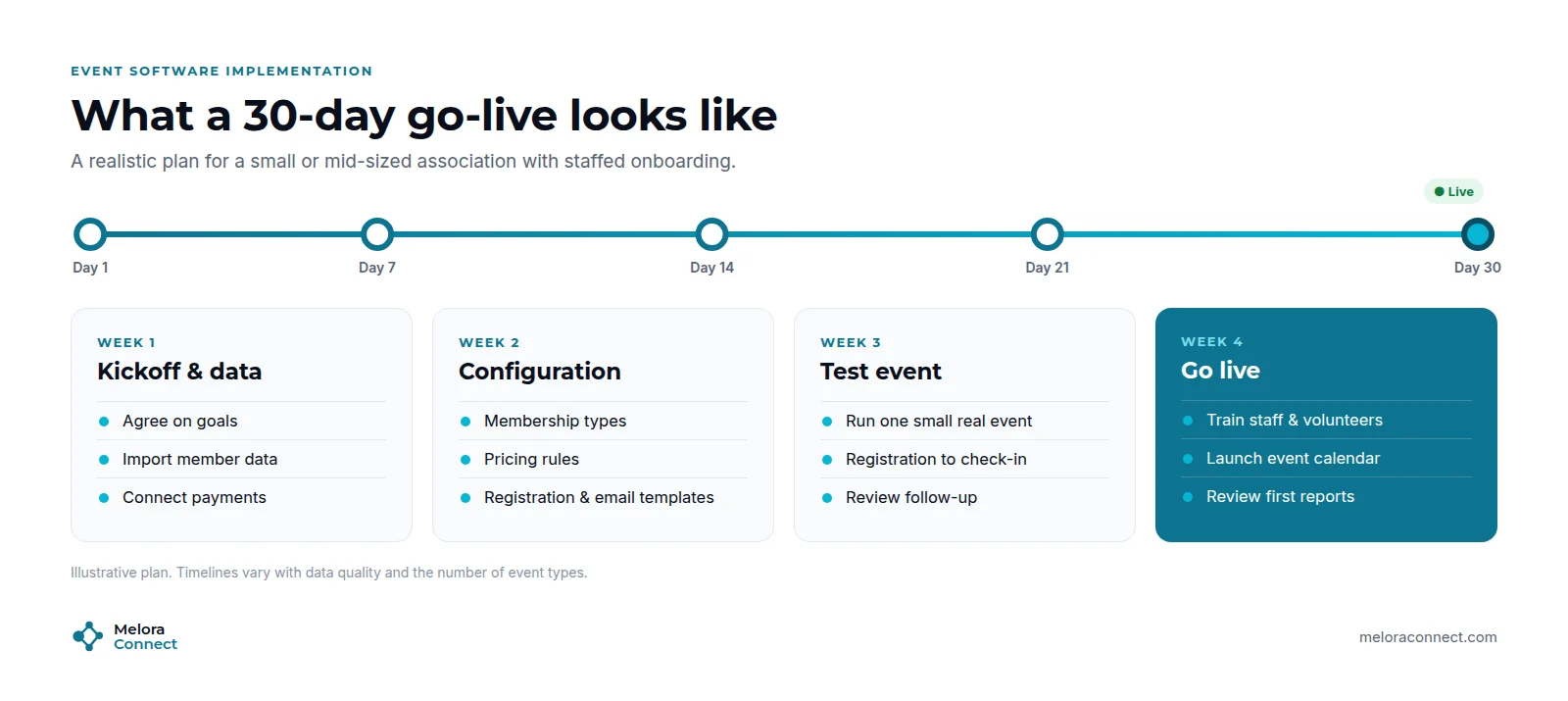
Implementation is where good selections go wrong. For small and mid-sized associations, a typical industry timeline is 6 to 16 weeks (our guide to how long a software migration takes breaks it down). With staffed onboarding it can be much faster: at Melora Connect, the typical timeline is about 30 days from signed agreement to live. A 30-day plan looks roughly like this:
-
Week 1: Kickoff and data. Agree on goals, import member and contact data, and connect payments.
-
Week 2: Configuration. Set up membership types, pricing rules, and registration and email templates.
-
Week 3: Test event. Run one small, real event end to end, from registration to check-in to follow-up.
-
Week 4: Go live. Train staff and volunteers, launch the event calendar, and review the first reports.
Timelines vary with data quality and the number of event types. Our Migration Timeline Estimator gives you a starting estimate for your own data. But if a vendor cannot describe their plan week by week, treat that as a red flag.
Example: how one chamber chose its event software
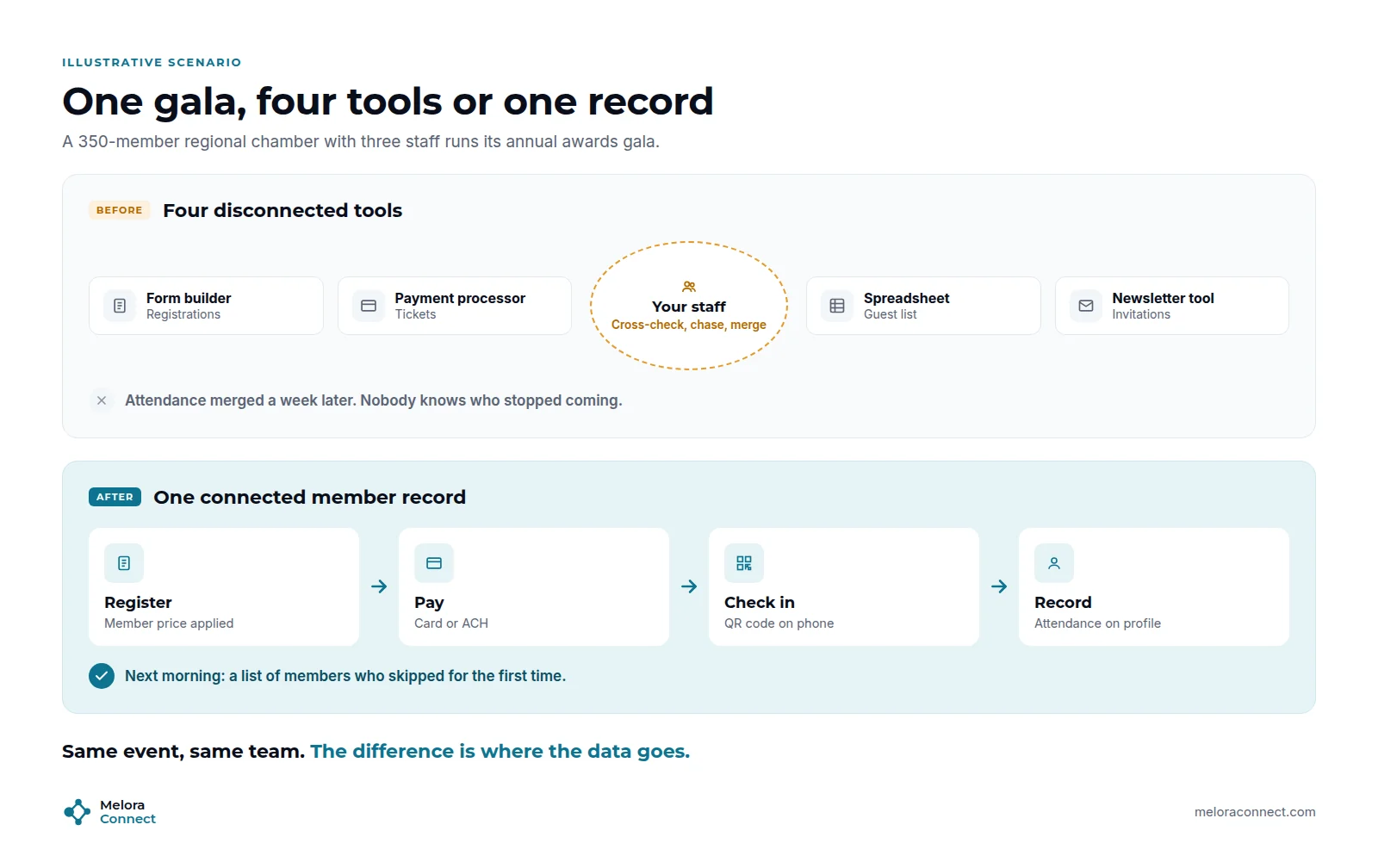
This is an illustrative example, not a specific customer.
Picture the events and programs manager at a regional chamber of commerce with 350 members and three staff. Last year’s awards gala ran across four tools: a form builder for registration, a separate payment processor, a spreadsheet guest list, and a newsletter tool for invitations. She spent the week after the gala merging attendance back into the spreadsheet and still could not say which members had come for the first time.
Steps 1 and 2. She mapped every event type the chamber runs, from ribbon cuttings to the gala, and agreed with her director that the team could give a new platform about four hours a week. That ruled out anything her team would have to build and maintain alone.
Steps 3 to 5. She took two finalists into demos built around last year’s gala. The first had deeper conference tools, but it charged per ticket, needed discount codes for member pricing, sold sponsor tables through a workaround, and exported attendance as a CSV. It scored 5 on the checklist below. The second applied member pricing on its own, sold sponsor tables as group orders, put every check-in on the member record, and came with staffed onboarding. It scored 8.
Step 6. Before signing, she asked for the go-live plan in writing, week by week, and for the name of the person who would pick up the phone on gala night.
Same chamber, same three staff. The deciding factor was not the longest feature list. It was which platform her team could actually run.
A 10-point checklist for comparing event management software
Score each platform you evaluate, on paper or with the printable scorecard below. Give one point for every “yes”:
- It applies member and non-member pricing automatically.
- Registrations and attendance update the member record without exports.
- Payments, invoices, and refunds live in the same system.
- Confirmations and reminders are automated.
- Check-in works on a phone, including walk-ins.
- In-person, virtual, and hybrid events share one registration flow.
- You can see live attendance and revenue reports.
- Pricing is clear, including fees and add-ons.
- Onboarding is staffed, with a written go-live plan.
- Your team can run it with the hours they actually have.
8 to 10: a strong fit. 5 to 7: workable, but probe the gaps before you sign. Under 5: keep looking. For side-by-side options, see our guide to the best event management software for associations.
Free download: Event Software Comparison Scorecard. The 10-point checklist as a printable worksheet for your next three vendor demos. Download the scorecard
How Melora Connect approaches event management
Our team comes from event production, so we built Melora Connect around a simple idea: events are not an add-on to membership. They are where membership happens.
If you are scoring Melora Connect against the checklist above, here is what you will see today in the events module:
| Checklist area | In Melora Connect today |
|---|---|
| Member pricing and access | Event pages, ticket tiers, discount and access codes, and members-only events |
| Groups and sponsors | Group and table orders |
| Member record | Every registration and check-in at the door updates the same record as dues and email |
| Payments | MeloraPay card and ACH, with funds landing in your own Stripe account |
| Online events | Each online event carries its own join link; Zoom integration coming soon |
| Reporting | An events dashboard, plus the admin dashboard with organization health |
| Onboarding | Staffed onboarding on every plan, typically about 30 days from signed agreement to live |
The Melora Connect Go member app and HQ staff app, with QR check-in, are coming soon.
And because small teams should not have to become software administrators, you get a team, not a login. Our team configures the platform with you, migrates your data, and builds your first events alongside you. Our pricing is published, so step 5 takes minutes, not a sales cycle.
Want to score Melora Connect against your checklist? We will run your next event through the platform live, from registration to check-in to the member record. Book a demo
Frequently asked questions about choosing event management software
How do I choose event management software for my association?
Follow six steps: map your event workflows, be honest about staff capacity, define must-have features, test that registrations update the member record, compare total yearly cost, and get a written implementation plan. Then score two or three finalists on the same 10-point checklist and choose the one your team can actually run.
What is the first step in choosing event management software?
The first step in choosing event management software is to map your event workflows before you book any demos: every event type you run, and what happens before, during, and after each one. That map becomes your requirements list and keeps vendors focused on what you actually need.
How much does event management software cost?
Event management software cost depends on the pricing model: per-registrant fees, per-event fees, or an annual subscription. Compare the total yearly cost, including payment processing, add-on modules, onboarding fees, and the staff time needed to run the platform, rather than the starting price on the vendor’s page.
How many event platforms should we compare?
Two or three is usually enough. Ask each one to build a real event from your calendar in the demo, score them on the same checklist, and compare the total yearly cost, not the starting price. More finalists than that usually adds meetings without adding clarity.
How long does it take to implement event management software?
It depends on your data and how many event types you run. Across the industry, small and mid-sized associations typically need 6 to 16 weeks. With staffed onboarding it can be faster: at Melora Connect, the typical timeline is about 30 days from signed agreement to live.
Should we choose self-serve or managed event management software?
Choose self-serve event management software if you have a dedicated operations person with time to configure and run it. Choose a managed platform if your team is small, because the vendor’s team sets up registration, migrates data, and supports your first events with you.
Do we need separate event software if we already have an AMS?
Not necessarily. If your AMS or membership platform includes events that share the member record, a separate tool can create duplicate data and extra work. Add a dedicated event platform only for needs your system cannot cover, and make sure attendance syncs back to the member record.
The bottom line
Choosing event management software is not about finding the longest feature list. It is about finding a platform your team can actually run, one that turns every registration and check-in into member insight.
Start with your workflows, be honest about staff capacity, insist that events connect to the member record, and compare the full cost, not just the subscription. Then choose the partner who will still pick up the phone on event day.
Ready to see your next event on one member record? Bring your busiest event of the year and we will build it in Melora Connect live. Book a Melora Connect demo