People · Events · Communities
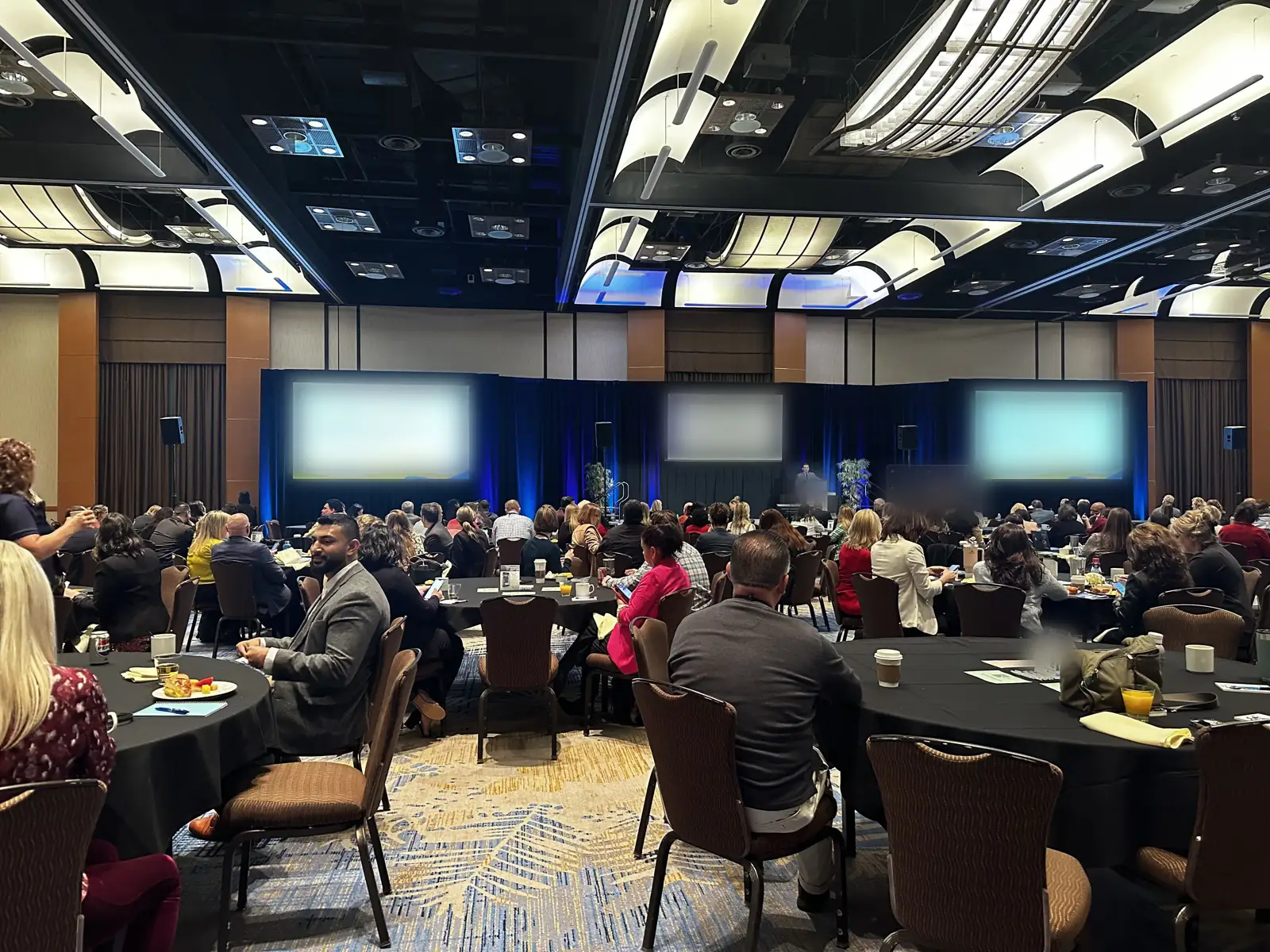
For most associations, events are where membership becomes real. The annual conference, the monthly networking breakfast, the education session that earns members their CE credits: this is where people meet, learn, and decide whether their dues are worth it.
Yet many associations still run events on a patchwork: a ticketing site for registration, a spreadsheet for the attendee list, a separate email tool, printed name badges made the night before, and a survey link nobody remembers to send. This guide explains what event management software does, what associations specifically need from it, what it costs, and how to choose the right platform.
What is event management software?
Event management software is a platform that handles the full lifecycle of an event in one place: creating event pages, registration and payments, attendee communication, check-in and badges, virtual or hybrid sessions, and post-event follow-up and reporting. It replaces the separate tools most teams stitch together by hand.
When all of those jobs share one system and one record per attendee, you have an event management platform rather than a stack of separate tools. It is also different from event planning software, which organizes the team’s work behind the scenes; our comparison of event management vs. event planning software explains where each one fits.
For associations there is one more requirement that general event tools rarely meet: the event data should connect to the member record. Who attended, what they paid, and which sessions they joined is engagement data, and it is some of the most valuable data an association has.
Why events matter so much for associations
Events do three jobs at once for a membership organization:
-
They deliver member value. Networking, education, and recognition are often the benefits members name first when asked why they belong.
-
They bring in non-dues revenue. Registration fees, sponsorships, and exhibitor booths can make up a significant share of an association’s budget. Dues now make up just 32% of total association revenue, according to ASAE’s 2026 Association Finance & Operations Navigator, which draws on the tax filings of more than 6,000 associations. Events are a big part of the rest.
-
They predict renewals. A member who attends at least one event in their first year has experienced the value of membership. A member who never shows up is the one most likely to lapse.
That last point is why event software matters beyond logistics. The MGI 2026 Membership Marketing Benchmarking Report puts the renewal rate at 72% for first-year members, compared with 82% for all members. Getting new members to their first event is one of the most practical ways to close that gap, and you can only manage it if you can see it.
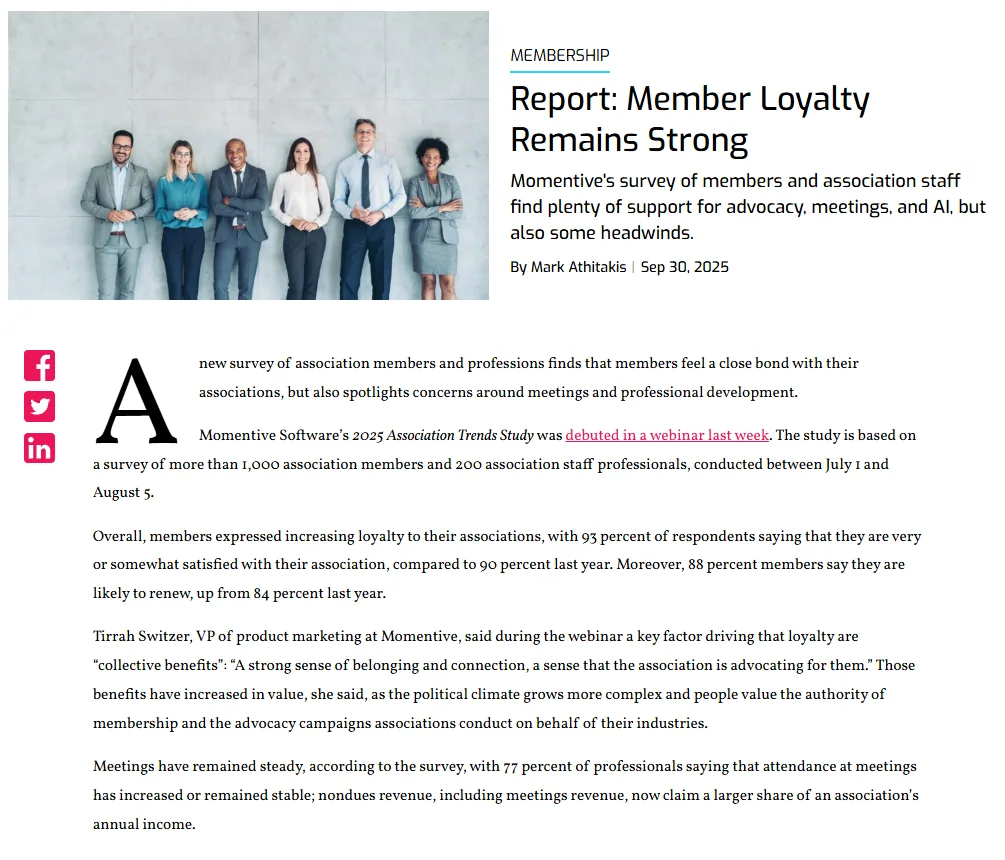
Attendance is holding up, too. In a 2025 Association Trends Study of more than 1,000 members and 200 association professionals, reported by Associations Now, 77% of professionals said attendance at their meetings had increased or stayed stable.
Association events are different from ticketed public events
Most event software is built for selling tickets to the public. Associations need more:
| Need | Typical public-event tool | What associations need |
|---|---|---|
| Pricing | One price per ticket type | Member vs. non-member pricing applied automatically, plus early-bird and group rates |
| Attendee data | Lives in the ticketing tool | Flows into each member’s record as engagement history |
| Who can register | Anyone | Some events members-only, some open, some by invitation or committee |
| Sponsors | Usually not covered | Sponsor packages, booths, and attendance reports for sponsors |
| Education | Not covered | Session attendance tracking for CE credits or certifications |
| Frequency | One big event | A full calendar: breakfasts, webinars, committee meetings, and an annual conference |
If your current tool cannot tell you which members attended which events this year, it is working as a ticket seller, not as association event software. We compare the two in detail in association event software vs. general event platforms. Membership nonprofits that mix tickets, donations, and volunteers have a few extra needs, covered in our guide to event management software for nonprofits.
The association event lifecycle: six stages from plan to follow-up
Every association event moves through the same six stages. Planning, promotion, and registration happen before the event, check-in and engagement happen on the day, and follow-up happens after. What you learn in follow-up shapes the next event, which is why the lifecycle is a loop.
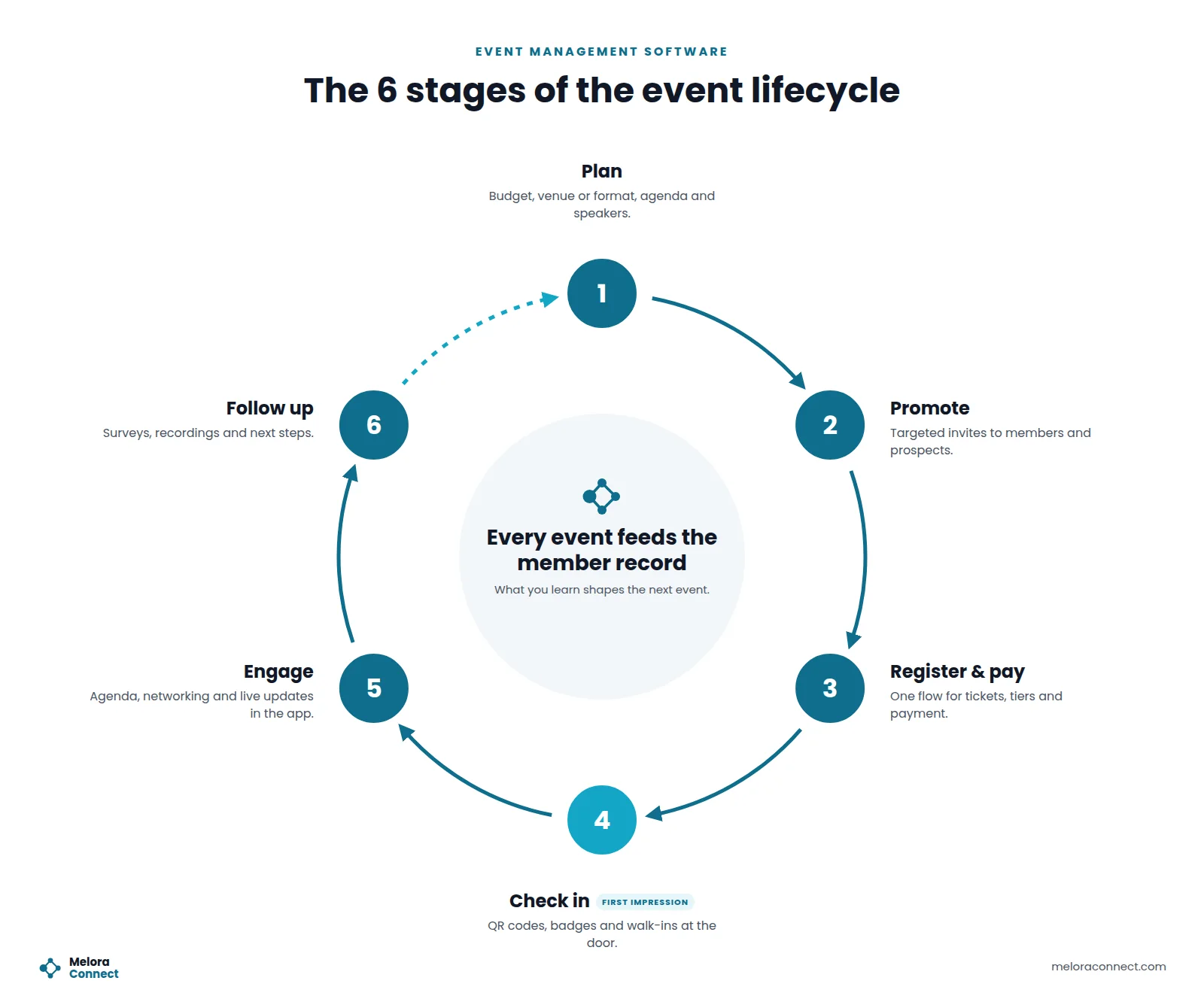
Plan → Promote → Register and pay → Check in → Engage → Follow up
1. Plan
Every event starts with decisions about format, budget, venue or platform, agenda, speakers, and ticket types. Good event management software keeps every event on one calendar, so your team is not juggling separate files for the breakfast, the webinar series, and the conference.
2. Promote
The right invitation to the right people beats a mass email every time. Use your member records to invite segments, such as new members who have not attended anything yet, members in a specific industry, or lapsed members you want to win back, instead of emailing everyone about everything.
3. Register and pay
Registration is where interest becomes commitment, and every extra step is a chance for someone to give up. A strong flow lets attendees choose a ticket, see member pricing automatically, pay online, and get a confirmation in one sitting. Your team should be able to see who has paid in seconds.
What to automate: confirmation emails, receipts, calendar invites, and reminders a week and a day out. Our event registration software guide walks through a five-step flow members actually finish.
4. Check in
Check-in is the first moment of the event itself, and it sets the tone. A long line with a printed list says “we were not ready.” Fast check-in with personal QR codes, printed badges, and a simple way to register walk-ins says “we were expecting you.”
For virtual or hybrid events, the join link should come from the same registration, so online attendees are not hunting for a separate email. Our guide to online event management software covers hybrid events in depth.
What to automate: check-in, badge printing, and recording who actually showed up versus who only registered.
5. Engage
A mobile event app gives attendees the agenda, session documents, announcements, and ways to connect with each other, such as chat or digital business card exchange. For associations, networking is often the main reason people attend, so tools that make introductions easier add real value.
6. Follow up
This is the stage most associations skip, and where the real value is. Send a thank-you and a short survey, share recordings or slides, report attendance to sponsors, and make sure attendance lands on each member record. Then use the data: reach out personally to first-time attendees, and send members who registered but did not come the recording or the next date.
What to automate: surveys, follow-up sequences, attendance updates on member records, and the sponsor report.
Core features of event management software
| Feature | What to look for | Red flag |
|---|---|---|
| Event pages | Branded pages you can publish without a developer | Every page needs a web designer |
| Registration and payments | Member pricing, discount codes, group registration, card payments | Member pricing checked by hand after the fact |
| Attendee communication | Automated confirmations, reminders, and segmented promotion | Exporting lists to a separate email tool |
| Check-in and badges | Mobile QR check-in and onsite badge printing | Printed lists and handwritten name tags |
| Virtual and hybrid | Video integration (such as Zoom) tied to registration | Join links sent manually |
| Mobile apps | An app for staff running the event and one for attendees | Desktop-only tools |
| Sponsors and exhibitors | Packages, logos on event pages, attendance reports | Sponsor reporting built in spreadsheets |
| Reporting | Registrations, revenue, attendance, and no-show rate per event | Numbers assembled after every event |
| Member record integration | Attendance appears on each member’s profile automatically | Attendee data never leaves the event tool |
Not every event needs every feature. A monthly breakfast needs fast registration and check-in; an annual conference adds sessions, sponsors, and badges. Our guide to event planning software features sorts features into must-have, should-have, and nice-to-have tiers and matches them to the events you run.
Standalone event platform or built into your AMS?
This is the biggest decision you will make. A standalone event platform (such as a ticketing site or conference tool) can be powerful for one large event. An event module inside your association management software shares the member record, so pricing, communication, and attendance history all connect automatically.
| Standalone event platform | Built into your AMS | |
|---|---|---|
| Member pricing | Manual codes or list checks | Automatic, based on membership status |
| Attendance on member record | Export and import, if at all | Automatic |
| Logins and tools for staff | One more system | Same system as membership |
| Depth for very large conferences | Often deeper | Varies by platform |
| Cost | Separate subscription or per-ticket fees | Usually included or a lower add-on |
Rule of thumb: if you run many events a year for members, keep events inside your AMS. If you run one very large public conference with complex exhibitor and session needs, a specialized conference tool connected to your AMS can make sense. Our list of the best event management software for associations and chambers compares platforms of both types.
Example: one conference, six stages, two ways
Illustrative scenario: Aisha runs events for a 1,200-member professional association, and its one-day conference draws 350 attendees. Here is how each stage of the lifecycle plays out with disconnected tools and with connected event management.
| Task | Disconnected tools | Connected event management |
|---|---|---|
| Promotion | One announcement goes to the whole list, three times | Invitations go to segments, and new members get a personal invite |
| Registration list | Exported daily from the ticketing site into a spreadsheet | Live in the system, segmented by member type |
| Badges | Printed the night before; 30 walk-ups get handwritten tags | Printed at check-in, walk-ups included |
| CE credits | Paper sign-in sheets typed up the next week | Session check-ins recorded as they happen |
| Sponsor report | Built by hand two weeks later | Ready the next morning |
| Follow-up | One generic thank-you email | First-time attendees get a personal follow-up; no-shows get the recording |
The event itself might look the same to attendees. For Aisha, the difference is roughly a week of staff time and a follow-up that actually builds membership.
Event metrics that connect events to renewals
You can track many event numbers. These three, taken together, show whether your events are building stronger membership. Our guide to member engagement metrics has the full reference, with formulas for every engagement number.
Registration-to-attendance rate
Registration-to-attendance rate = attendees checked in ÷ total registrations × 100
If 350 people register for a conference and 312 check in, the rate is about 89%. A low rate can point to weak reminders, a long gap between registration and the event, or free tickets that people do not value.
Member event participation rate
Member event participation rate = members who attended at least one event this year ÷ total members × 100
This shows how much of your membership your events actually reach. Track it monthly, and look closely at new members: given the gap between first-year and overall renewal rates, they need an early reason to stay.
Renewal rate of event attendees
Compare the renewal rate of members who attended at least one event with the rate of members who attended none. If attendees renew at a higher rate, your events are doing real retention work, and getting more members to that first event becomes a priority. Our guide to reducing membership churn shows how attendance fits into a wider retention plan.
Benchmarks to compare against
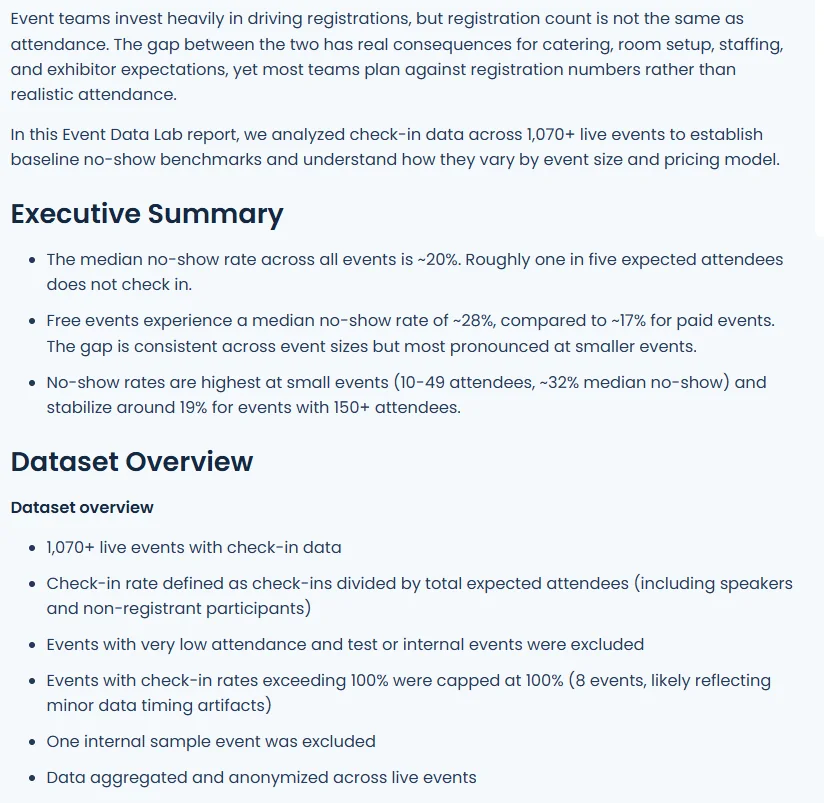
Your own trend line matters most, but outside benchmarks help you tell a weak result from a normal one. PheedLoop’s Event Data Lab analyzed check-in data from more than 1,070 events and found a median no-show rate of about 20%: roughly 28% for free events and 17% for paid ones, as reported by Skift Meetings. In attendance terms, that is about 72% for free events and 83% for paid events, so the 89% in the conference example above is a strong result.
The same Event Data Lab report suggests planning catering, seating, and staffing for about 80% of registrations at paid events and 70% at free ones. For renewals, use the MGI benchmarks above: 82% across all members and 72% for first-year members.
How much does event management software cost?
Pricing depends heavily on the model:
-
Per-ticket fees. Common on public ticketing platforms: a percentage plus a fixed fee per ticket, often passed on to attendees. Eventbrite’s published U.S. ticketing fees, for example, are 3.7% + $1.79 per paid ticket plus 2.9% payment processing per order, roughly $5 on a $50 ticket. Cheap to start, expensive at volume, and attendees notice the extra charge.
-
Per-event or per-registrant pricing. Common in conference tools. Predictable for one big event, costly for a full calendar.
-
Subscription. A flat annual fee, often tiered by events or registrations per year. The usual model for event modules inside an AMS.
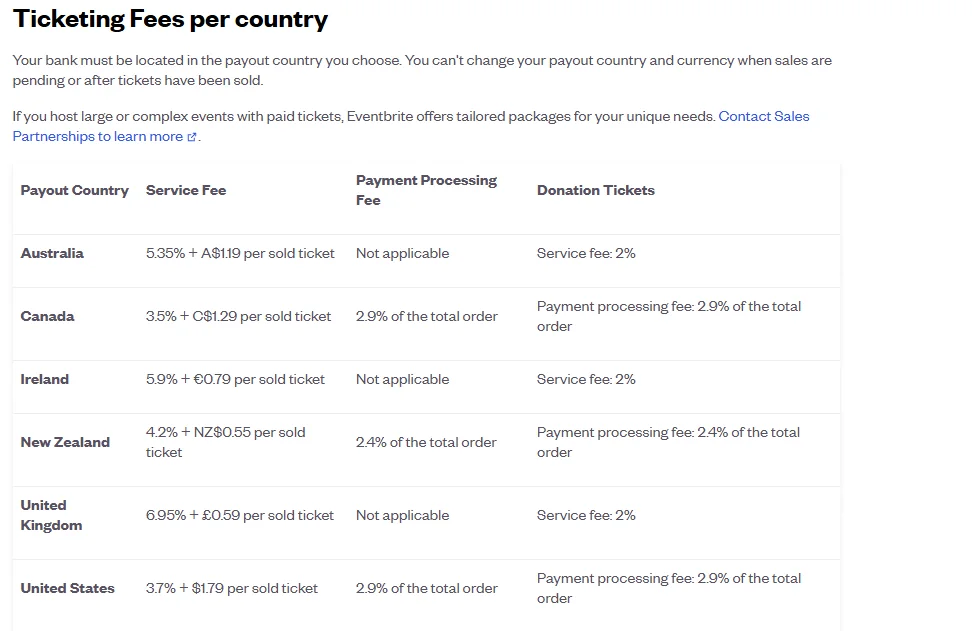
For associations running events all year, a subscription inside the AMS is usually the most cost-effective option, because you are not paying a fee every time a member registers. Payment processing fees apply either way (Stripe’s published U.S. rate, for example, is 2.9% + 30¢ per card charge), so always ask what the processor charges and whether the platform adds its own fee on top. Our guide to membership management software costs covers the hidden fees to ask about.
Before you sign, compare the total yearly cost, not just the subscription. Our guide on how to choose event management software lists the pricing questions to put to every vendor, including add-on modules and onboarding fees.
Before you choose: 5 questions for every vendor
- Can members get member pricing automatically, without codes?
- Does attendance show up on each member’s record without an export?
- How does check-in work, and can you print badges onsite?
- How are virtual and hybrid events handled, and which video platforms integrate?
- What are all the fees: subscription, per ticket, and payment processing?
Ask every vendor to demo a real event from your calendar, from creating the page to sending the post-event survey, rather than their standard demo. Score each demo the same way with our event software comparison scorecard. If events are part of a wider system search, our AMS selection process guide has the full set of vendor questions and a demo script.
Common event management mistakes associations make
Treating events as a separate department. When event data lives outside the member database, you lose the clearest engagement signal you have.
Promoting every event to everyone. Members tune out. Segment by interest, location, and past attendance. Our member engagement strategies guide shows how events fit a wider engagement plan.
Ignoring no-shows. Someone who registered but did not come was interested. Send them the recording or the next date.
Skipping the follow-up. The day after the event is when attendees are most engaged. A survey and a personal note to first-timers beat any renewal campaign.
Choosing a tool for one big event. The annual conference is memorable, but the monthly breakfasts and webinars are where most engagement happens. Choose for the full calendar.
How Melora Connect handles events
Melora Connect was built by a team that comes from event production, so events are part of membership, not an add-on. Events share the same member record as dues, renewals, and communications.
That means member pricing applies automatically, registrations and payments flow into each member’s profile, and attendance becomes engagement data your team can act on. Melora Connect events include event pages, ticket tiers, discount and access codes, group and table orders, members-only events, and check-in at the door. Payments run by card or ACH through MeloraPay into your own Stripe account, online events carry their own join link (Zoom, Teams, or Google Meet), sent with each confirmation, and finance teams can export to QuickBooks Online or QuickBooks Desktop. QR check-in through the Melora Connect Go member app and the HQ staff app is coming soon.
And as with everything else in Melora Connect, you get a team, not a login. We set up the platform around how your organization runs, so your first event goes live with people who know the system beside you. Plans start at $3,000 a year with staffed onboarding included; see Melora Connect pricing for the details.
See your event calendar in Melora Connect. Book a demo and we will walk through one of your real events, from registration to follow-up. Book a demo
Frequently asked questions
What is event management software?
Event management software is a platform for planning, promoting, and running events in one place, including event pages, registration and payments, attendee communication, check-in, virtual sessions, and post-event reporting.
What are the stages of the event lifecycle?
Six stages: plan, promote, register and pay, check in, engage, and follow up. Good event management software supports all six from one system and feeds what you learn in follow-up into the next event.
Which event metrics matter most for associations?
Start with three: registration-to-attendance rate, member event participation rate, and the renewal rate of members who attended at least one event compared with those who attended none.
The bottom line
For associations, event management software is not just about selling tickets and printing badges. It is about turning every event into a moment that proves the value of membership, and capturing what happened so you can build on it.
Choose software that handles your whole calendar, not just your biggest event, and keeps every registration, check-in, and session tied to the member who attended. That is how events stop being a cost center and start driving renewals.