People · Events · Communities

Count the tools behind your last event. A form or ticketing site for registration. A payment processor. An email tool for reminders. A spreadsheet for the attendee list. A video link for the online session. A survey tool for feedback. Maybe a design app for the badges.
Each one works. Together, they create a lot of copying, checking, and “which list is the latest one?” An event management platform is the alternative: one connected system where every part of the event shares the same data. This article explains what that means in practice, the features that make up a real platform, and the benefits for everyone involved.
What is an event management platform?
An event management platform is a single system that connects every stage of an event, from the event page and registration through payment, communication, check-in, virtual sessions, and follow-up, around one shared record for each attendee.
The word that matters is “platform.” A tool does one job. A platform connects many jobs so that information entered once is used everywhere. For a deeper look at the full event lifecycle and costs, see our event management software guide.
Event management platform vs. event management tools
| Separate event tools | Event management platform | |
|---|---|---|
| Data | Copied between systems | Entered once, shared everywhere |
| Attendee record | Split across registration, payment, and email tools | One record per attendee |
| Staff logins | Five or more | One |
| Changes | A price or date change must be updated in each tool | Change it once |
| Reporting | Assembled by hand after the event | Available live |
| Strength | Deep features in one area | Speed, consistency, and connected data |
How an event management platform works: one attendee, one record
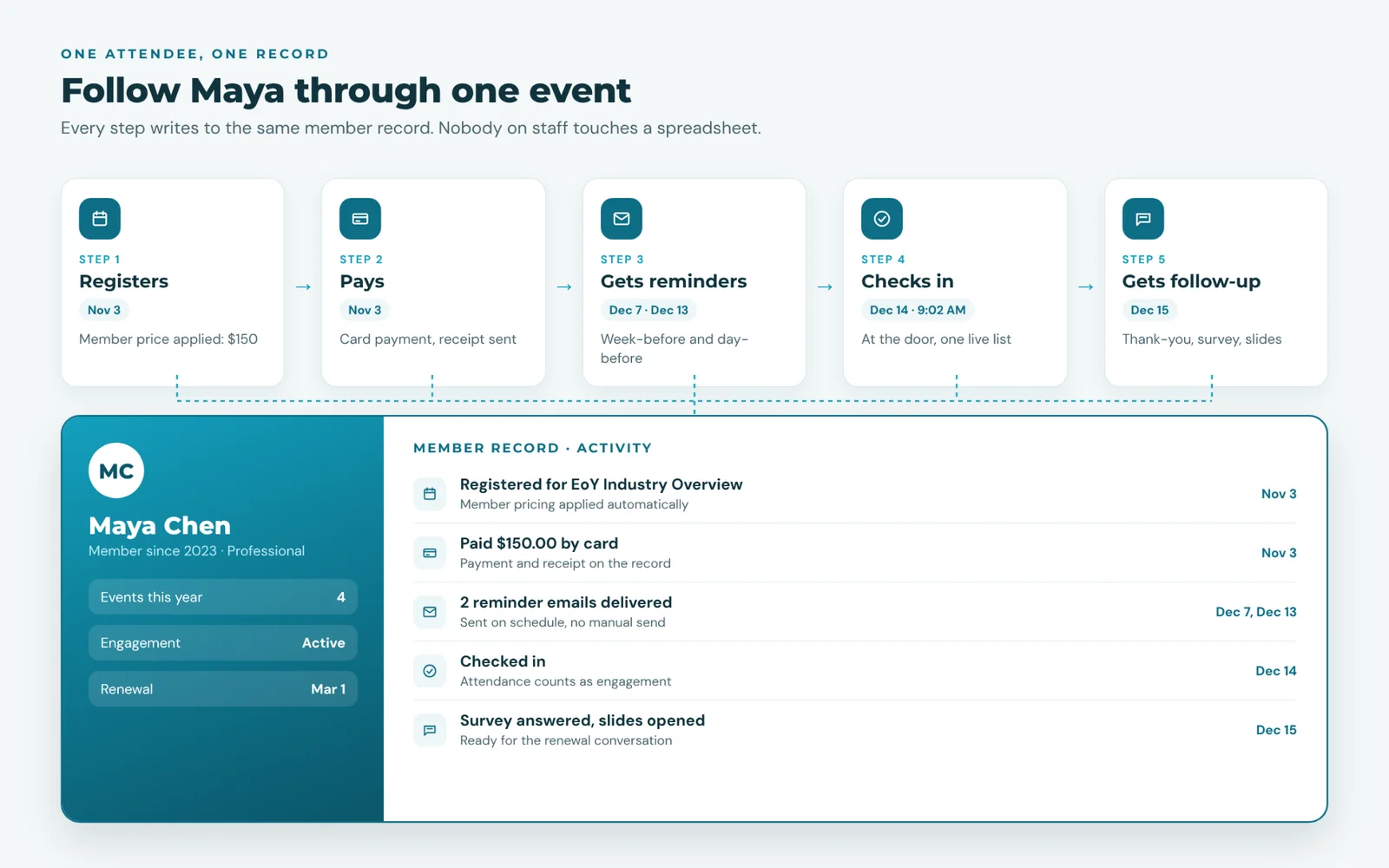
Follow one attendee, Maya, through a platform:
-
She registers on the event page. The platform recognizes her as a member and applies member pricing.
-
She pays by card. The receipt goes out and the payment lands on her record automatically.
-
She gets reminders a week and a day before, with the join link if she chose the online option.
-
She checks in by scanning a QR code. Her badge prints at the desk.
-
She gets a follow-up the next day: a thank-you, a short survey, and slides from the session she attended.
Nobody on staff touched a spreadsheet. And afterward, Maya’s record shows what she attended and what she paid, which is exactly what your team needs to know when her renewal comes up.
Key features of an event management platform
Rather than a long checklist, it helps to think of a platform as four layers that work together. (If you do want the checklist, our guide to event planning software features sorts them into tiers.)
1. The attendee experience layer
Everything the attendee sees: branded event pages, simple registration and checkout, confirmation and reminder emails, a mobile app, and easy access to online sessions. Test it yourself: register for a demo event on your phone. If it takes more than two minutes, attendees will feel it.
2. The operations layer
Everything staff do: creating events, setting ticket types and pricing, managing capacity and waitlists, running check-in, printing badges, and handling sponsors. Look for: a staff mobile app, so check-in does not depend on a laptop at the door.
3. The data layer
The shared record underneath everything: who registered, who paid, who attended, which sessions they joined, and how they rated the event. Look for: live dashboards and the ability to segment attendees for follow-up without exporting anything.
4. The connections layer
How the platform links to the rest of your stack: payments, accounting, video conferencing, and your website or member database. Look for: two-way integrations, so data does not need cleaning after every sync.
Benefits of an event management platform
Less manual work. Registration, payments, reminders, check-in, and follow-up run on their own instead of being copied between tools.
Fewer mistakes. One source of truth means no wrong prices, missing names on the list, or badges with last year’s titles.
A better attendee experience. One registration, one confirmation, one app. Attendees notice when an event feels organized.
Better decisions. Live numbers on registrations, revenue, no-shows, and satisfaction, while there is still time to act on them.
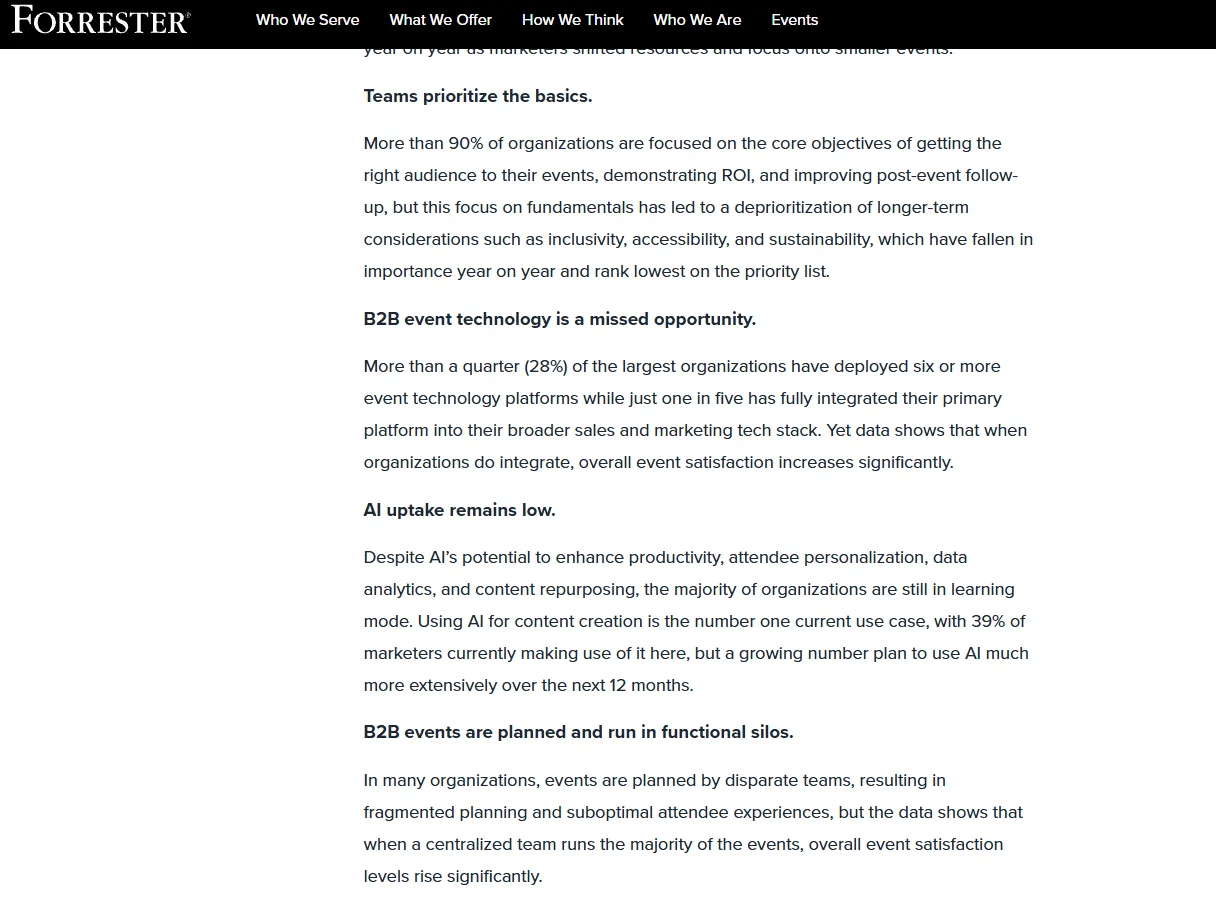
Proving results is now part of the job. In Forrester’s Q1 2025 State of B2B Events Survey, more than 90% of organizations named attracting the right audience, proving ROI, and post-event follow-up as priorities. All three depend on attendee data that sits in one place.
Lower total cost. One subscription often replaces several, and staff hours drop.
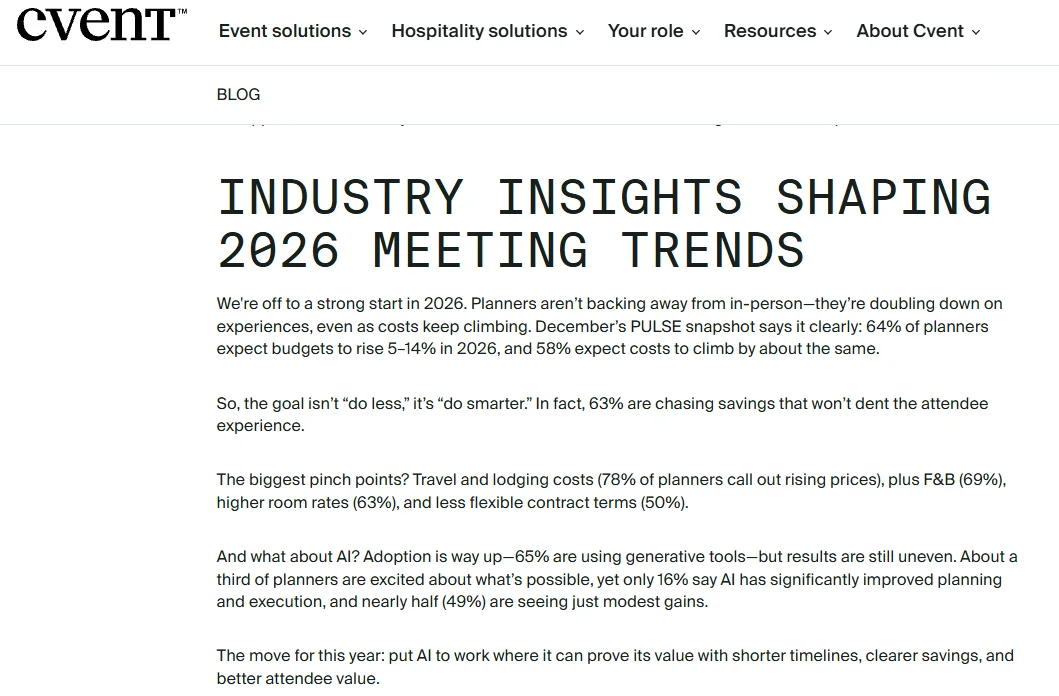
Budgets are tight, too. In the Northstar/Cvent Meetings Industry PULSE survey of more than 1,000 event professionals (February 2026), 58% expected event costs to rise by 5% to 14%, and 63% were looking for savings that will not hurt the attendee experience. Retiring tools you no longer need is one of the few savings attendees never notice.
Benefits by role
| Role | What changes with a platform |
|---|---|
| Event coordinator | No more merging lists or reconciling payments. Check-in and badges take minutes. |
| Marketing or communications | Promote to the right segments and send reminders automatically. |
| Finance | Payments and refunds match registrations, and accounting syncs automatically. |
| Executive director or board | Attendance and revenue reports on demand, not two weeks later. |
| Sponsors | Accurate attendance and engagement numbers right after the event. |
| Attendees and members | Fast registration, clear reminders, smooth check-in, and useful follow-up. |
Tool sprawl check: how many tools run your events?
Tool sprawl is not only a small-team problem. In Forrester’s Q1 2025 State of B2B Events Survey of more than 250 event decision-makers, 28% of the largest organizations were running six or more event technology platforms, and only about one in five had fully connected its main event platform to the rest of its sales and marketing stack.
Check every tool your team used for its last event:
- A registration form or ticketing site
- A separate payment processor or invoicing tool
- An email or newsletter tool for promotion and reminders
- A spreadsheet for the attendee list
- A video platform with links sent separately
- A survey tool for feedback
- A design tool or word processor for badges
- A separate member database you check against for pricing
1 to 2: you are already fairly consolidated. 3 to 5: you are likely losing several staff hours per event to copying and checking data. 6 or more: a platform would probably pay for itself within a few events.
Want to put a number on your stack? Our free chamber tech stack cost calculator adds up what your current tools cost each year, so you can compare it with one platform.
Counted 3 or more? Compare a connected platform with your current stack, criterion by criterion, with our event software comparison scorecard.
Is an all-in-one platform always the right choice?
Not always. Being honest about the trade-off helps you choose well.
A specialist tool can go deeper in one area: complex exhibitor floor plans for a trade show with hundreds of booths, for example. If one huge event is the center of your year, a specialist conference tool connected to your main system can make sense.
For most organizations, though, the bigger cost is the connections between tools, not missing features. If you run events throughout the year for members or customers, a connected platform (or an association management software platform with events built in) usually wins on time saved and data quality.
If you decide a connected platform fits, our guide on how to choose event management software walks through the selection steps, from mapping your event workflows to comparing the full yearly cost.
What associations need from an event platform
Associations have a few requirements general event platforms often miss:
-
Member pricing applied automatically, based on membership status rather than discount codes.
-
Attendance on the member record, so events count as engagement when renewals come around.
-
A full calendar, not just one conference: breakfasts, webinars, committee meetings, and galas.
-
Sponsors and CE credits, where relevant.
For a side-by-side look at how association event software differs from a general ticketing tool, see association event software vs. general event platforms.
How Melora Connect works as an event platform
In Melora Connect, events are part of the same platform as membership, dues, payments, and communications. Every registration, payment, and check-in lands on one member record.
In the terms of this article: the attendee layer is event pages, ticket tiers, and members-only events; the operations layer covers discount and access codes, group and table orders, and check-in at the door; the data layer is the member record itself, with segments and engagement scoring built on it; and the connections layer covers MeloraPay card and ACH payments into your own Stripe account and QuickBooks Online and Desktop export, while online events carry their own join link (Zoom, Teams, or Google Meet), sent with each confirmation. The Melora Connect HQ staff app and Go member app, with QR check-in, are coming soon. See how it fits together on our Melora Connect events page. Because our team comes from event production, the platform is built around how events actually run on the day, not just how they are sold.
And you get a team, not a login: we set up the platform around how your organization works, so your first event runs with support beside you.
See one of your events in Melora Connect. We will rebuild a real event from your calendar in a demo. Book a demo
Frequently asked questions
What is an event management platform?
An event management platform is a single system that connects event pages, registration, payments, communication, check-in, virtual sessions, and follow-up around one shared record for each attendee.
What is the difference between an event platform and event software?
The terms overlap. “Event software” can mean a single tool, such as a ticketing site. “Event platform” usually means a connected system covering the whole event lifecycle with shared data.
What are the benefits of an event management platform?
Less manual work, fewer errors, a smoother attendee experience, live reporting, and often a lower total cost than running several separate tools.
The bottom line
An event management platform is not about having more features. It is about having one place where everything about an event, and everyone who attends it, connects.
If your team spends more time moving data between tools than talking to attendees, that is the sign. Count your tools, pick one upcoming event, and see how it would run in a single system.