People · Events · Communities

Search for event software and you will see “event planning software” and “event management software” used as if they mean the same thing. Sometimes they do. But the two categories grew out of different jobs, and knowing the difference helps you avoid buying a tool that is great at the part of events you do not struggle with.
The short answer
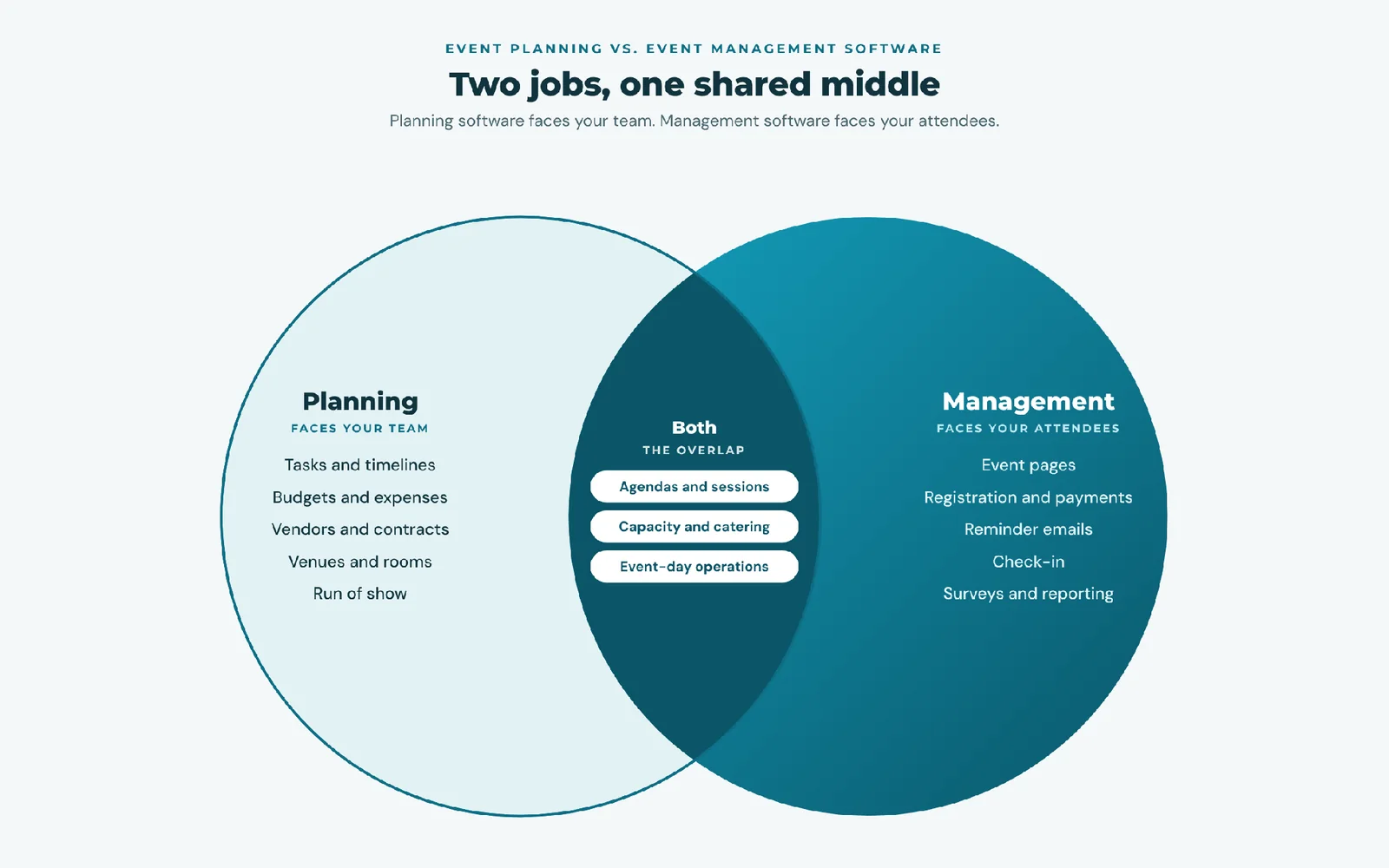
Event planning software helps your team organize the work behind an event: tasks, timelines, budgets, vendors, venues, and agendas. Event management software runs the event with attendees: event pages, registration, payments, communication, check-in, and follow-up.
Put simply: planning software faces your team. Management software faces your attendees.
What is event planning software?
Event planning software is a workspace for the people producing the event. It typically covers project timelines and task lists, budgets and expense tracking, vendor and contract management, venue and room details, agendas and run-of-show documents, and team collaboration.
Its users are planners, producers, and internal teams. Attendees usually never see it.
What is event management software?
Event management software handles everything that touches attendees: branded event pages, registration and ticketing, payments and receipts, confirmation and reminder emails, check-in and badges, virtual session links, surveys, and attendance reporting. Our complete guide to event management software covers the full lifecycle.
Its users include staff, but its real audience is the attendees who register, pay, and show up.
Side-by-side comparison
| Event planning software | Event management software | |
|---|---|---|
| Main question it answers | “Is everything ready?” | “Who is coming, and did it go well?” |
| Faces | Your team | Your attendees |
| Core features | Tasks, timelines, budgets, vendors, venues, agendas | Event pages, registration, payments, emails, check-in, reporting |
| Main data | Tasks, costs, contracts | Attendees, payments, attendance |
| When it is busiest | Weeks and months before the event | From registration opening to the day after |
| Typical users | Planners, producers, agencies | Event coordinators, membership and marketing teams |
| Success looks like | On time and on budget | Full room, smooth check-in, strong follow-up |
Who uses each one?
Event planning software is most valuable to professional planners, agencies, and venues that juggle many vendors and contracts across many clients’ events, and to large conferences with complex production.
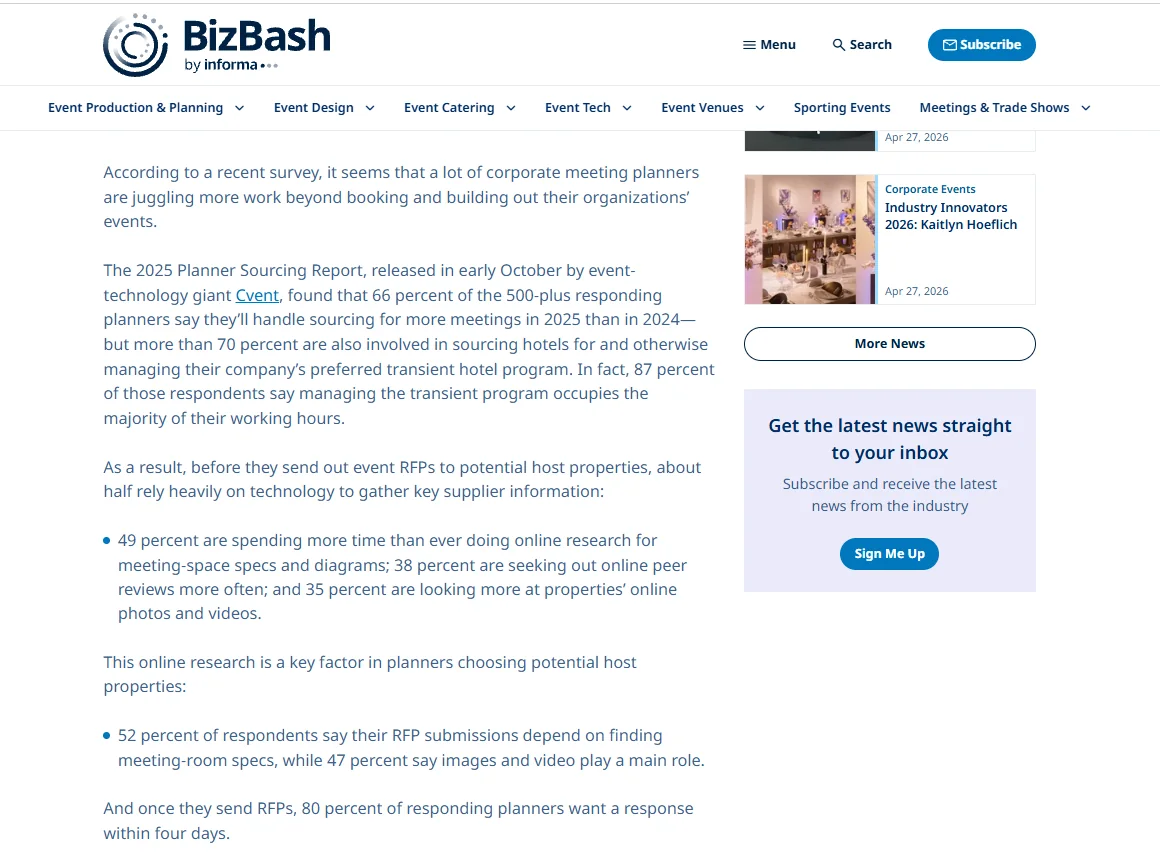
That side of the job keeps growing. In Cvent’s 2025 Planner Sourcing Report, a survey of more than 500 North American corporate meeting planners reported by BizBash, 66% expected to source more meetings in 2025 than in 2024, and 61% named negotiating rising costs and staying on budget as their top concern. Venues, contracts, and budgets are where planning software earns its place.
Event management software is most valuable to organizations that host their own events for their own audiences: associations, chambers of commerce, nonprofits, and companies running recurring programs. Their biggest time drains are registrations, payments, reminders, and check-in, not vendor contracts.
Which software owns which part of your event?
Here is a typical conference timeline, split by which category does the work:
| Stage | Task | Usually handled by |
|---|---|---|
| 3 to 6 months out | Set budget, book venue, sign vendors | Planning |
| 2 to 3 months out | Build agenda, confirm speakers, plan run of show | Planning |
| 8 weeks out | Publish event page, open registration and pricing | Management |
| 4 to 8 weeks out | Promote to the right audiences, process payments | Management |
| Final week | Send reminders and join links; finalize catering numbers | Management, then planning |
| Event day | Check-in, badges, live attendance; vendor coordination | Management and planning |
| Day after | Survey, recordings, attendance and revenue report | Management |
| 2 to 4 weeks after | Reconcile vendor invoices against budget | Planning |
Notice the pattern: planning dominates the months before registration opens. Management dominates everything once attendees are involved.
Where the two overlap
Most modern platforms cover parts of both. Common overlap includes agendas and sessions (planned by the team, shown to attendees), capacity and catering counts (driven by registration numbers), and day-of operations, where check-in and vendor coordination happen at the same time.
That is why the label matters less than the specific features. A platform sold as “event planning software” may have excellent registration, and vice versa. When one system covers both sides around a shared attendee record, it is usually sold as an event management platform.
Which one do you need? A 6-question sort
Mark each statement P (planning) or M (management) if it is true for your team:
- (P) We manage several vendor contracts for most events.
- (P) Tracking event budgets against actual spend is a real pain point.
- (P) We coordinate complex production: stages, AV, multiple rooms.
- (M) Registrations and payments take up a lot of staff time.
- (M) We run many events a year for the same audience or membership.
- (M) We need to know who attended, not just who registered.
Mostly P: start with planning software. Mostly M: start with event management software. A mix: look for a platform strong on the side that costs you more time, and connect a simple tool for the other. Our event planning software features guide helps you prioritize either way.
Leaning toward event management? Score two or three platforms side by side with our free event software comparison scorecard, weighted by the M statements you checked.
3 example teams
Illustrative profiles.
A corporate event planner
Runs a dozen client events a year, each with venues, caterers, AV, and transport. Attendee registration is often handled by the client. Needs: event planning software first, with budgets, vendors, and run-of-show at the center.
A chamber of commerce events coordinator
Runs two to four events a month for member businesses: breakfasts, ribbon cuttings, an annual gala. Vendors are mostly repeat and simple. Time goes into registrations, member pricing, payments, and check-in. Needs: event management software, ideally tied to membership. See our list of the best event management software for associations and chambers.
A professional association with an annual conference
Runs monthly webinars plus one 600-person conference. Webinars need registration, join links, and attendance for CE credits. The conference adds venue, catering, and AV contracts. Needs: event management software for the full calendar, plus planning tools (or a planning partner) for the conference production.
Where does your AMS fit?
For membership organizations, there is a third piece: your association management software. Many AMS platforms include event management, which means registration, member pricing, and attendance live alongside dues and renewals. If yours does, your management needs may already be covered, and the only open question is how you handle planning.
How Melora Connect fits
Melora Connect sits firmly on the event management side, connected to membership. Event pages, ticket tiers, registration with member pricing applied automatically, card and ACH payments through MeloraPay into your own Stripe account, segmented email, and check-in at the door all share one member record, online events carry their own join link (Zoom, Teams, or Google Meet), sent with each confirmation, and finance teams can export to QuickBooks Online or QuickBooks Desktop. The Melora Connect HQ staff app and Go member app, with QR check-in, are coming soon. The Melora Connect events page shows the full module.
To be clear about scope: event budgets and vendor contracts are not part of Melora Connect today, so teams keep those in their existing planning or finance tools. Our team comes from event production, so we understand both sides, and we set the platform up with you. You get a team, not a login.
Is your bottleneck on the attendee side? Bring one real event to a demo and we will show you how it runs in Melora Connect. Book a demo
Frequently asked questions
What is the difference between event planning and event management software?
Event planning software organizes the team’s work before an event: tasks, budgets, vendors, venues, and agendas. Event management software runs the event with attendees: registration, payments, communication, check-in, and reporting.
Is event planning software the same as event management software?
The terms are often used interchangeably, and many platforms cover both. Compare specific features rather than relying on the label.
Do I need both?
Only if both sides cost you real time. Many associations and chambers mainly need event management; agencies and complex productions mainly need planning. Large conferences sometimes need both.
Which is better for associations?
Most associations spend more time on registrations, member pricing, and attendance than on vendor contracts, so event management software, ideally built into their AMS, usually delivers more value.
The bottom line
Planning software gets the event ready. Management software gets people through the door and turns their attendance into data you can use.
Look at where your team’s hours actually go. If it is contracts and budgets, start with planning. If it is registrations, payments, and check-in, start with event management, and choose the category that removes your biggest bottleneck first.