People · Events · Communities

Quick answer: An AMS migration is the project of replacing your association management system. To do it well, name a project lead and an executive sponsor, run six workstreams (goals, change management, data, configuration, training, member communication), plan about 90 days, go live away from renewal season, and measure adoption for 90 days after launch.
Key takeaways
-
Most AMS migrations fail on people and process, not on the data.
-
Give every role a name, even if one person holds three of them.
-
Plan six workstreams, not just a data import.
-
Tell members six weeks before go-live, and name a real person to contact.
-
Judge success by portal activation and on-time renewals in the first 90 days.
Choosing a new association management system (AMS) is the easy part. An AMS migration means moving data, reconfiguring how you work, training people who are already busy, and telling members what is changing, all while renewals and events keep running.
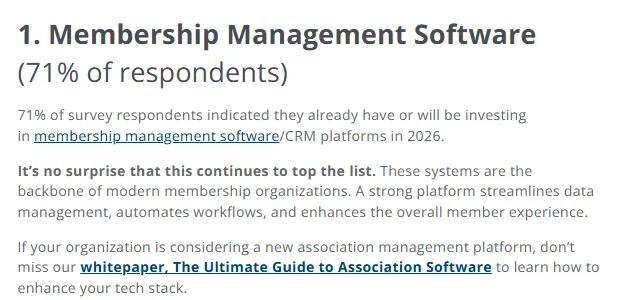
You are not alone in doing it. In the iMIS 2026 Membership Performance Benchmark Report, 71% of membership organizations said they have or plan to invest in membership management software, the most common technology investment on the list.
This guide covers the whole project: who should be on the team, the six workstreams, a 90-day plan, how to tell members, and how to know it worked. Keep our AMS migration checklist open alongside it for every task in order. If you have not picked a platform yet, start with the AMS selection process.
What is an AMS migration?
An AMS migration is the project of replacing your association management system: moving member data, configuring the new platform around your membership model, connecting it to your other tools, and helping staff and members adopt it. Data is one part of the work. The rest is decisions, configuration, training, and communication. For a refresher on what the system should cover, see what association management software is.
Why do AMS migrations go wrong?
Most AMS migrations that go wrong do not fail on the data. They fail on people and process: no clear owner, staff trained too late, members surprised on launch day.
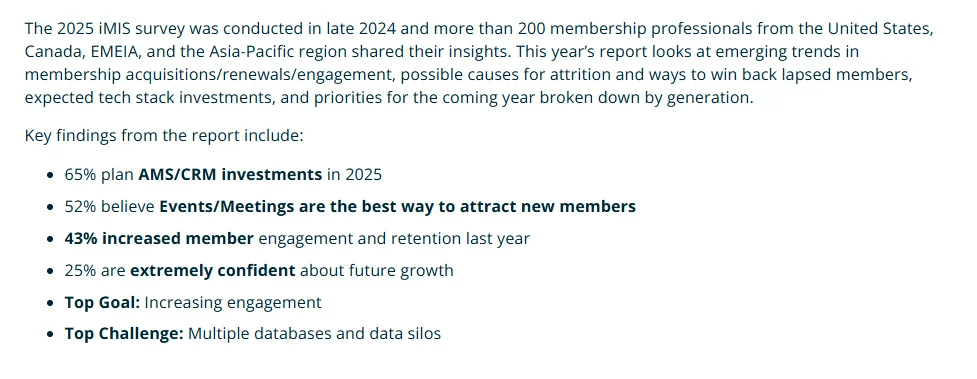
The reason teams switch in the first place is usually scattered data. In the iMIS 2025 Membership Performance Benchmark Report, membership professionals named multiple databases and data silos as their top challenge. A new system can fix that, but only if the project brings every team and every data source along with it.
Who should be on your AMS migration team?
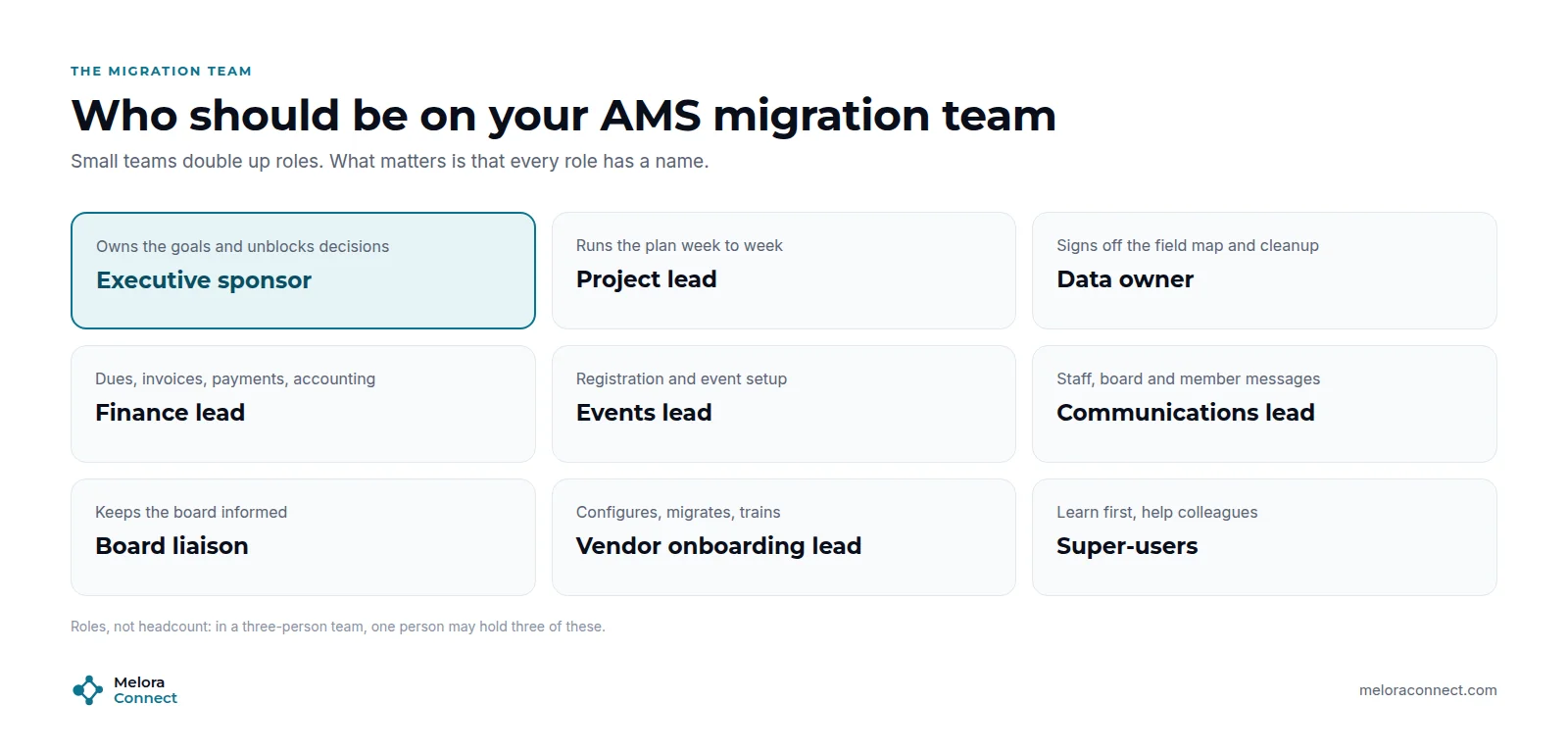
Small associations combine roles. What matters is that every role has a name:
| Role | Responsibility |
|---|---|
| Executive sponsor | Owns the goals, approves the budget and go-live date, unblocks decisions |
| Project lead | Runs the plan week to week and is the vendor’s main contact |
| Data owner | Approves the cleanup, the field map and the reconciliation |
| Finance lead | Dues, invoices, payments and the accounting integration |
| Events lead | Registration setup and the event calendar during the switch |
| Communications lead | Messages to staff, board and members |
| Board liaison | Keeps the board informed and approves key dates |
| Vendor onboarding lead | Configures, migrates and trains alongside your team |
| Super-users | Learn the system first and help colleagues after launch |
What are the 6 workstreams of an AMS migration?
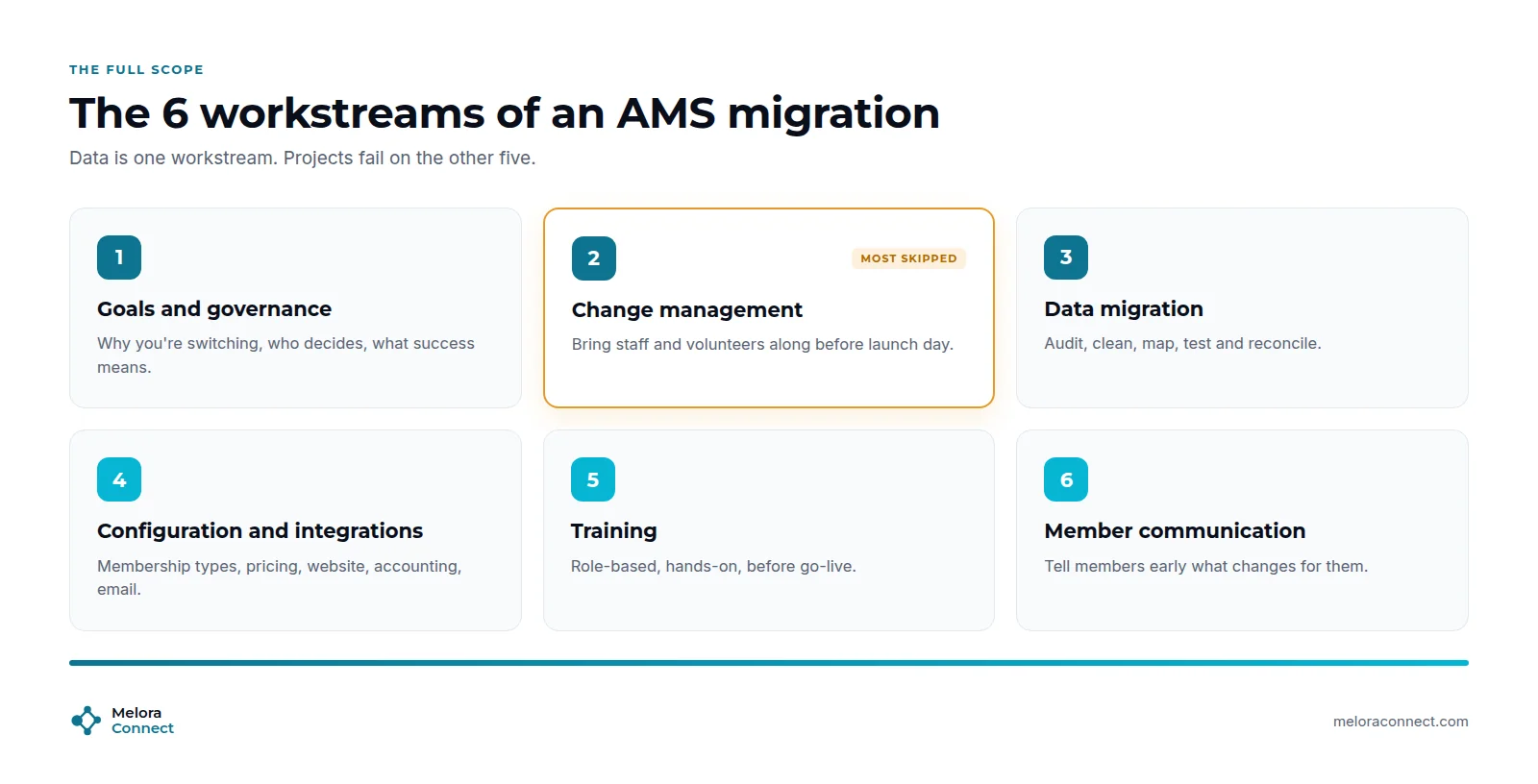
The six workstreams of an AMS migration are goals and governance, change management, data migration, configuration and integrations, training, and member communication. They run in parallel, each with an owner from the team table above.
1. Goals and governance
Write down why you are switching and what success looks like in numbers: renewal rate, staff hours, member portal use. Agree who decides what, and set a go-live date away from your renewal peak and flagship event. Every later trade-off gets easier when the goals are on paper.
2. Change management
This is the workstream most teams skip. Staff who built workarounds in the old system will feel the change most. Involve them early, explain what gets easier for them, and give super-users time to learn first. A new AMS will not fix an old process, so decide what you will stop doing before you configure anything.
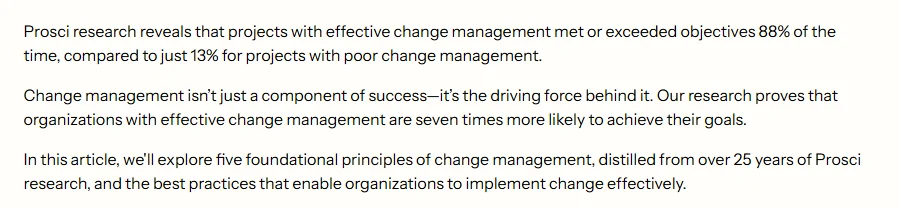
It pays off. Prosci, which has studied change projects for more than 25 years, reports that organizations with effective change management are seven times more likely to achieve their goals. That research covers change projects in general, not AMS migrations specifically, but the lesson carries over: an active, visible sponsor matters as much as the software.
3. Data migration
Audit, clean, map, test, and reconcile your member data before you go live. We cover this workstream step by step in our guide to switching membership management software without losing member data, and the free Membership Data Migration Workbook holds the inventory, field map and validation checks.
4. Configuration and integrations
Set up membership types, pricing, renewal rules, event templates, email templates, the website and directory, and connections to accounting and payments. If you run chapters or award continuing education (CE) credits, map those now, not after launch, along with any video-meeting tool your online events depend on. Resist rebuilding every old workaround: a migration is the best chance you will get to simplify membership types and processes.
5. Training
Train by role, with real tasks, and before go-live, not the week of it. Super-users first, about a month ahead; then all staff and event-day volunteers. Keep short how-to notes for the ten tasks people do most.
6. Member communication
Members should hear about the switch from you, early, and in plain language: what changes for them, what stays the same, and who to call. More on this below.
Need the messages, not just the plan? The free AMS Migration Communication Kit has nine ready-to-edit templates for your board, staff and members. Download the communication kit
How long does an AMS migration take? A 90-day plan
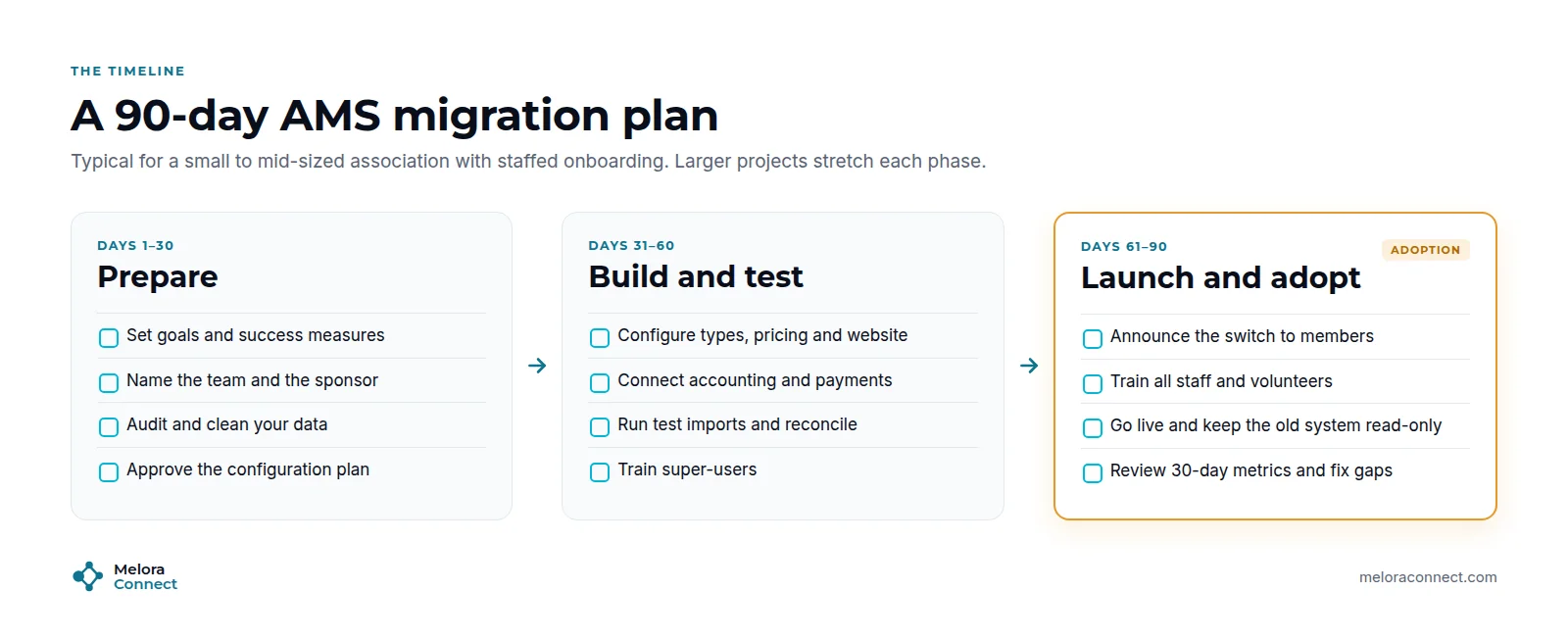
Industry typical for a small or mid-sized association is 6 to 16 weeks, so 90 days is a safe frame to plan around. Larger projects stretch each stage. A vendor team that does the work with you can compress them: with Melora Connect, the typical is about 30 days from signed agreement to live. Our guide on how long a migration takes breaks the timeline down by size and phase.
-
Days 1 to 30: Prepare. Set goals and success measures, name the team and sponsor, audit and clean data, and approve the configuration plan.
-
Days 31 to 60: Build and test. Configure membership types, pricing and the website, connect accounting and payments, run test imports and reconcile, and train super-users.
-
Days 61 to 90: Launch and adopt. Announce the switch to members, train all staff and volunteers, go live with the old system kept read-only, and review your 30-day metrics.
How do you tell members about a new AMS?
Members do not need to know about your project plan. They need to know three things: what changes for them, what stays the same, and who to call. A simple sequence works:
-
Six weeks before: an announcement that their membership, renewal date and history come with them, plus what they will be able to do.
-
Two weeks before: what to expect on launch day, and any short pause in online payments.
-
Go-live day: a welcome email with a link to set a password.
-
If needed: a separate request to update saved cards for autopay.
-
Thirty days after: what members told you and what you changed.
Every message should name a real person to contact. A switch handled with care makes members feel looked after, not processed.
Common AMS migration mistakes
-
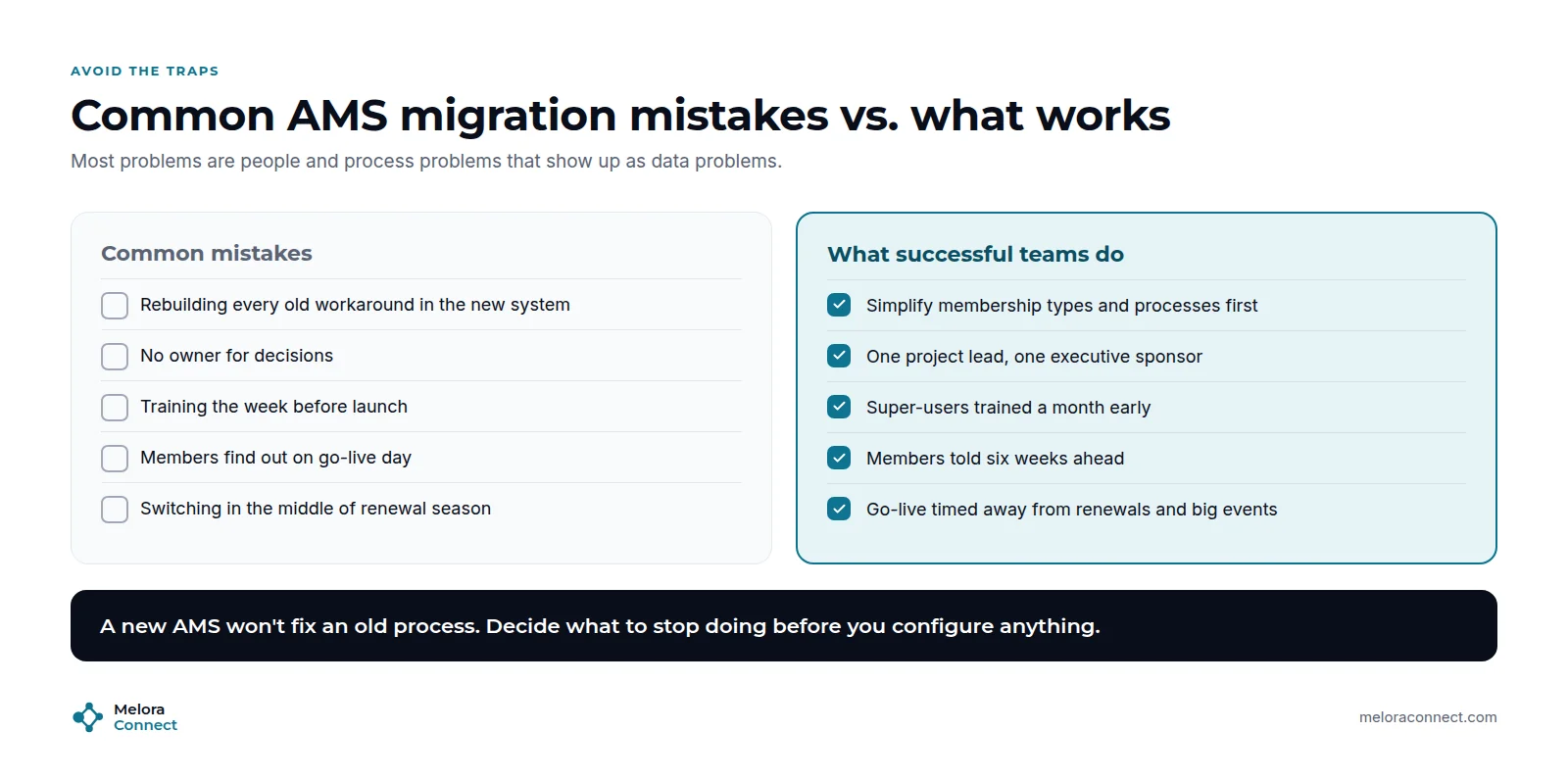
Rebuilding every old workaround. Simplify membership types and processes first.
-
No owner for decisions. Name one project lead and one executive sponsor.
-
Training the week before launch. Train super-users a month early.
-
Members finding out on go-live day. Tell them six weeks ahead.
-
Switching during renewal season. Time go-live away from renewals and big events.
How do you measure success after go-live?
Agree on these measures before launch, then review them at 30, 60, and 90 days:
| Measure | Why it matters |
|---|---|
| Member portal activation | Shows whether members have adopted the new system |
| On-time renewals vs. last year | The clearest sign nothing broke in billing or reminders |
| Data issues reported | Should fall week by week after launch |
| Member support requests | A spike is normal; it should settle within a month |
| Staff hours on admin tasks | The reason you switched: it should go down |
How Melora Connect approaches AMS migration
With Melora Connect, you do not run your migration alone. A named onboarding lead on our side fills the vendor role in the team table above: configuring, migrating and training alongside your project lead, and staying with you through go-live and your first renewal run. That is what “you get a team, not a login” means in practice. Our typical project runs about 30 days from signed agreement to live.
Imported members land in the member CRM with one record each. Chapters and CE credits are live, so chapter structures and continuing-education records can be set up during configuration rather than added later, and online events connect to Zoom. HubSpot and Slack integrations are live too.
Adoption is where you see the switch working. Members renew, pay, register for events and update their profiles in the member portal, so portal activation, the first measure in the table above, is the number to watch from launch day.
Planning your move to a new AMS? Bring your current systems and renewal calendar, and we will sketch your migration plan and team with you. Book a demo
Frequently asked questions about AMS migration
What is an AMS migration?
An AMS migration is the project of moving from one association management system to another. It includes migrating member data, configuring the new system around your membership model, connecting integrations, training staff, and telling members what changes. Data is only one of six workstreams.
What is the biggest risk in an AMS migration?
Adoption, not technology. Projects stall when staff are not involved early, training comes too late, or nobody owns decisions. Name a project lead and an executive sponsor, train super-users a month before go-live, and tell members six weeks ahead.
Who should lead an AMS migration?
A project lead with a few protected hours every week, backed by an executive sponsor who can make decisions quickly. In a small association that might be the executive director and one membership coordinator, combining the roles in the team table above.
How long does an AMS migration take?
Industry typical is 6 to 16 weeks for small and mid-sized associations, so 90 days is a safe planning frame. Larger and more complex associations take longer. With Melora Connect, the typical is about 30 days from signed agreement to live, because our team configures and migrates with you.
How should we tell members about a new AMS?
Early and simply: six weeks ahead, two weeks ahead, on launch day, and 30 days after. Tell them what changes, what stays the same, and who to call. Send a separate message if members need to update saved cards for autopay.
How do you know an AMS migration worked?
Track member portal activation, on-time renewals compared with last year, data issues reported, member support requests, and staff hours on admin tasks. Agree on these measures before launch and review them at 30, 60 and 90 days after go-live.
The bottom line
Migrating to a new association management system is a people project with a data project inside it. Name the team, plan all six workstreams, set a go-live date well clear of renewal season, and tell members early. Then measure what changed, and keep listening.
Free tool: Migration Timeline Estimator. Turn this plan into dates. Answer seven questions about your members, data, systems and team, and get a timeline for each phase and a suggested go-live date. Open the estimator
See your migration plan on one member record. We will walk through the team, the timeline and what your data looks like in Melora Connect. Book a demo
Sources
-
ASI / iMIS, ASI Releases 10th Annual Membership Performance Benchmark Report, 2025.
-
Prosci, 12 Change Management Principles and Best Practices, October 1, 2024 (updated August 7, 2026).
-
iMIS, The Most Popular Membership Tech Investments of 2026, 2026.