People · Events · Communities

Search for software to run your association and you will find two labels used almost interchangeably: association management software (AMS) and membership management software. Vendors use both, sometimes for the same product, and the result is a lot of confusion for buyers.
They do overlap. But they are not the same thing, and choosing the wrong category can mean paying for modules you will never use, or outgrowing your platform in two years. This guide explains the real difference and helps you work out which one your organization needs.
The short answer
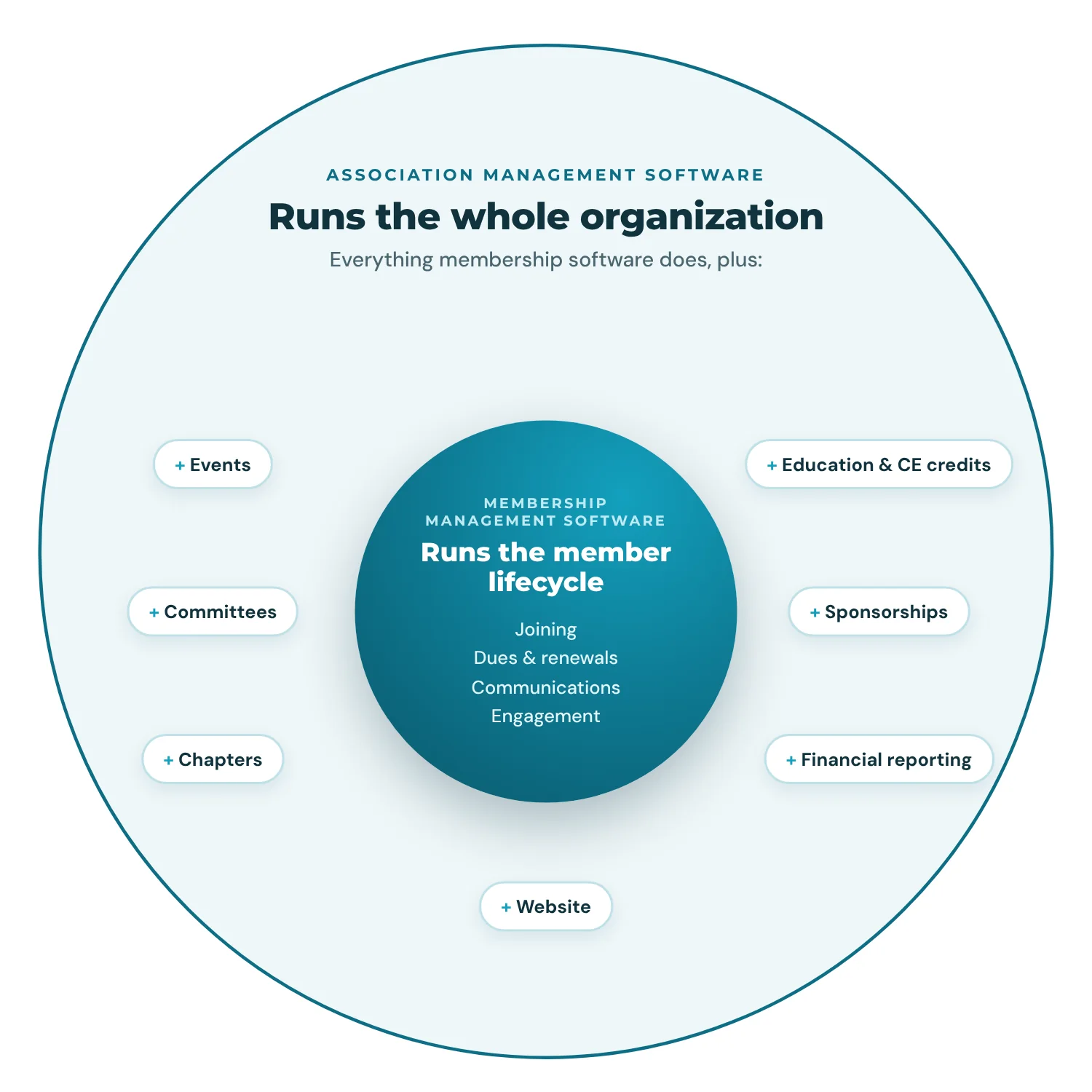
Membership management software runs the member lifecycle: joining, dues, renewals, communications, and engagement. Association management software (AMS) runs the whole organization: everything membership software does, plus areas such as events, committees, chapters, education, sponsorships, and deeper financial reporting.
A simple way to picture it: membership software is a circle inside a bigger AMS circle.
What is membership management software?
Membership management software centralizes member records, online joining, dues and payments, renewal reminders, member communications, and basic reporting. Its focus is the relationship between the organization and each member, the heart of membership management. (For the full feature list, see our guide to membership management software features.)
It is typically a fit for clubs, small societies, alumni groups, and associations with a lean staff and a straightforward structure.
What is association management software (AMS)?
An association management software platform runs the core operations of the whole organization in one system. Membership is at the center, but an AMS also connects events, committees and volunteers, chapters, continuing education, sponsorships, and the website to the same member record.
It is typically a fit for staffed associations, chambers of commerce, and federations where several teams (membership, events, finance, education) all need the same data.
AMS vs. membership management software: side-by-side comparison
| Membership management software | Association management software | |
|---|---|---|
| Main purpose | Manage members and their lifecycle | Run the whole organization |
| Member records, joining, dues, renewals | Yes | Yes |
| Member portal | Usually | Yes |
| Email and segmentation | Basic to good | Good to advanced |
| Event management | Basic or add-on | Built in, connected to member data |
| Committees and volunteers | Rarely | Usually |
| Chapters and roll-up reporting | No | Often, especially in enterprise AMS |
| Education and CE credits | No | Often, or through a connected LMS |
| Sponsorships and non-dues revenue | Limited | Usually |
| Typical users | One or two admins | Several teams across the organization |
| Typical setup | Days to a few weeks | Weeks to a few months |
4 key differences explained
1. Scope: the member lifecycle vs. the whole organization
Membership software answers questions like “who are our members, who has paid, and who renews next month?” An AMS also answers “which committees is this member on, which sessions did they attend, what education credits have they earned, and how much sponsorship revenue did the conference bring in?” If most of your work happens outside the membership office, that difference matters.
2. Structure: one office vs. chapters, committees, and boards
A single-office organization with one membership list is well served by membership software. Once you add local chapters with their own members and events, active committees, or a board that needs separate reporting, you need software that understands that structure. That is where an AMS earns its price.
3. Revenue: dues vs. dues plus non-dues revenue
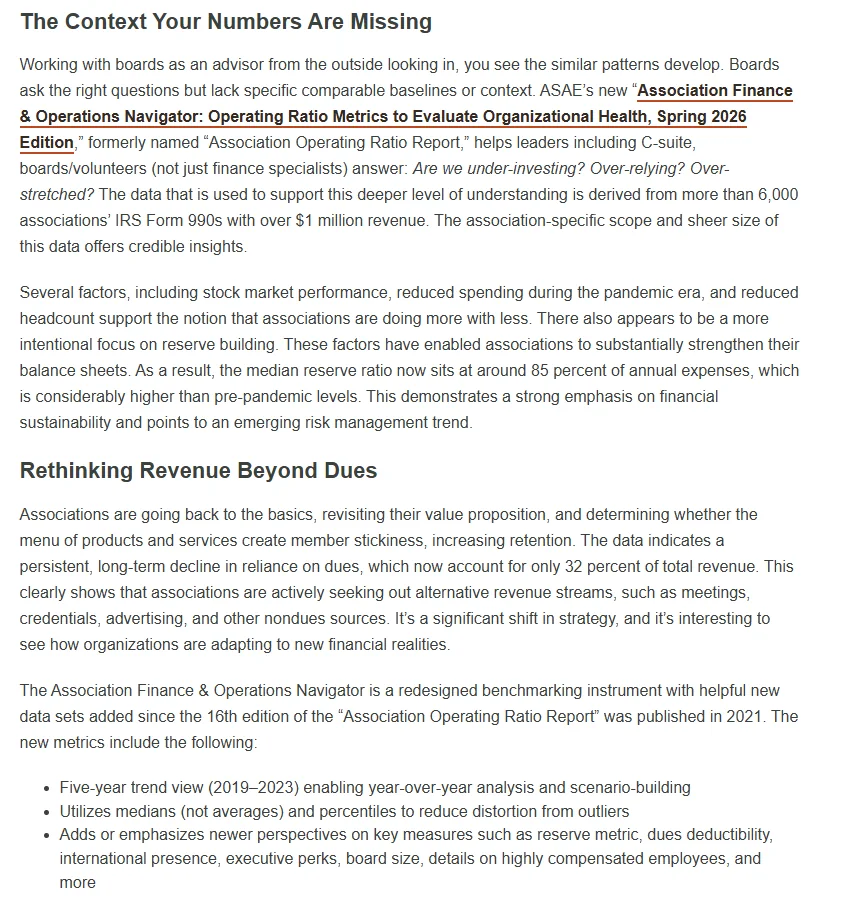
If dues are nearly all of your revenue, membership software covers what you need. Many associations, though, depend heavily on non-dues revenue: events, sponsorships, education, and advertising. According to ASAE’s 2026 Association Finance & Operations Navigator, which draws on the tax filings of more than 6,000 associations, dues now make up just 32% of total association revenue. An AMS ties that non-dues revenue to the same member records, so you can see which members drive it and report on it in one place.
4. Cost and implementation
Membership software is generally cheaper and quicker to launch, often live within days or weeks. An AMS costs more and takes longer, especially when years of data need migrating; our guide to how long it takes to migrate membership software has realistic timelines by organization size. Our cost guide covers typical price ranges, pricing models, and a three-year cost worksheet. The right question is not “which is cheaper?” but “which will we still be happy with in three years?”
What the research says
Three findings are worth keeping in mind before you pick a category.
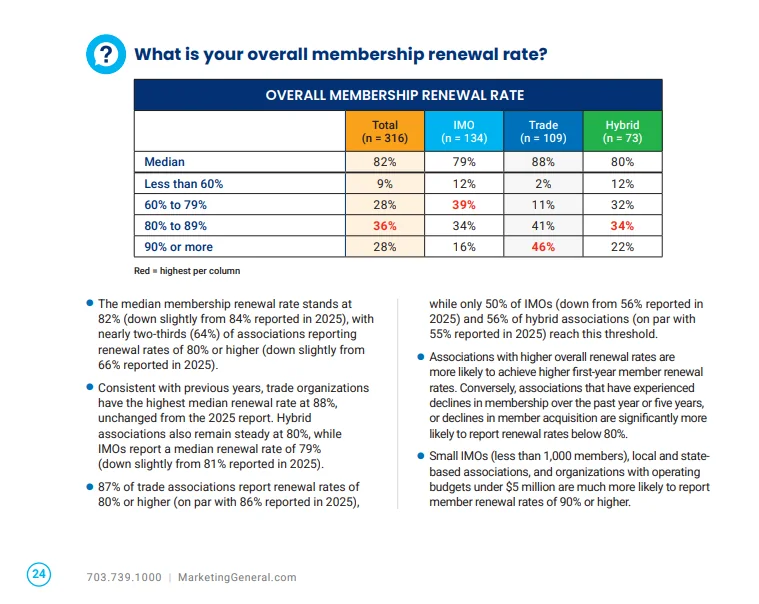
New members need connected data. The MGI 2026 Membership Marketing Benchmarking Report, based on input from nearly 500 association professionals, puts the median renewal rate at 82% for all members and 72% for first-year members. Spotting a quiet new member early means seeing event attendance, email activity, and payments together, which is exactly where membership-only tools and full AMS platforms differ.
Manual coordination is expensive. In Atlassian’s State of Teams 2025, a survey of 12,000 knowledge workers and 200 executives, leaders and teams lose 25% of their time just searching for answers. The more teams that touch member data, the more a shared record saves.
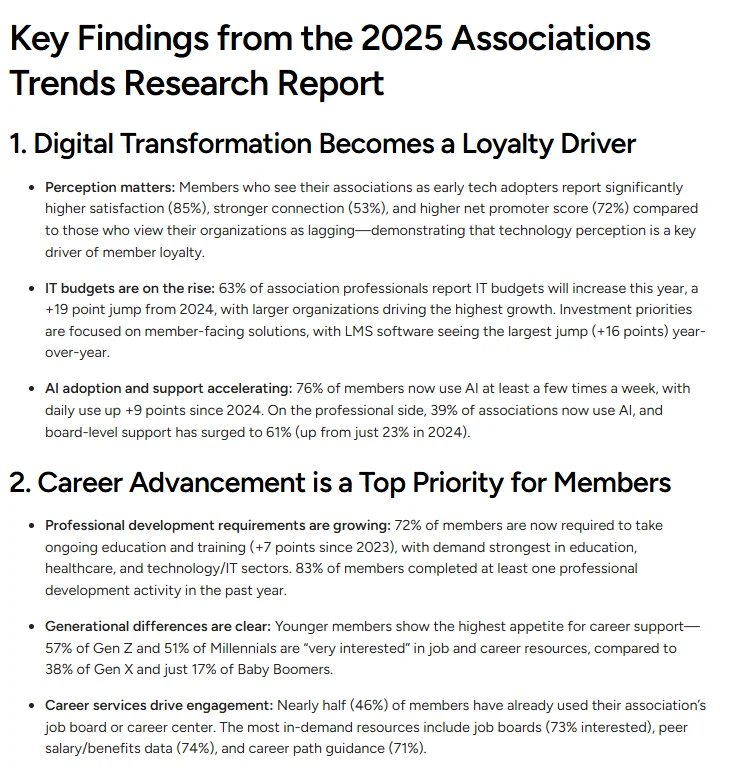
Members notice your technology. Momentive Software’s 2025 Associations Trends Research Report, conducted by Edge Research, found that members who see their association as a technology leader are twice as loyal. The platform you choose is part of the member experience, not just a back-office decision.
5 myths about AMS and membership software
| Myth | Reality |
|---|---|
| “An AMS is only for big national associations.” | Many AMS platforms are built for organizations with a few hundred members and a staff of two or three. |
| “Membership software and AMS are just marketing labels.” | The labels overlap, but scope genuinely differs. Compare actual workflows, not names. |
| “More modules means a better platform.” | Modules your team never uses still cost money and add complexity. Connected beats crowded. |
| “We can just use our CRM.” | CRMs track deals well but are not built for dues, renewals, member portals, or event check-in. |
| “Switching later is too painful, so buy the biggest system now.” | Migration is manageable with a good vendor. Buying far beyond your needs is the more common mistake. |
Which one does your organization need? A 5-question check
Check every statement that is true for your organization today or will be within two years:
- We run more than a handful of events a year, and attendance matters for engagement.
- We have committees, volunteers, or a board that needs its own reporting.
- We have (or plan) local chapters or sections with their own members.
- Non-dues revenue (events, sponsorships, education) is a significant share of our budget.
- More than two people on our team work in the system every week.
0 to 1 checked: membership management software will likely cover you. 2 to 3: look for a membership-focused platform with strong events and reporting, or an AMS sized for small organizations. 4 to 5: you need a full AMS.
Once you know which category you need, our AMS selection process guide takes you from requirements to a signed contract.
3 example organizations
These are illustrative profiles, built from patterns we see in conversations with membership organizations.
A 180-member professional society
Volunteer-run, one part-time administrator, four events a year, dues are almost all the revenue. Best fit: membership management software. An AMS would add cost and complexity without much benefit yet.
A 650-member chamber of commerce
Three staff, monthly networking events, an annual gala with sponsors, a committee structure, and a board that wants monthly numbers. Best fit: an AMS sized for small and mid-sized organizations, with events and sponsorships connected to member records. Our roundup of the best association management software shows who each platform is built for.
A 9,000-member national association
Twelve regional chapters, a certification program with CE credits, an annual conference, and several departments in the system daily. Best fit: an enterprise AMS with chapter roll-ups and education or LMS integration. Expect a longer implementation and plan the migration carefully.
Where does a CRM fit?
A CRM such as HubSpot or Salesforce is built to manage prospects and sales pipelines. Some associations use one alongside their AMS for member recruitment or sponsor sales, with the AMS as the system of record for members. Using a CRM as your AMS usually means heavy customization to handle dues, renewals, and member self-service, and that customization has to be maintained forever. We go deeper in membership management vs. CRM.
Can you start with one and switch later?
Yes. Many organizations start with membership software and move to an AMS as they grow. To make that move easier later, choose a platform that lets you export all your data at any time, keep member records clean from day one, and avoid long contracts that lock you in. Clean records matter more than most teams expect if they currently live in spreadsheets: a 2024 review of spreadsheet research by Pak-Lok Poon and colleagues, published in Frontiers of Computer Science, reports that 94% of spreadsheets used in business decision-making contain errors, and every one of those errors migrates with you. Even better, choose a platform that can grow from membership basics into broader association management without a migration. If you do move, our AMS migration checklist covers every step.
How Melora Connect bridges the gap
Melora Connect is built to grow with you. It starts with a strong membership core (records, joining, dues, renewals, communications) and connects events, committees, surveys, engagement scoring, payments, and reporting to the same member record, so you do not have to switch platforms when your organization outgrows “just membership.”
Chapters (chapter workspaces and leaders, public chapter pages, and a chapter step when members join) and CE credits (hours, credentials, and certificates with a verification QR code) are live. HubSpot, Slack alerts, and Microsoft Teams alerts are connected today, and QuickBooks Online and Desktop exports keep finance in step. Online events carry their own join link (Zoom, Teams, or Google Meet), sent with each confirmation. The member and staff apps, the website builder, and two-way QuickBooks sync are coming soon. Most importantly, you get a team, not a login: we configure the platform around how your organization works, migrate your data, and stay with you after launch. Plans start at $3,000 a year, priced by tier rather than per contact; see Melora Connect pricing.
Not sure which category you are in? We will walk through your workflows and tell you honestly whether you need an AMS yet. Book a demo
Frequently asked questions
What is the difference between an AMS and membership management software?
Membership management software focuses on the member lifecycle: joining, dues, renewals, and communications. An AMS covers that plus broader operations such as events, committees, chapters, education, and non-dues revenue.
Is membership management software an AMS?
Not exactly. Membership management is one part of what an AMS does. Some products are sold under both labels, so compare features rather than names.
Do small associations need an AMS?
Not always. A small organization with simple needs can do well with membership software. Once you run regular events, have committees or several staff in the system, or rely on non-dues revenue, an AMS usually pays off.
Is an AMS more expensive than membership software?
Usually, yes, both in subscription and implementation. But an AMS can replace several separate tools, so compare total cost across your whole software stack, not just one line item.
The bottom line
Membership management software manages your members. Association management software manages your organization around them. Neither is better in the abstract; the right choice depends on your structure, your revenue mix, and how many people need the data.
Answer the five questions above honestly, plan for where you will be in two or three years, and choose a platform that can grow with you rather than one you will have to leave.