People · Events · Communities

Quick answer: The chamber of commerce software features that matter most are one member record, tiers with automated renewals, online dues, event registration, onsite check-in, a member directory, website integration, segmented email, engagement tools, member and staff apps, and reporting with at-risk lists. The deciding test: every feature updates the same business member record.
Key takeaways
-
Test every feature the same way: does it update the same member record?
-
Must-haves run the chamber: one record, renewals, payments, events with check-in, a directory, and segmented email.
-
The directory is a benefit members pay for, so they should update it themselves.
-
After you switch, track admin hours per week.
The chamber of commerce software features that matter are the ones that connect. Most chambers run on a patchwork: a spreadsheet for members, one tool for payments, another for events, a website that nobody can update, and an email platform that does not know who renewed last week.
It works until it does not. At some point, the team spends more time keeping the tools in sync than serving the businesses that pay for membership.
This guide covers the 12 features that matter most, how to tier them, and how to test them in a demo. For the bigger picture of running a chamber, start with our chamber of commerce management guide.
What is chamber of commerce software?
Chamber of commerce software is a platform that helps chambers manage members, dues, events, communication, directories, and reporting in one connected system. It is a type of membership management software built for the way chambers work: business members, public directories, ribbon cuttings, sponsorships, and a small staff doing a lot.
The difference between basic tools and good chamber of commerce software is connection. A list tells you who your members are. Connected software tells you who is renewing, who is engaged, who is drifting away, and what your team should do next. The core membership management software features still apply; this guide adds what chambers need on top.
Why do chambers need software built for how they work?
Chambers are not like other membership organizations:
-
Members are businesses, not individuals, and they often have several contacts.
-
Members expect visibility in a public directory.
-
Events are both a revenue line and the main way members get value.
-
Many chambers depend on non-dues revenue from sponsorships, ads, and events.
All of this is usually handled by a team of two to five people. Chamber of commerce software should make that small team feel bigger, not give them another system to maintain.
How should chamber software features connect?
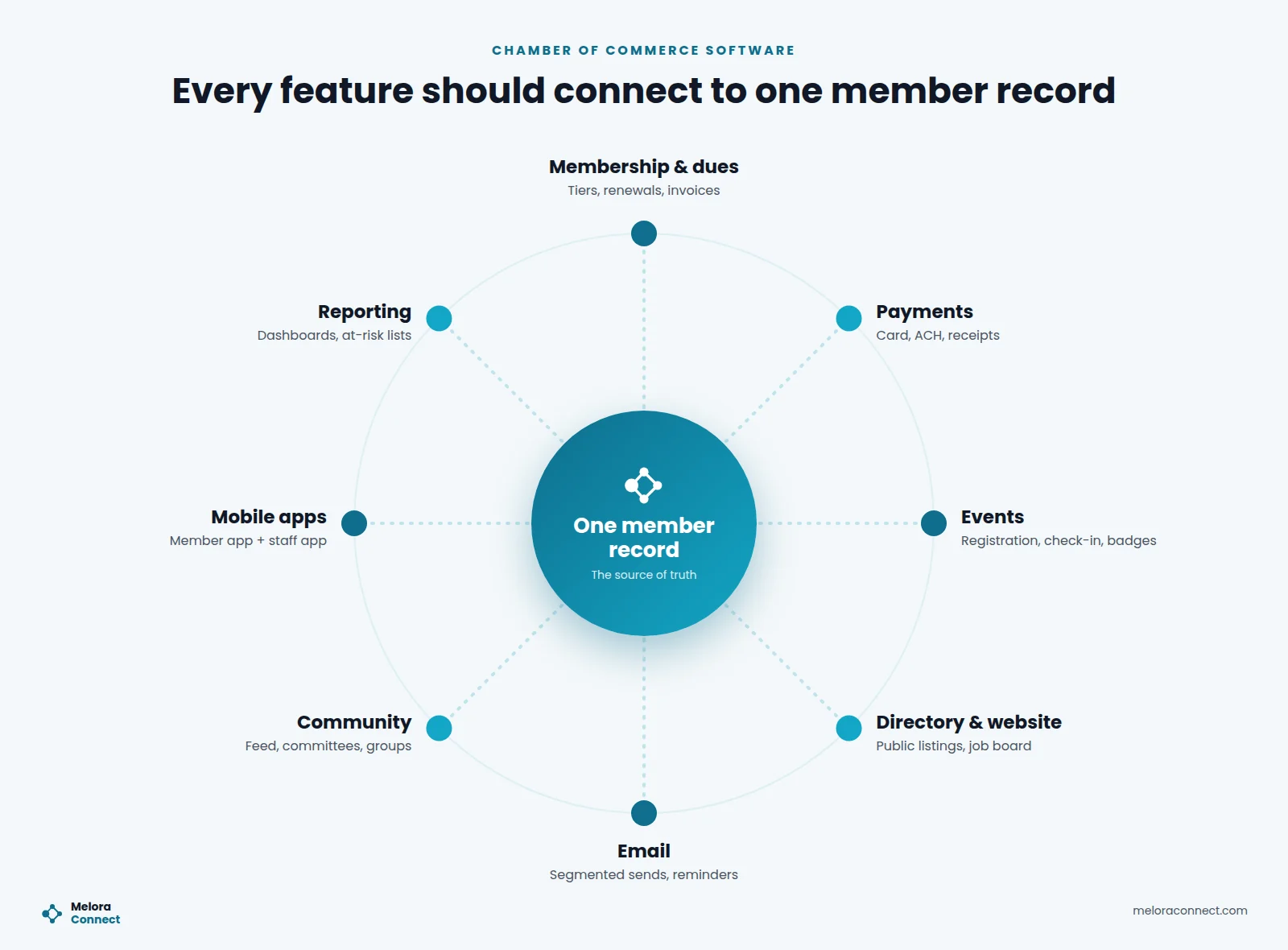
Before comparing feature lists, look at how the features connect. In good chamber of commerce software, every module reads from and writes to the same member record. When a member pays, registers, checks in, or joins a committee, their profile updates automatically.
12 chamber of commerce software features to look for
1. One complete member record
One profile per member business, with contacts, membership status, payment history, event attendance, communication, and committee involvement. If your team has to check three places to answer a simple question about a member, the software is not doing its job.
2. Membership tiers and automated renewals
Chambers often have several membership levels, from small business to corporate partner. Look for unlimited membership types, automatic renewal reminders, and invoices that generate themselves, so renewals do not depend on someone remembering. Our guide on how to automate membership renewals covers the reminder schedule.
3. Online dues and payments
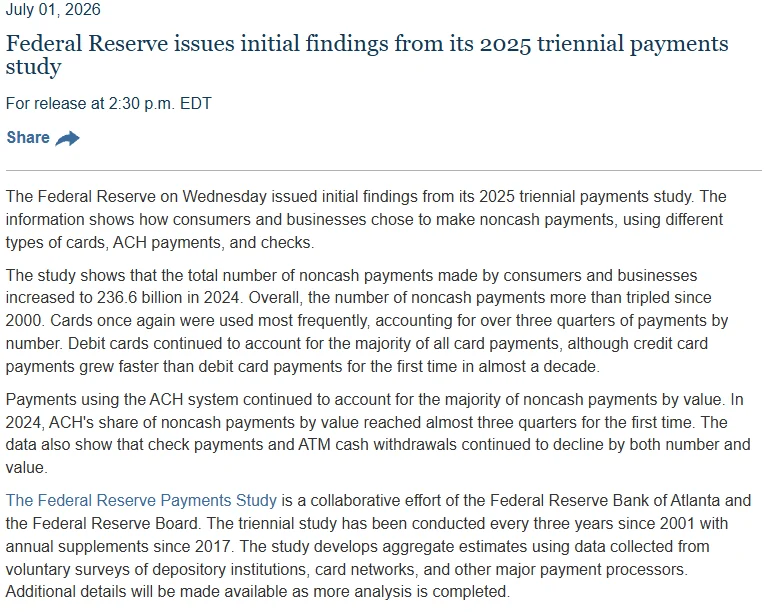
Members should be able to pay dues, event tickets, and sponsorships online by card or bank transfer. The Federal Reserve’s 2025 payments study, released in 2026, found that cards were again used most often, accounting for over three quarters of payments by number. Saved-card autopay keeps renewals on time, and payments should land in your own account with receipts sent automatically.
4. Event registration
Registration should apply member pricing automatically, handle paid and free events, and add every registration to the member record. Check that in-person, virtual, and hybrid events use the same flow. Our guide to event registration software goes deeper on forms, pricing, and confirmations.
5. Onsite check-in and badges
Event day is where members meet the chamber in person. QR check-in, badge printing, walk-in registration, and live attendance numbers make the front door fast and welcoming.
6. A member directory
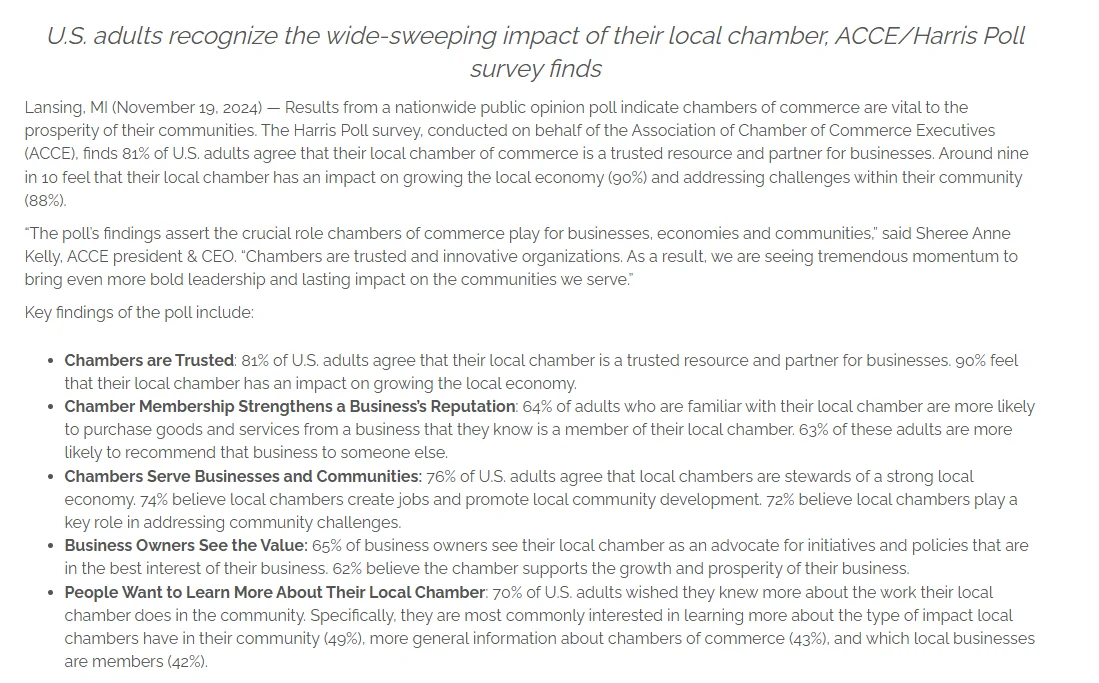
For many businesses, the directory listing is one of the main reasons to join. In a 2024 ACCE/Harris Poll shared by the Lansing Regional Chamber of Commerce, 64% of adults familiar with their local chamber said they are more likely to buy from a business they know is a member, and 63% are more likely to recommend it.
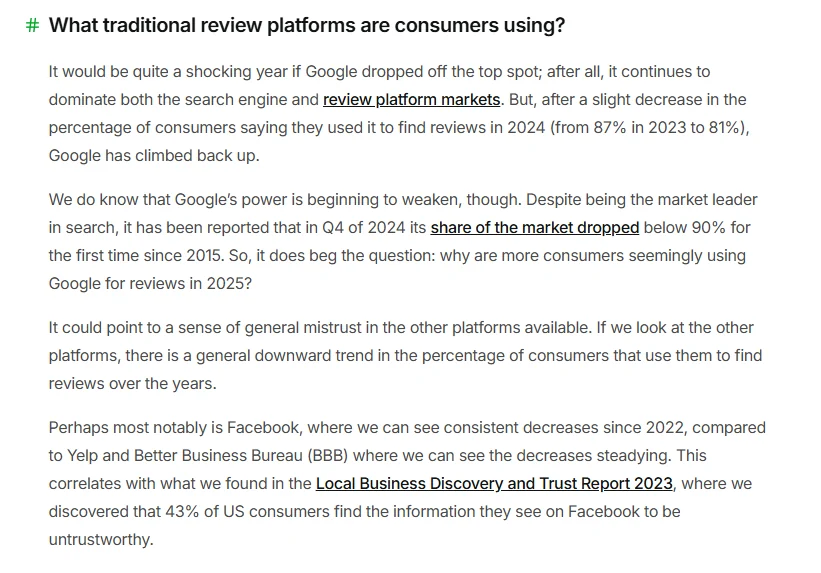
Customers also check several sources. In BrightLocal’s Local Consumer Review Survey 2025 (1,026 U.S. consumers), just 4% said they never read online business reviews, and most use at least two review platforms. The directory should be public, searchable, easy for members to update themselves, and optimized so search engines can find it.
7. Website integration
Your website is the public face of the chamber. Look for a site that connects to your member data, so the directory, events, and job board stay current automatically. Ad placements on the site can also add non-dues revenue.
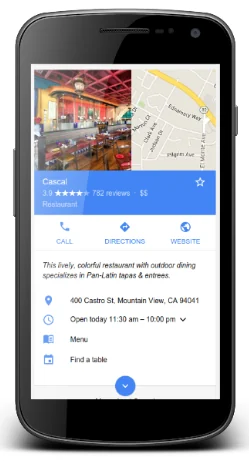
Ask how directory pages appear in search. Google Search Central’s 2026 guide to LocalBusiness structured data explains that Search may show a knowledge panel with business details, and that “name” and “address” are the required properties. Ask whether listing pages can carry that markup.
8. Segmented email
Send renewal reminders, event invitations, and newsletters to the right segments, using merge fields from the live member record. Email built into the platform means there is no list to export and nothing to sync.
9. Community and engagement tools
A community feed, committees, member groups, surveys, mentoring, referrals, and recognition such as points and badges give members reasons to participate between events. These tools turn passive members into active ones. For ideas on putting them to work, see our guide to chamber of commerce member engagement.
10. A member mobile app
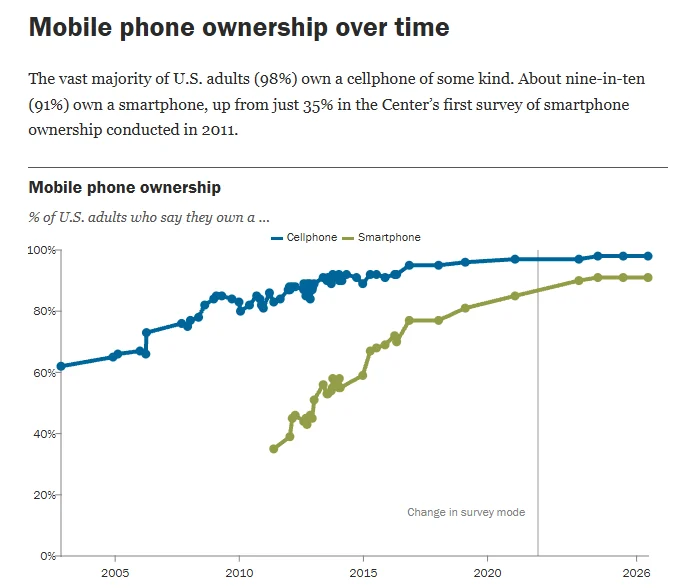
A member app puts membership, event tickets, news, and networking in members’ pockets. Pew Research Center’s 2026 mobile fact sheet reports that 91% of Americans own a smartphone, up from just 35% in Pew’s first survey. Look for push notifications, a personal QR code for check-in, event agendas, and ways for members to connect. If the app is still on a vendor’s roadmap, check that the portal works well on a phone.
11. A staff app for working away from the desk
Chamber staff spend a lot of time out of the office. A staff app should let them review applications, take payments, check people in, and see live event numbers from a phone.
12. Reporting and at-risk lists
Board reports should not take a day to assemble. Look for live dashboards on membership, renewals, revenue, and events, plus lists that show new, at-risk, and lapsed members so your team knows where to focus. To decide which signals put a member on that list, try our free Member Risk Scoring Sheet.
Which features are must-have, should-have, and nice-to-have?
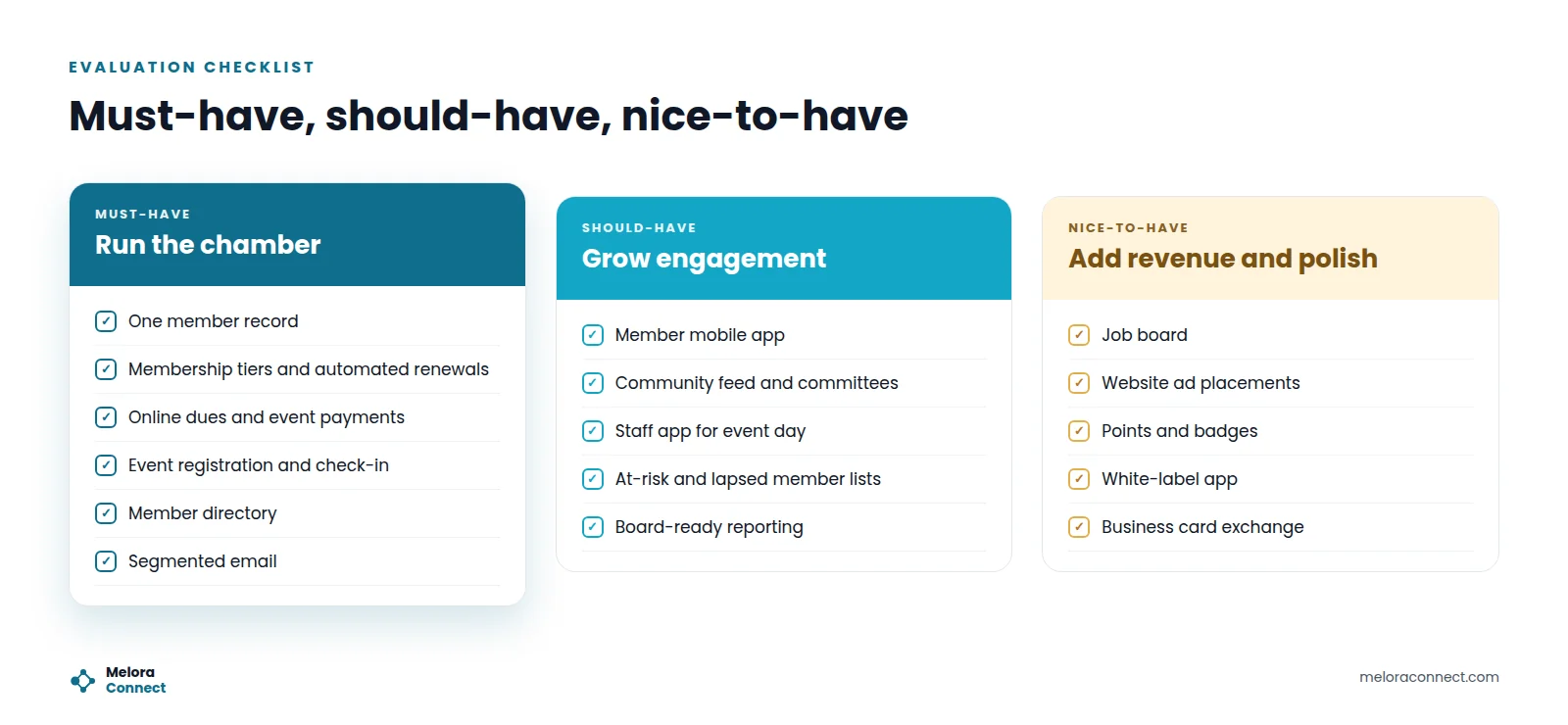
Not every chamber needs everything on day one. Use these three tiers to prioritize. Must-haves run the chamber, should-haves grow engagement, and nice-to-haves add revenue and polish.
| Must-have: run the chamber | Should-have: grow engagement | Nice-to-have: add revenue and polish |
|---|---|---|
| One member record | Member mobile app | Job board |
| Membership tiers and automated renewals | Community feed and committees | Website ad placements |
| Online dues and event payments | Staff app for event day | Points and badges |
| Event registration and check-in | At-risk and lapsed member lists | White-label app |
| Member directory | Board-ready reporting | Business card exchange |
| Segmented email |
A platform that covers all three in one system saves you from adding tools later. Ranking features is one step in our guide on how to choose chamber of commerce management software, which also covers costs, a vendor scorecard, and demo red flags.
Example: the three-person chamber running seven tools
This is an illustrative example, not customer data. Picture a chamber with 500 member businesses and a staff of three. Members are tracked in a spreadsheet, dues are collected through a payment tool, events run on a separate ticketing site, the newsletter goes out from an email platform, the directory lives on a website only one volunteer knows how to edit, and the board report is built by hand every month.
Every Monday, the team spends hours copying data between tools. Renewal reminders go out late, member pricing for events depends on discount codes, and nobody can say which members have not attended anything this year.
With connected chamber of commerce software, the same team works from one platform. Renewals and invoices go out automatically, event registrations land on member profiles, the directory updates when members edit their own listings, and the Monday briefing shows who needs attention. The hours they get back go to member visits and sponsor relationships.
That change did not take more staff. It took fewer tools.
How do you test chamber software features in a demo?
Each of these questions makes a vendor show a feature working, not describe it:
-
Does every module, including events, email, and the directory, use the same member record?
-
Can members update their own profiles and directory listings?
-
Can we run in-person, virtual, and hybrid events with one registration flow?
-
How do we see which members are at risk of not renewing?
-
Can we import our current data easily, and export it anytime?
| Area | Good sign | Warning sign |
|---|---|---|
| Data | One record across every feature | Modules that sync overnight or need exports |
| Members | Self-service profiles and payments | Members email staff for every change |
| Events | Attendance added to member profiles | Attendance lives only in the ticketing tool |
| Website | Directory and events update automatically | Website edited by hand |
| Data ownership | Import and export anytime | Your data is hard to get out |
| Support | Onboarding designed for small teams | Long setup that needs a consultant |
For a full demo script, a scoring matrix, and reference check questions, see our guide to the AMS selection process.
Which features should you prioritize first?
Find the problem that sounds most like your chamber, then look first at the feature next to it.
| If this sounds like your chamber | Look first at | Feature |
|---|---|---|
| Member data lives in more than one place | One complete member record | 1 |
| Renewal reminders depend on someone remembering | Automated renewals and online payments | 2 and 3 |
| Members need a discount code to get member pricing | Event registration with member pricing | 4 |
| The online directory is out of date | A member directory that members update themselves | 6 |
| Members only hear from you at renewal time | Segmented email and engagement tools | 8 and 9 |
| Board reports take hours to put together | Reporting and at-risk lists | 12 |
Want to put a number on the patchwork? The free Chamber Tech Stack Cost Calculator adds up what your current tools cost in subscriptions, payment fees, and staff time, so you can weigh each feature against what it replaces. Download the Chamber Tech Stack Cost Calculator
What number should you track after you switch?
The number that shows whether they are working is admin hours per week: the time staff spend on data entry, reconciliation, and report building. Measure it before you switch and again once the new system has run a full renewal cycle. For renewal rate, participation, and the other numbers worth tracking, with formulas, see our guide to member engagement metrics.
How Melora Connect approaches chamber of commerce software
Melora Connect is a membership operating system for chambers and associations, with one record per member that every feature reads from and writes to:
| Feature area | In Melora Connect |
|---|---|
| Member record and reporting | One record per member, an admin dashboard with smart segments for new, at-risk, and lapsed members, engagement scoring, and a Monday morning briefing for staff. Import your data and export it to CSV anytime |
| Renewals and payments | Automated renewals, reminders, and invoice runs; MeloraPay card and ACH payments with saved card autopay, landing in your own Stripe account |
| Events | Event pages with ticket tiers, group and table orders, members-only events, and check-in at the door; online events carry their own join link (Zoom integration coming soon) |
| Directory and email | A public member directory; segmented email with merge fields from the live member record |
| Engagement | Committees, surveys, referrals, and engagement scoring |
| Coming soon | The Melora Connect Go member app and the HQ staff app, with QR check-in through them, and hosted chamber websites |
Until the apps arrive, members renew, pay, register for events, join committees, and update their profiles in the member portal from any browser.
You get a team, not a login. We set up your membership levels, events, and directory with you, so the features on this list are configured around how your chamber already runs.
See the features on one member record. Bring your membership levels and next event, and we will walk through them live. Book a demo
Frequently asked questions about chamber of commerce software features
What features should chamber of commerce software have?
At minimum, chamber of commerce software should have one member record, membership tiers with automated renewals, online payments, event registration and check-in, a member directory, and segmented email. Mobile apps, community tools, and reporting with at-risk lists help grow engagement. Every feature should update the same member record.
How is chamber of commerce software different from general membership software?
Chamber of commerce software is designed for business members with several contacts, public directories, sponsorships, and events as a core revenue line. General membership software usually assumes individual members, so chambers end up adding separate tools for the directory, sponsors, and events.
Which chamber software features are must-haves for a small chamber?
A small chamber needs six must-haves from day one: one member record, membership tiers and automated renewals, online dues and event payments, event registration and check-in, a member directory, and segmented email. Engagement tools, apps, and deeper reporting can follow on the same platform.
Does a chamber need a member mobile app?
A member app helps, but it is a should-have, not a must-have. Pew Research Center reports that 91% of Americans own a smartphone, so the essential part is a member portal that works well on a phone, where members can renew, pay, and register for events.
What makes a good chamber member directory?
A good chamber member directory is public, searchable, and updated by members themselves, with lapsed members dropping off automatically. Because it is a benefit businesses pay for, it should also be easy for search engines to crawl, with clear business names and addresses on every listing page.
How do we switch to new chamber of commerce software?
Start by cleaning your member data, import it into the new platform, run your next renewal cycle or event on it, and retire old tools one at a time. Our guide on how to switch membership management software without losing data covers each step.
The bottom line
The features that matter most are the ones that share the same member record, so your small team can see what is happening and act on it. When the tools stop needing attention, your staff can give that attention back to your members.
When you are ready to compare named platforms, see our list of the best chamber of commerce software.
See your chamber in one platform. Bring your chamber’s biggest problem from the quick check, and we will show it in Melora Connect. Book a demo