People · Events · Communities

Quick answer: To choose chamber of commerce management software, map your business-member journey, count what your current tools really cost, rank chamber must-have features, check the member’s side, compare total yearly cost, and get a written onboarding and migration plan. Then run the same real scenario in every demo and pick the platform that finishes it without workarounds.
Key takeaways
-
Count what your current tools cost, including staff hours, before your first vendor call.
-
Chamber software must treat a member as a business with several people.
-
Score every vendor on the same scenarios. Feature checklists make every vendor look alike.
-
Get the migration plan in writing, and aim to decide within about three months.
Choosing chamber of commerce management software comes down to which platform removes the most work for your team. A chamber runs on relationships with businesses: the dues they pay, the mixers they attend, the directory listing that sends them customers, the sponsorships that fund your programs. Keeping all of that straight with a member spreadsheet, an invoicing tool, an event app, and a website plugin works, until it does not.
Most chambers do not switch software because one tool breaks. They switch because the staff spend more time keeping tools in sync than talking to members. The question is not whether you can afford new software. It is what your current setup is already costing you.
This guide covers six practical steps, a vendor scorecard, the red flags to watch for in a demo, and what migration looks like. It comes with a free Chamber Tech Stack Cost Calculator you can fill in before your first vendor call.
What is chamber of commerce management software?
Chamber of commerce management software is a platform that runs a chamber’s core operations in one place: business memberships and dues, events, the member directory, communications, sponsorships, and reporting. It replaces the patchwork of spreadsheets, invoicing tools, event apps, and website plugins that most chambers build up over the years. For the bigger picture of running a chamber, see our chamber of commerce management guide.
Why do chambers need more than generic membership software?
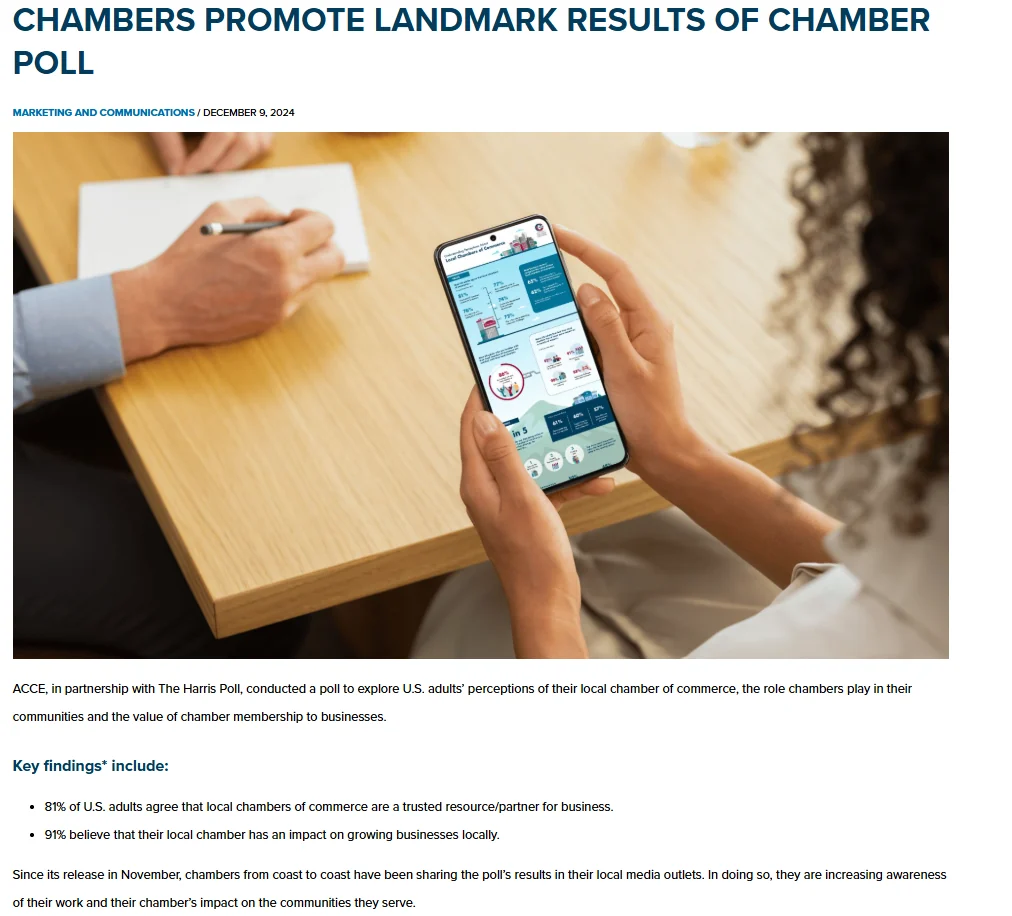
Chambers hold a kind of public trust. In a 2024 Harris Poll reported by ACCE, 81% of U.S. adults agreed that local chambers of commerce are a trusted resource or partner for business, and 91% believe their local chamber has an impact on growing businesses locally. Your software has to live up to that.
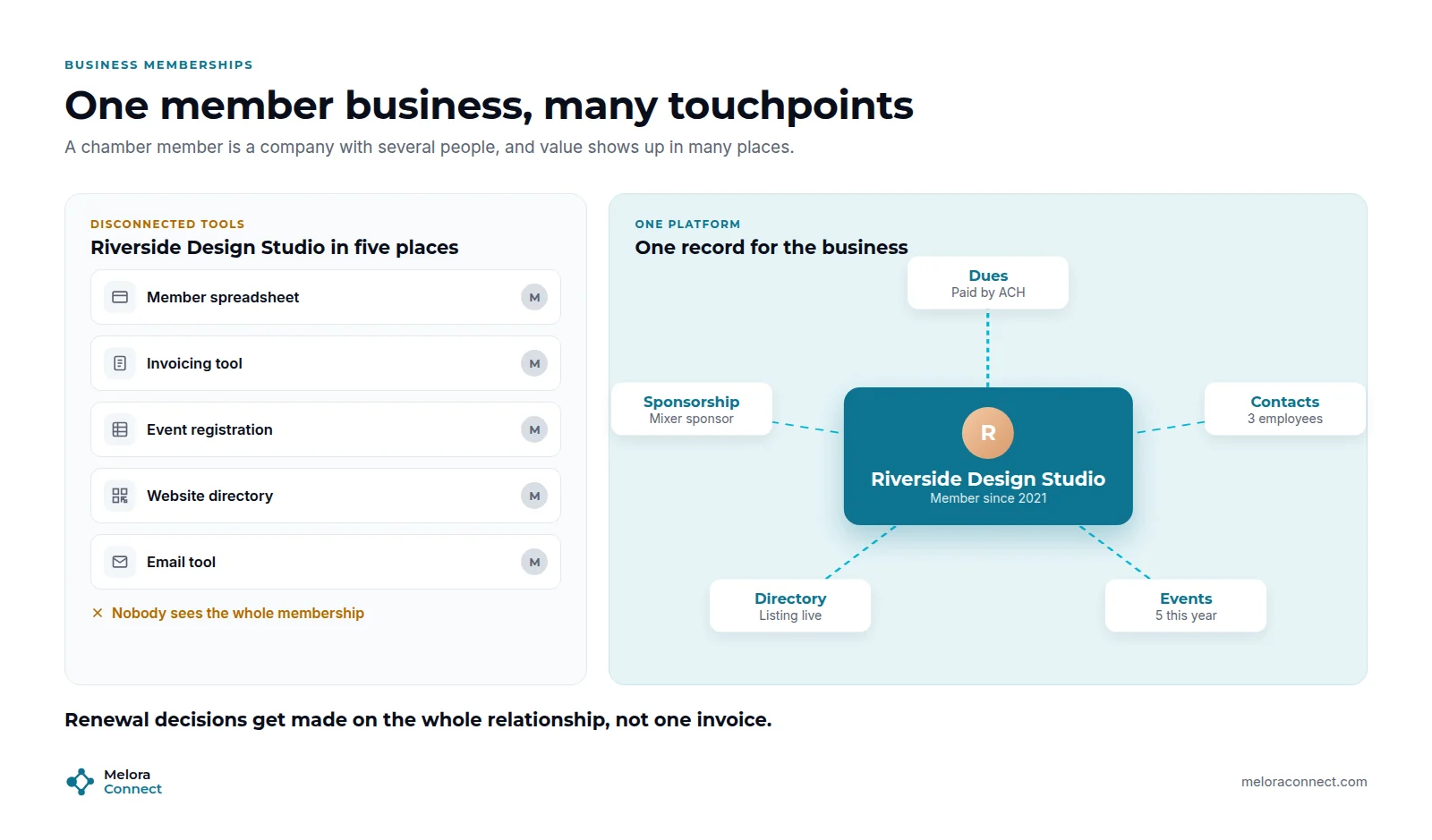
Chambers share a lot with other associations, but a few differences shape what software has to do:
-
Members are businesses, not individuals. One membership often covers several employees who register for events and receive emails, while one person handles the invoice.
-
Visibility is a core benefit. The business directory, referrals, and the job board are things members pay for, so they have to stay accurate and easy to update.
-
Events drive revenue and retention. Mixers, ribbon cuttings, luncheons, and the annual gala are where members see value. (Here is why association event software beats general event platforms for this.)
-
Sponsorships are a revenue line. Sponsors expect recognition at events, on the website, and in emails.
-
Teams are small. Many chambers run with a handful of staff, plus ambassadors and volunteers.
How to choose chamber of commerce management software in 6 steps
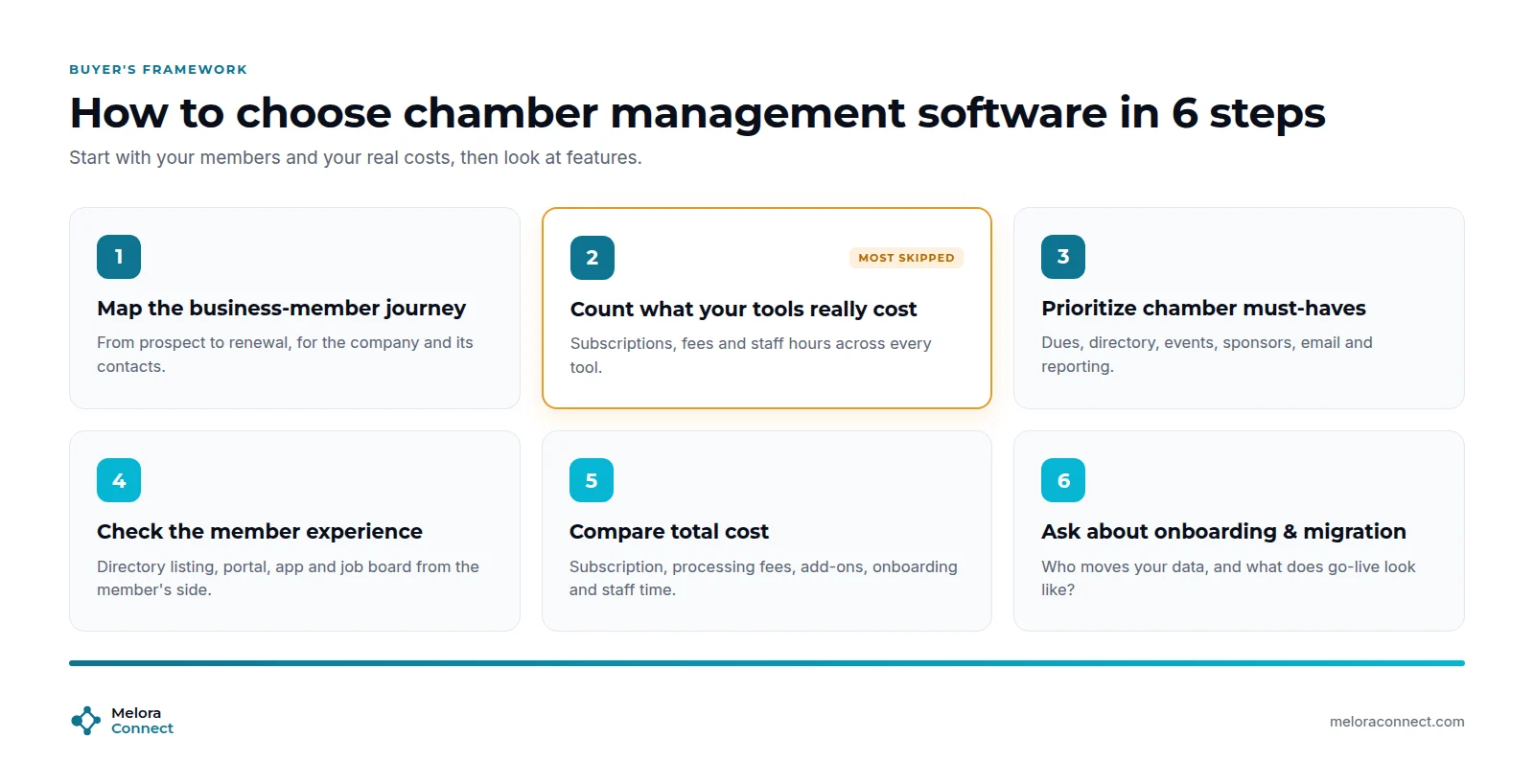
Here are the six steps at a glance:
-
Map the business-member journey.
-
Count what your current tools really cost.
-
Prioritize chamber must-have features.
-
Check the member experience.
-
Compare the total cost.
-
Ask about onboarding and migration.
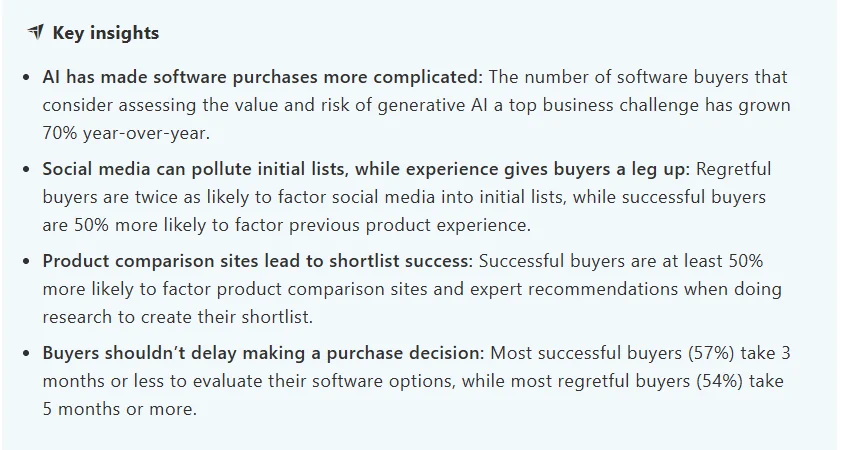
Keep a steady pace. Capterra’s 2025 Tech Trends Report (3,500 buyers in nine countries) found that most software buyers regret a purchase made in the past 18 months. Most successful buyers (57%) took 3 months or less to evaluate their options, while most regretful buyers (54%) took 5 months or more.
1. Map the business-member journey
Write down what happens from the moment a business first hears about you to the day it renews: application, approval, first invoice, welcome, directory listing, first event, sponsorship conversations, renewal. Note who does each step and which tool it happens in. That map becomes your requirements list. If you are new to thinking in lifecycle stages, What Is Membership Management? breaks them down.
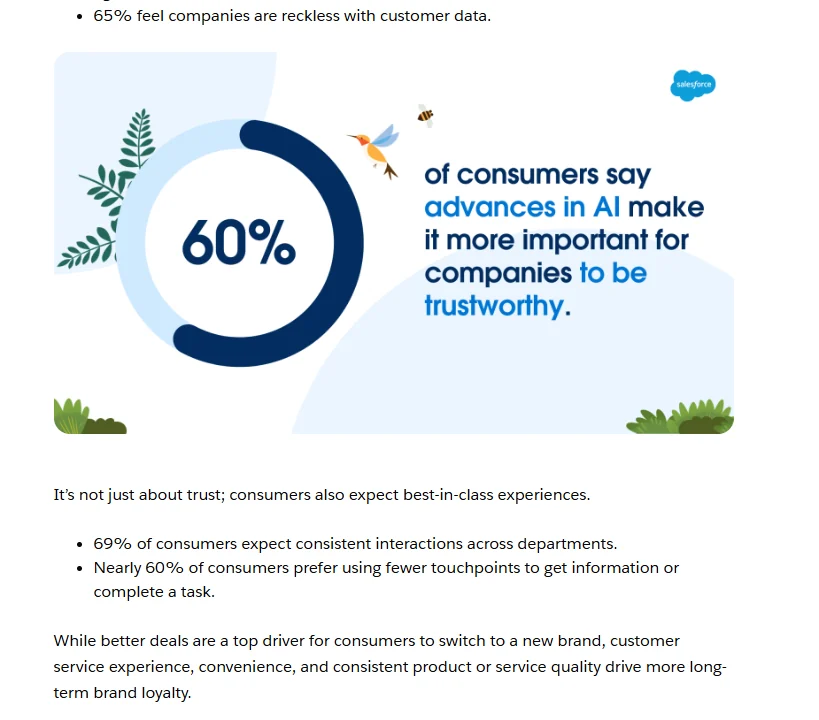
Look hard at the hand-offs, where staff retype data and members see a different version of the chamber. In Salesforce’s 2024 consumer research (15,015 adults), 69% of consumers expect consistent interactions across departments, and nearly 60% prefer using fewer touchpoints to get information or complete a task. That is consumer data, but your members’ staff are those consumers.
2. Count what your current tools really cost
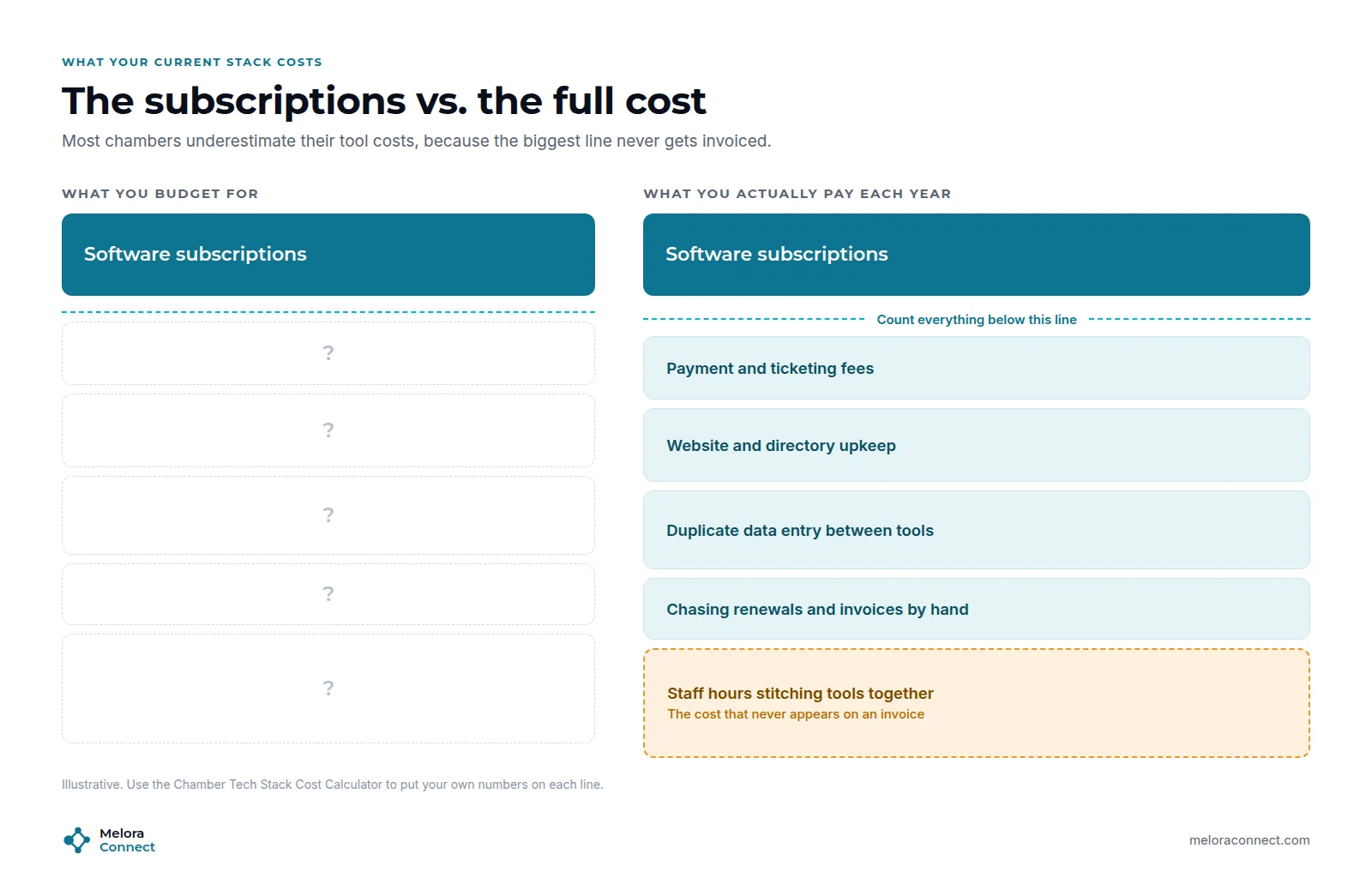
This is the step most chambers skip, and the one that makes every later decision easier. Add up each subscription, the payment and ticketing fees, and, most importantly, the staff hours each tool takes every month, including copying data between tools, chasing renewals by hand, and building board reports. Our free Chamber Tech Stack Cost Calculator (linked in the box after these steps) does the math for you and gives you a cost per member business.
3. Prioritize chamber must-have features
Use your journey map to separate must-haves from nice-to-haves. For most chambers, the must-haves are:
-
Business memberships and automated dues
-
Event registration and check-in
-
A member directory
-
Segmented email
-
Sponsor management
-
Live reporting
Our guide to chamber of commerce software features explains what good looks like for each one, so this step can stay about priorities.
4. Check the member experience
Members judge your chamber partly by what they see: the join form, the directory listing, the member portal, the event app. Ask every vendor to show the member’s side, not just the admin screens. Can a member update their own listing, pay an invoice, register two employees for a mixer, and find their ticket on their phone?
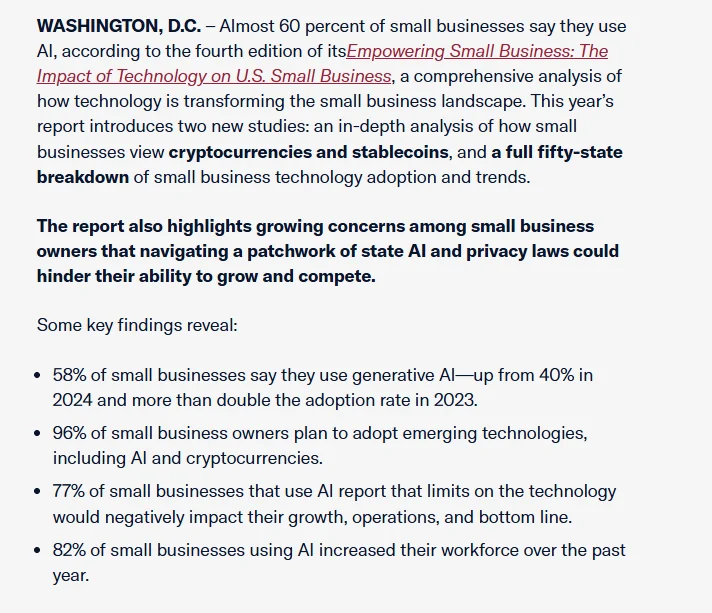
Members’ own expectations are rising. The U.S. Chamber of Commerce’s 2025 Empowering Small Business report found that 58% of small businesses say they use generative AI, up from 40% in 2024. The member side is also where chamber of commerce member engagement is won or lost between events.
5. Compare the total cost
Compare the full yearly cost of each option against the number you got in step 2: subscription, payment processing, add-on modules, onboarding fees, and the staff time you expect after switching. A platform that costs more than one tool but replaces five of them is often the cheaper option. For typical price ranges and the costs vendors leave off the quote, see our breakdown of membership management software costs.
6. Ask about onboarding and migration
Before you sign, get written answers to three questions:
-
Who migrates your members, invoices, and event history?
-
Who sets up membership types and the directory?
-
What does the go-live plan look like week by week?
Across the industry, small and mid-sized associations typically need 6 to 16 weeks to go live, and our guide on how long a migration takes explains why. With staffed onboarding, Melora’s typical is about 30 days from signed agreement to live.
Know your number before your first demo. The free Chamber Tech Stack Cost Calculator totals your subscriptions, fees and staff time in about 15 minutes. Download the calculator
How do you compare chamber software vendors side by side?
After each scripted demo, score every vendor from 1 to 5 on the criteria below. Weight the must-haves most heavily, then compare totals alongside your own judgment and the number from your cost calculator. To ask every vendor the same questions in writing, start from our Membership Software RFP Template. For a fuller toolkit with vendor questions and a demo script, see our guide to the AMS selection process.
| Criterion | Priority | Vendor A | Vendor B | Vendor C |
|---|---|---|---|---|
| One complete member record | Must have | |||
| Automated renewals and invoices | Must have | |||
| Events with member pricing | Must have | |||
| Member portal and directory | Should have | |||
| Segments and engagement view | Should have | |||
| Migration and onboarding help | Must have | |||
| Total cost and data portability | Must have |
What are the green flags and red flags in a chamber software demo?
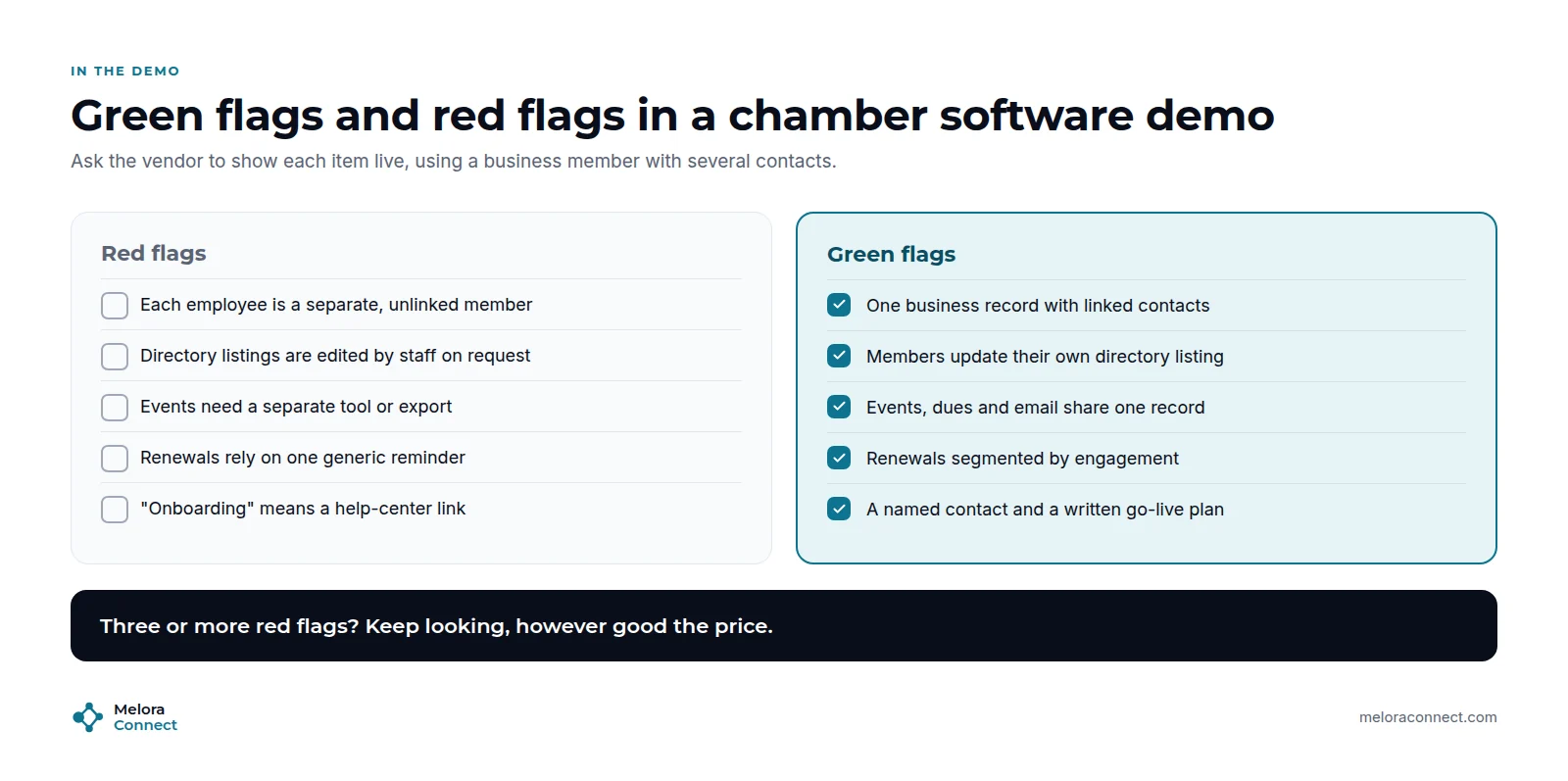
Bring one real business member with several contacts to every demo, and ask the vendor to walk it through joining, paying, registering for an event, and renewing. Watch for these signals:
| Red flag | Green flag |
|---|---|
| Each employee is a separate member with no link to the business | One business record with linked contacts |
| Staff edit directory listings on request | Members update their own listing |
| Events need a separate tool or an export | Events, dues, and email share one record |
| Renewals rely on one generic reminder | Renewals are segmented by engagement |
| “Onboarding” means a help-center link, and nobody can say who moves your data | A named contact, a written go-live plan, and a team that handles the migration |
| Events, payments, or the directory are sold as extra modules | The basics a chamber runs on are in the quoted price |
| A scripted scenario needs a spreadsheet or a custom build to finish | The vendor runs it start to finish on screen |
| Exporting your records is hard or costs extra | You can import and export your data anytime |
Three or more red flags? Keep looking, however good the price.
Example: how one chamber chose by scenario, not checklist
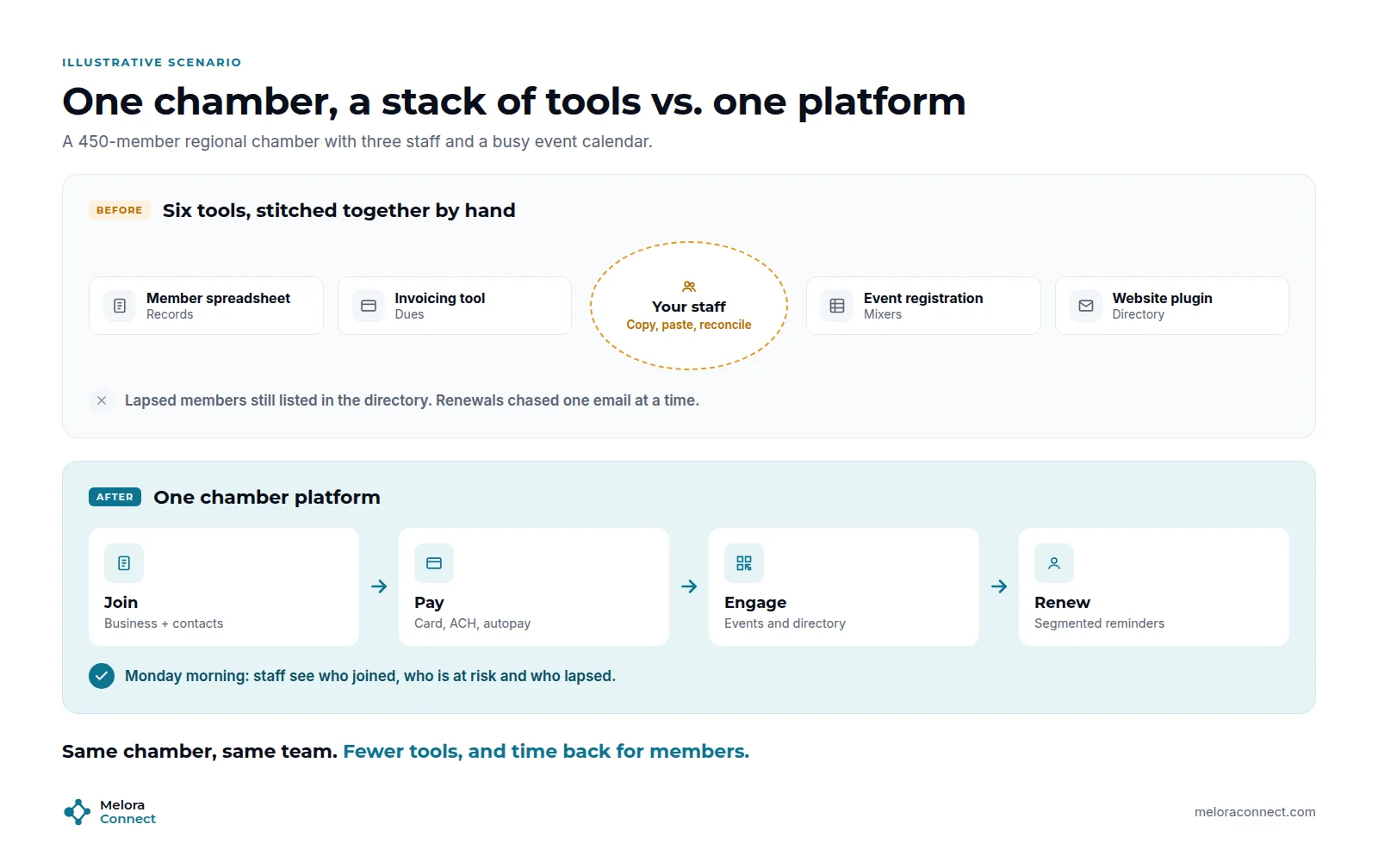
This is an illustrative example, not a specific customer. Picture Devon, the executive director of a regional chamber with 450 member businesses and three staff. Member records live in a spreadsheet, dues go out from an invoicing tool, mixers run on an event app, the directory is a website plugin, and newsletters come from an email platform. Six tools, each fine on its own, and a new member’s details typed in four times.
The first shortlist came from feature checklists, and every vendor ticked nearly every box. So Devon gave each vendor the same scripted scenarios: a business joins midyear with three employees, a renewal run goes out, a mixer opens with member pricing, and the board report is produced. In two demos, the renewal run needed a manual export. In a third, event registrations never reached the member record.
The chamber chose the vendor whose demo worked without workarounds, and whose team would handle the migration. Lapsed members now drop out of the directory on their own, renewals go out on schedule, and the board report no longer takes a day.
The deciding difference was never a feature. It was how much work the software removed.
How Melora Connect approaches chamber management
Chambers are one of the communities we built Melora Connect for. Every member has one complete record, and dues, events, email, the public member directory, and reporting all pull from it.
Renewals, reminders, and invoice runs go out automatically, with card and ACH payments through MeloraPay, saved card autopay, and every payment landing in your own Stripe account. Event registrations and check-ins at the door land on the member record, online events carry their own join link (Zoom integration coming soon), and smart segments show who is new, at risk, or lapsed. Members renew, pay, register, and update their profiles in the member portal. The Melora Connect Go member app and HQ staff app are coming soon, as are hosted websites.
Our pricing is published: Growth starts at $3,000 a year for up to 500 members, plus onboarding from $999, paid once, and staffed onboarding comes with every plan. You get a team, not a login: we configure the platform with you, move your data, and stay with you through going live.
See your chamber in Melora Connect. Bring your toughest renewal or event question, and we will walk through it in Melora Connect. Book a demo
Frequently asked questions about chamber of commerce management software
What is chamber of commerce management software?
Chamber of commerce management software is a platform that runs business memberships, dues, events, the member directory, email, sponsorships, and reporting for a chamber in one place. It replaces the separate spreadsheets, invoicing tools, event apps, and website plugins chambers collect over time.
How long does it take to choose chamber management software?
Aim for about three months. In Capterra’s 2025 Tech Trends Report, 57% of successful software buyers evaluated their options in 3 months or less, while 54% of regretful buyers took 5 months or more. Use that time to define problems, run scripted demos, and check references.
How should we compare chamber software prices?
Compare total yearly cost, not the subscription alone: payment fees, add-on modules, onboarding, and the staff time you expect after switching. Put that next to what your current tools cost, including staff hours, which the free Chamber Tech Stack Cost Calculator works out for you.
What features should chamber management software have?
Chamber management software should have business memberships with several contacts, automated dues and renewals, event registration and check-in, a member directory, segmented email, sponsor management, and live reporting. Every feature should update the same member record, so staff never copy data between tools.
Can a small chamber use general association software?
A small chamber can use general association software if it handles three things well: business memberships with several contacts, a member directory that members update themselves, and events with member pricing. Test all three with one real business member in the demo before you sign anything.
Should a chamber use a CRM instead?
A CRM tracks sales well, but a chamber also needs dues, renewals, events, and a member directory. Purpose-built chamber software usually costs less to maintain than a CRM customized for membership. Our comparison of membership management vs. CRM goes deeper.
How long does it take to switch chamber software?
Across the industry, small and mid-sized associations typically need 6 to 16 weeks to switch, depending on data quality and how many tools you are replacing. With Melora’s staffed onboarding, the typical time is about 30 days from signed agreement to live, including data migration and setup.
The bottom line
The right chamber of commerce management software is the one that passes your own scenarios. It treats each member as a business with people, keeps dues, events, and the directory on one record, and gives your small team its week back.
Start by counting what your current tools really cost. Then use the six steps, the scorecard, and the demo flags to compare your options. When you are ready for a shortlist, see our guide to the best chamber of commerce software.
Ready to test your chamber’s scenarios? Bring one real business member, and we will run it through joining, dues, an event, and renewal. Book a demo