People · Events · Communities



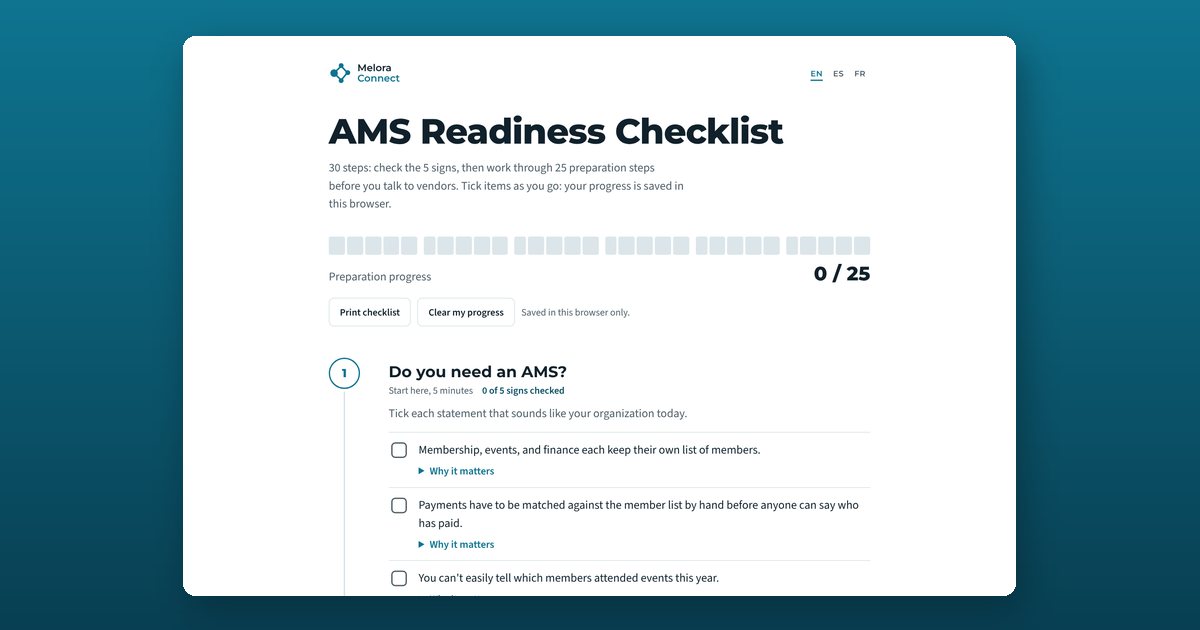
An AMS readiness checklist helps a membership organization decide whether it needs association management software and prepare before speaking to vendors. This one has 30 steps: 5 signs that show whether you have outgrown your current tools, and 25 preparation steps in five phases. Six steps that teams often skip are flagged “Often missed.”
What the AMS readiness checklist covers
The checklist has six phases. The first one tells you whether you need an AMS; the other five get you ready to buy one. Each phase has a suggested timing, a one-line goal, and the steps to tick off.
1. Do you need an AMS? (start here, 5 minutes)
Tick each statement that sounds like your organization today.
- Membership, events, and finance each keep their own list of members.
- Payments have to be matched against the member list by hand before anyone can say who has paid.
- You can’t easily tell which members attended events this year.
- Committee rosters, sponsor contacts, and event attendance live outside the member record.
- Members email staff to update their details or ask for a receipt.
2. Agree on the why (week 1)
Get the people who decide aligned on the problem before anyone looks at software.
- Write down the three biggest problems with your current setup, one sentence each.
- Name the decision-makers and one project lead.
- Set two or three measurable goals, such as renewal rate or staff hours saved.
- Get support from your executive director and board before you contact vendors. Often missed
- Describe what success looks like 12 months after launch.
3. Map your current setup (weeks 1 to 2)
Know exactly what you run today, what it costs, and where member data lives.
- List every tool and spreadsheet that holds member data.
- Count your members, contacts, and company or household accounts. Often missed
- List your membership types and prices, and mark any you could simplify. Often missed
- Map your renewal cycle and your busiest renewal and event months.
- Note what each current tool costs and when each contract ends.
4. Define what you need (weeks 2 to 3)
Turn your problems into requirements you can test in a demo.
- Sort your requirements into must-haves and nice-to-haves.
- Write your three most important workflows step by step, such as join, renew, and register for an event.
- List the integrations you must keep, such as accounting, your website, and video meetings.
- Decide how you need to take payments: card, ACH, autopay, and whose payment account.
- Collect the reports your board and staff ask for most often.
5. Check your data and consent (weeks 2 to 4)
Know the state of your data before a vendor quotes a migration.
- Decide how much history to bring over, such as payments and event attendance.
- Spot-check a sample of records for duplicates and missing fields.
- Confirm you have email consent records for your members and contacts. Often missed
- List who has access to member data today and who should have it.
- Make full data export at any time a requirement.
6. Set budget, timing, and team (weeks 3 to 4)
Agree on what you can spend, when you can switch, and who will do the work.
- Set a three-year budget that includes setup, migration, add-ons, and payment fees. Often missed
- Pick a go-live window away from renewal peaks and major events. Often missed
- Estimate how many staff hours per week you can give the project.
- Agree on who approves the contract and how long approval takes.
- Shortlist three to five vendors and send each the same questions.
The six steps teams most often miss
These steps carry an Often missed flag in the tool, because skipping them is what usually stalls a software search or makes a migration harder later:
- Get support from your executive director and board before you contact vendors.
- Count your members, contacts, and company or household accounts.
- List your membership types and prices, and mark any you could simplify.
- Confirm you have email consent records for your members and contacts.
- Set a three-year budget that includes setup, migration, add-ons, and payment fees.
- Pick a go-live window away from renewal peaks and major events.
What your result means
The five signs. The tool counts how many you ticked:
- 0 to 1: Your current tools may be enough for now. Keep your records tidy and check again when you add events, staff, or members.
- 2 to 3: An AMS will likely pay for itself. The time your team spends reconciling lists is probably worth more than the software. Work through the preparation steps below.
- 4 to 5: Your setup is probably costing you members. Disconnected tools are hiding who is drifting away. Start the preparation steps now and plan to talk to vendors this quarter.
The 25 preparation steps. The progress bar counts the steps you have finished:
- 0 to 9: Not ready yet. Start with “Agree on the why.” It makes every later step faster.
- 10 to 19: Getting there. Finish the steps marked “Often missed” before you book demos.
- 20 to 25: Ready to talk to vendors. Turn your answers into an RFP and send every vendor the same questions.
Who this checklist is for
The checklist is written for executive directors, membership and operations managers, and the board members who will approve the budget. It works for professional and trade associations, chambers of commerce, professional societies, and membership nonprofits, whether you run on spreadsheets today or on software you have outgrown. It is vendor-neutral: the answers work for any association management or membership software you are considering.
When you are ready to compare vendors, turn your answers into our free membership software RFP template. New to the category? Start with our guide to what association management software is, and once you have chosen, the AMS migration checklist takes you from kickoff to 90 days after launch.
How to use this checklist
Tick the five signs
Open the checklist in your language and tick the five signs.
Give each phase an owner
If you ticked two or more, assign an owner to each preparation phase.
Do the Often missed steps first
Do the steps marked “Often missed” first.
Tick steps as you finish them
Tick each step as you finish it. Your progress saves in this browser.
Print it and build your RFP
Print the list for team or board meetings, then turn your answers into an RFP.
Frequently asked questions
What is an AMS readiness checklist?
It is a list of signs and preparation steps that shows whether your organization needs association management software (AMS) and what to decide internally before you talk to vendors. This checklist has 5 signs and 25 preparation steps in five phases.
How do I know if my association needs an AMS?
Look for disconnected member lists, payments matched by hand, event attendance you can't see, and members emailing staff for routine updates. If two or more of the five signs apply, an AMS will likely pay for itself in staff time.
What should we do before talking to AMS vendors?
Agree on the problems and goals, map your current tools and costs, list must-have requirements and key workflows, check your data and email consent, and set a three-year budget and go-live window. Then send every vendor the same questions.
How long does it take to get ready to buy an AMS?
Most teams can finish the preparation steps in two to four weeks alongside their normal work. The five signs take about five minutes.
Who should be involved?
A project lead, the executive director, and the people who run membership, events, and finance. Involve the board early if it approves the budget.
Is my progress private?
Yes. The checklist runs in your browser and saves progress on your device only. Nothing you enter is sent to Melora Connect.
Does it only work for Melora Connect?
No. The checklist is vendor-neutral and works for any association management or membership software you are considering.