
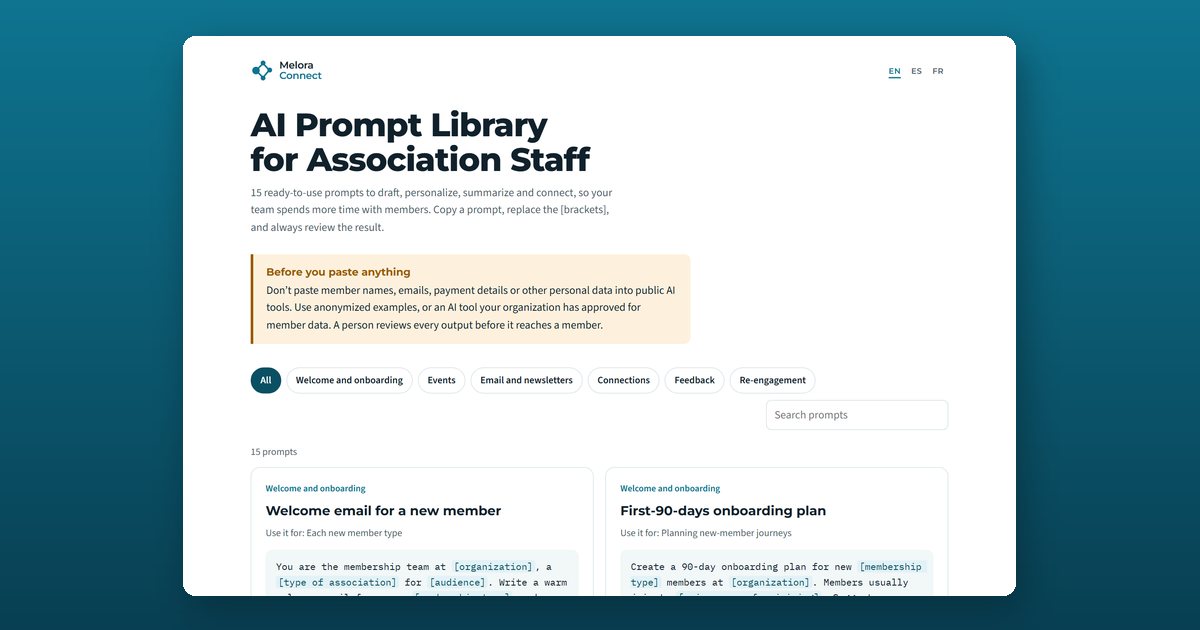
An AI prompt library for associations is a collection of ready-to-use instructions that association staff paste into an AI assistant to draft, personalize, and summarize member communication. This free library has 15 prompts in six categories, in English, Spanish, and French, with brackets that show exactly what to fill in.
The 15 prompts, by category
Welcome and onboarding
- Welcome email for a new member: a warm welcome with three things to do in the first 30 days.
- First-90-days onboarding plan: one action every two weeks, its goal, and the sign that it worked.
- Personal check-in at day 45: for new members who haven’t attended anything yet.
Events
- Event description that gets registrations: a 40-word email version and a 120-word website version.
- Event recap for members who missed it: three takeaways and an invitation to the next event.
- Recommend events by interest: the two most relevant events for each member profile.
Email and newsletters
- Three subject lines to test: curiosity-led, benefit-led, and direct, each under 50 characters.
- Newsletter from rough notes: a scannable newsletter with one call to action.
- Rewrite for a different segment: the same facts, with the emphasis that matters to that segment.
Connections
- Mentoring match introductions: why two people fit, and a first topic to talk about.
- Peer introduction at an event: a short message that gives two members a reason to meet.
Feedback
- Summarize open-ended survey answers: themes, counts, real quotes, and the top three requests, with nothing invented.
- Turn feedback into a “you said, we did” update: specific and honest about what hasn’t changed yet.
Re-engagement
- Re-engagement message for a quiet member: personal, guilt-free, and under 100 words.
- Call script for an at-risk member: a two-minute script that listens first, before renewal.
Before you paste anything
Don’t paste member names, emails, payment details, or other personal data into public AI tools. Use anonymized examples, or an AI tool your organization has approved for member data. A person reviews every output before it reaches a member.
Why these prompts work
Each prompt gives the assistant a role, the audience, the goal, a length limit, and the details it needs in brackets. That structure is what turns a generic AI answer into a draft your team can send after a quick edit.
Who this library is for
Membership, events, and communications staff at associations, chambers of commerce, professional societies, and nonprofits, and anyone on a small team who wants to spend less time on first drafts and more time with members.
How to use the AI prompt library
Find the prompt for the job
Filter by category (welcome and onboarding, events, email and newsletters, connections, feedback, or re-engagement) or search by keyword.
Copy it into your AI assistant
Select Copy prompt and paste it into the AI tool your organization uses, such as ChatGPT, Claude, Gemini, or Microsoft Copilot.
Replace every bracket
Highlighted [brackets] mark what to fill in: your organization, the member type, event details, or anonymized notes. The more specific you are, the better the draft.
Review before anything reaches a member
Check facts, names, dates, and tone. A person reviews every output before it is sent.
Frequently asked questions
What can association staff use AI prompts for?
Drafting welcome emails and onboarding plans, writing event descriptions and recaps, turning rough notes into newsletters, testing subject lines, writing mentoring and networking introductions, summarizing open-ended survey answers, and writing re-engagement emails and renewal call scripts.
Which AI tools do these prompts work with?
Any general AI assistant, including ChatGPT, Claude, Gemini, and Microsoft Copilot. The prompts are plain text with no special syntax.
Is it safe to paste member data into AI tools?
Don't paste member names, emails, payment details, or other personal data into public AI tools. Use anonymized examples, or an AI tool your organization has approved for member data, and have a person review every output.
Can AI write emails to our members?
AI can write a good first draft in seconds, especially when you give it specifics: the member type, their interests, and one clear next step. A staff member should still edit the draft and send it in their own name.
How do I get better results from a prompt?
Fill in every bracket with concrete details, say who the message is for and what it should achieve, set a length limit, and ask for two or three versions to choose from. If the first draft is generic, tell the assistant what to change.
Are the prompts available in Spanish and French?
Yes. The library has all 15 prompts in English, Spanish, and French. Switch language at the top of the tool.
Do I need an account to use the library?
No. The library is free and runs in your browser. Your language choice is the only thing it remembers, and it stays on your device.